URL Encoding Guide
URL Encoding Guide covering percent-encoding, UTF-8, query strings, paths, spaces, plus signs, double encoding, security, and practical code examples.
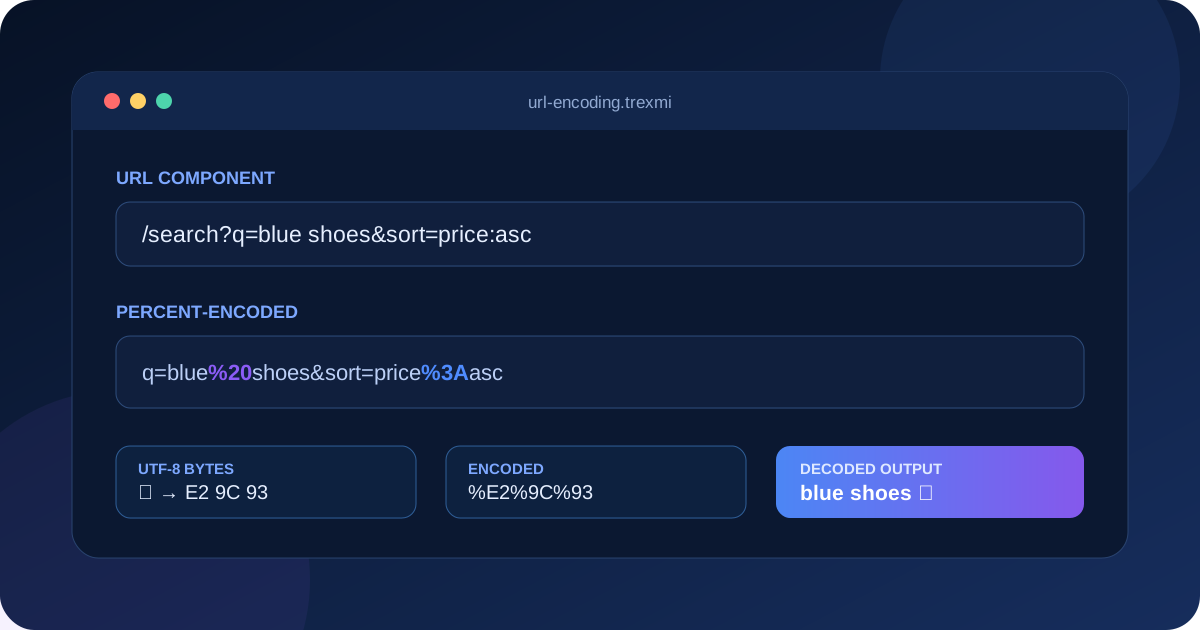
URL Encoding Guide explains how percent-encoding makes text safe inside URLs, query strings, path segments, form submissions, redirects, and API requests. It covers reserved characters, UTF-8 bytes, spaces, plus signs, double encoding, decoding, security, and practical examples in JavaScript, PHP, and Python.
Tip: Encode individual URL components, not an already complete URL. Encoding the entire address can escape separators such as
:,/,?, and&that define its structure.
What is URL encoding?
URL encoding, more precisely called percent-encoding, represents bytes with a percent sign followed by two hexadecimal digits. A space may become %20, a slash may become %2F, and the UTF-8 bytes for non-ASCII text are encoded one byte at a time.
This URL Encoding Guide focuses on component-level encoding. A URL contains different components—scheme, host, path, query, and fragment—and each component has different syntax rules. A character that is safe in one component may be structural or unsafe in another.
For normative behavior, consult the WHATWG URL Standard and MDN percent-encoding reference.
Reserved and unreserved URL characters
Unreserved characters are generally safe to use without encoding: ASCII letters, digits, hyphen, period, underscore, and tilde. Reserved characters may act as separators or delimiters and therefore must be handled according to context.
| Group | Characters | Meaning |
|---|---|---|
| Unreserved | A-Z a-z 0-9 - . _ ~ |
Normally remain literal |
| General delimiters | : / ? # [ ] @ |
Define URL structure |
| Sub-delimiters | ! $ & ' ( ) * + , ; = |
Used by components and protocols |
How percent-encoding works
Percent-encoding operates on bytes. The ASCII character / has byte value 47, hexadecimal 2F, so its encoded representation is %2F. Hexadecimal digits are case-insensitive, although uppercase output is common.
Original:  blue & green
Encoded:   blue%20%26%20green
The ampersand is encoded because it separates parameters inside a query string. Leaving it literal inside a value can change the meaning of the request.
URL Encoding Guide to UTF-8 characters
Modern URLs normally encode text as UTF-8 before percent-encoding the resulting bytes. The character ✓ becomes the three UTF-8 bytes E2 9C 93, represented as %E2%9C%93.
Do not encode Unicode code points directly. Use a URL API or a language function that converts the input to UTF-8 bytes correctly.
Spaces: %20 versus plus
In generic URL percent-encoding, a space is %20. In application/x-www-form-urlencoded form data and many query-string parsers, a plus sign can represent a space. These conventions are related but not identical.
Generic component:  John%20Smith
Form query value:   John+Smith
Warning: A literal plus sign may need encoding as
%2B. Otherwise a form-style decoder may turn it into a space.
Encoding query-string names and values
Encode each parameter name and value separately, then join them with = and &. Do not encode the separators themselves.
search=blue%20shoes&sort=price%3AascUse the Query String Parser to inspect repeated keys, blank values, nested names, plus signs, and decoded parameter values.
Encoding URL path segments
Encode each dynamic path segment independently. If a user-controlled identifier contains a slash, encoding it as %2F may still be interpreted differently by proxies, routers, or servers. Test the complete request path in the actual infrastructure.
const path = `/users/${encodeURIComponent(userId)}`;Do not apply query-string form rules automatically to paths. A plus sign in a path normally remains a plus sign rather than representing a space.
URL encoding examples in common languages
JavaScript
const value = encodeURIComponent("blue & green");
const text = decodeURIComponent(value);
encodeURIComponent() is usually the correct choice for an individual query value or path segment. encodeURI() preserves more URL syntax and is not interchangeable.
PHP
$encoded = rawurlencode("blue & green");
$decoded = rawurldecode($encoded);
rawurlencode() follows percent-encoding with spaces as %20. urlencode() uses form-style behavior with plus signs for spaces.
Python
from urllib.parse import quote, unquote
encoded = quote("blue & green", safe="")
decoded = unquote(encoded)
Double encoding and partial decoding
Double encoding happens when an already encoded value is encoded again. The percent sign in %20 becomes %25, producing %2520. One decoding pass returns %20; a second pass returns a space.
Original:        a b
Encoded once:    a%20b
Encoded twice:   a%2520b
Track where encoding occurs and define ownership. A framework, HTTP client, template helper, or browser API may already encode parameters automatically.
Common URL encoding mistakes
- Encoding the entire URL instead of individual components.
- Using
encodeURI()when a query value requiresencodeURIComponent(). - Treating plus as a space in every URL component.
- Decoding a value repeatedly without knowing its original encoding depth.
- Building query strings by string concatenation instead of a URL API.
- Assuming encoded text is encrypted or private.
- Failing to validate the decoded value before using it in redirects, paths, SQL, HTML, or file operations.
Security considerations
Encoding changes representation, not trust. After decoding, validate the result according to its destination. Open redirects, path traversal, header injection, cross-site scripting, and signature mismatches can involve differently encoded but semantically equivalent values.
Security filters should normalize carefully and avoid inconsistent decoding between gateways, application servers, and frameworks. Never log sensitive query parameters, tokens, reset links, or personal data merely because they are percent-encoded.
URL encoding versus Base64 and HTML entities
URL encoding versus Base64
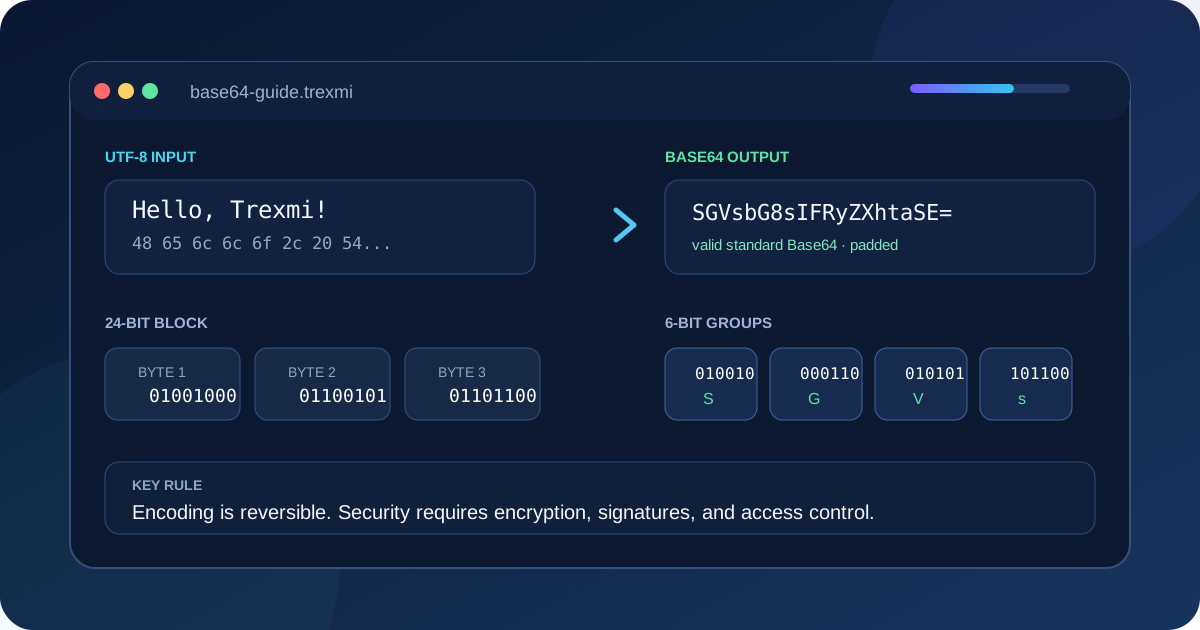
URL encoding escapes selected bytes so data can appear safely in a URL component. Base64 converts arbitrary bytes into a restricted text alphabet and usually increases size more significantly. Neither method provides encryption.
URL encoding versus HTML entity encoding
HTML entities protect text inside HTML contexts, while URL encoding protects URL components. Use the encoder required by the output context; applying the wrong encoder can still leave security vulnerabilities.
A reliable URL Encoding Guide workflow
- Identify the exact URL component being created.
- Keep the original unencoded value.
- Use a standard URL API or component encoder.
- Inspect the encoded output.
- Decode once and compare with the original.
- Test spaces, plus signs, percent signs, slashes, ampersands, Unicode, and empty values.
- Send the result through the real client, proxy, router, and server.
- Validate the decoded value at its destination.
Use URL Encoder to encode component text, URL Decoder to inspect percent sequences, and URL Parser to separate complete URLs into scheme, host, path, query, and fragment.
URL Encoding Guide summary
This URL Encoding Guide recommends encoding individual components with a standard API, preserving structural separators, understanding %20 versus plus, avoiding double encoding, and validating decoded data. Percent-encoding makes URLs syntactically safe; it does not make untrusted data secure or confidential.
Practice what you learned
Related Trexmi tools
Open a focused workspace and test the patterns from this guide.Clear answers
Frequently asked questions
What is URL encoding?+
URL encoding represents bytes as percent signs followed by hexadecimal values so text can be used safely inside URL components.
Should spaces use %20 or plus?+
Generic URL components use %20. Form-encoded query data may use plus to represent a space.
What is double URL encoding?+
Double encoding occurs when an encoded value is encoded again, turning a percent sign such as % into %25.
Should I encode a complete URL?+
Usually no. Encode individual dynamic components while preserving structural separators such as colon, slash, question mark, equals, and ampersand.
Is URL encoding secure or encrypted?+
No. It changes representation only. Anyone can decode it, so sensitive values still require proper transport and access controls.
What is the difference between encodeURI and encodeURIComponent?+
encodeURI preserves many URL structural characters, while encodeURIComponent is intended for individual values or segments and escapes more characters.
How are Unicode characters URL encoded?+
They are converted to UTF-8 bytes and each required byte is represented with a percent sign and two hexadecimal digits.
Why can a plus sign decode as a space?+
Form-style application/x-www-form-urlencoded parsing commonly treats plus as a space in query values. A literal plus should be encoded as %2B.
Continue learning