01
Readable identity fields
Review subject, issuer, serial number, and signature algorithm without manually decoding ASN.1.
Start typing to search 227 tools.
Decode one X.509 PEM certificate and inspect subject, issuer, validity, SAN entries, fingerprints, serial number, signature, and key usage.
Certificate Decoder reads one PEM-encoded X.509 certificate and presents its main fields as a readable report. It shows the current date status, subject, issuer, validity period, days remaining, serial number, signature algorithm, SHA-256 and SHA-1 fingerprints, Subject Alternative Names, and selected usage extensions.
A successful decode proves only that the certificate structure can be parsed. It does not verify the signature chain, trusted root, hostname, revocation state, or ownership of the corresponding private key.
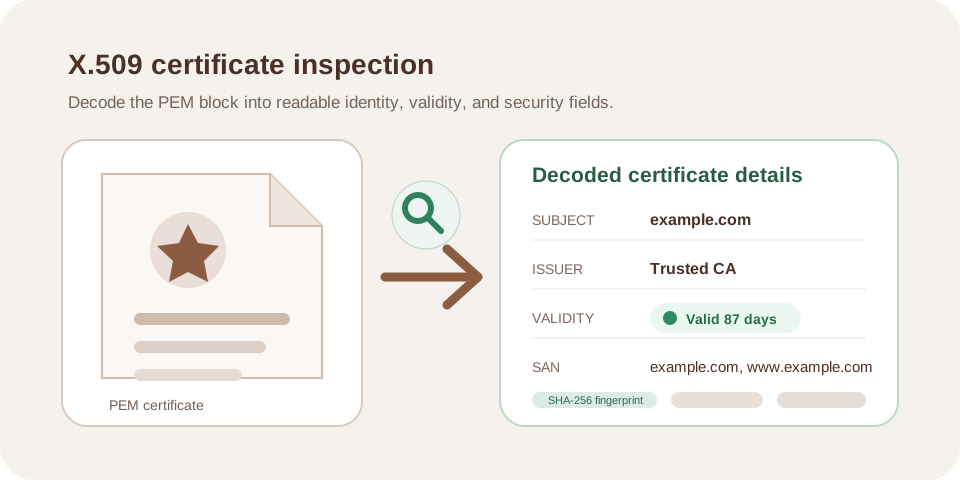
Focused controls, predictable output, and a workflow designed around this exact transformation.
Review subject, issuer, serial number, and signature algorithm without manually decoding ASN.1.
See whether the certificate is not yet valid, currently valid, or expired, plus UTC dates and days remaining.
Compare SHA-256 and legacy SHA-1 fingerprints with a trusted deployment record.
Inspect the DNS and other names carried by the Subject Alternative Name extension.
Practical details about input, output, privacy, limits, and the best way to use this tool.
No. Trust requires chain and signature validation against the intended trust store.
No. Inspect the SAN entries, then use a TLS client or certificate checker that performs hostname validation.
The current server time is compared with the certificate’s not-before and not-after timestamps.
No. This processor expects a CERTIFICATE block and does not decode private keys.
No. It does not query CRL or OCSP services.
SHA-256 is the preferred comparison value. SHA-1 may assist compatibility with older inventories but should not drive new security decisions.
The current workflow reads the first complete CERTIFICATE block. Inspect chain members individually and validate their order separately.
The processor returns an explicit error because X.509 parsing depends on the server’s OpenSSL extension.
Understand TLS certificates, SAN hostnames, issuers, trust chains, expiration, PEM data, fingerprints, and common HTTPS errors.
Compare the decoded dates and identity with the intended deployment.
One complete BEGIN CERTIFICATE PEM block
Subject, issuer, valid-from, valid-until and days remaining
Modern hostname matching normally relies on SAN entries rather than the common name alone.
Leaf certificate from a staging endpoint
Subject Alternative Names list
Compare the SHA-256 fingerprint through a trusted channel to confirm the same certificate bytes.
Certificate exported from two environments
SHA-256 and SHA-1 fingerprints
The report includes the subject and issuer distinguished names, validity status, UTC date range, remaining days, serial number, signature algorithm, SHA-256 and SHA-1 fingerprints, Subject Alternative Names, and key-usage or extended-key-usage values when present. Missing optional extensions are not invented.
The processor accepts a complete PEM certificate block, validates the Base64 body, normalizes line wrapping, and passes the result to the server’s X.509 parser. It does not accept a certificate request, public key, or private key as a substitute.
A certificate can be not yet valid, currently within its date window, or expired. UTC timestamps help avoid local timezone confusion. A currently valid date does not prove that a client will trust the certificate: the chain, hostname, algorithms, revocation policy, and client clock also matter.
For renewal monitoring, act before the displayed deadline and confirm that the replacement certificate is actually served by every endpoint, load balancer, and CDN edge.
Modern TLS clients use Subject Alternative Name entries for hostname matching. A matching common name is not enough when the required DNS name is absent from SAN. Wildcard coverage also follows strict label rules and should be tested with the real client.
Internal certificates can expose hostnames, email addresses, or organization details even though certificates are normally public-key objects. Review sensitive infrastructure names before sharing a decoded report.
A fingerprint identifies the certificate bytes, not the reputation of the server that supplied them. Compare the SHA-256 value with a known deployment record through an authenticated channel. A match confirms the same certificate object; it does not prove control of the corresponding private key.
Review RFC 5280 and the documentation for the actual TLS client or platform before production use.
Use PEM Formatter for damaged wrapping, SSL Certificate Checker for a live public endpoint, or RSA Key Generator only for controlled test key material.