01
Complete RSA key pair
Generates a mathematically related public key and private key for encryption, signing, and integration testing.
Start typing to search 227 tools.
Generate RSA public and private key pairs in PEM format with selectable key sizes and optional passphrase protection.
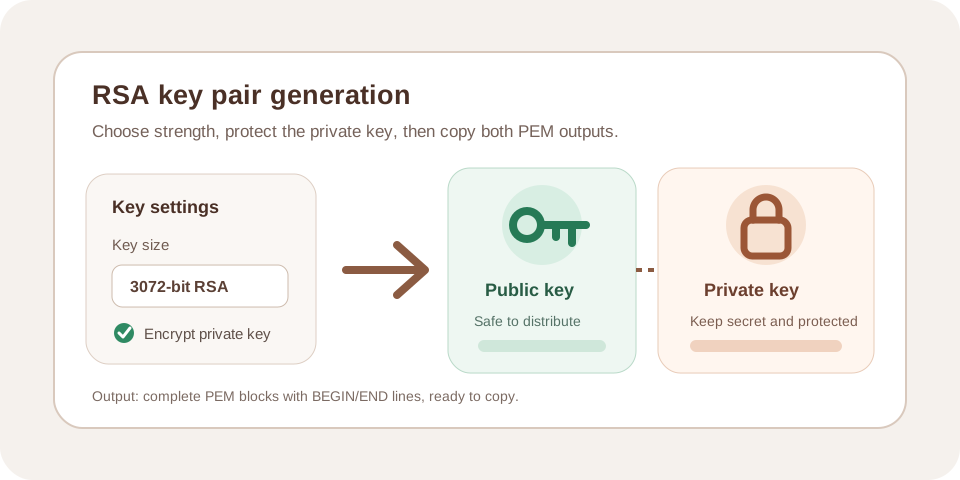
RSA Key Generator creates a new RSA public and private key pair in PEM format with selectable 2048, 3072, or 4096-bit key size and an optional private-key passphrase.
The workspace keeps source and result separate, so you can review every generated, formatted, or decoded value before copying it into another system. Processing is handled without an external API request.
Use non-production samples whenever possible. Never paste an active private key, production passphrase, live certificate secret, or confidential customer material into an environment you do not fully control.
Focused controls, predictable output, and a workflow designed around this exact transformation.
Generates a mathematically related public key and private key for encryption, signing, and integration testing.
Select 2048, 3072, or 4096-bit output according to compatibility and security requirements.
Encrypt the private-key PEM output when the receiving system supports protected keys.
Both keys are returned as complete PEM blocks that can be reviewed before use.
Practical details about input, output, privacy, limits, and the best way to use this tool.
Use the size required by the destination platform. RSA 2048 is widely compatible, while 3072 and 4096 provide larger margins with slower operations and larger files.
Yes. The public key is designed to be distributed. The private key and its passphrase must remain secret.
Production policy may require keys to be generated and retained inside a managed key service, hardware security module, or protected server environment.
It encrypts the private-key file at rest. It does not compensate for unsafe storage, weak access controls, or exposing the passphrase beside the key.
PEM parsers require the complete boundary labels and encoded body. Omitting any part makes the key invalid.
The RSA Key Generator asks the cryptographic library to create two mathematically related keys. The public key can be distributed to systems that need to encrypt data or verify signatures. The private key must remain secret because it can decrypt data or create signatures.
Choose the key size required by the destination platform. A 2048-bit key is widely supported, while 3072-bit and 4096-bit options provide larger security margins at the cost of slower generation and larger files. The output is returned in PEM format so it can be copied into configuration files, certificate requests, test servers, and supported development tools.
Store the private key separately from the public key. Sharing the public key is expected; sharing the private key breaks the security model. If a passphrase is enabled, keep it in a different protected location rather than beside the key file.
Use an RSA Key Generator to prepare local TLS experiments, create test signing keys, build certificate signing requests, verify application integration, test encryption workflows, prepare staging environments, and document deployment procedures.
Generated keys should be treated as temporary until the destination system has been tested. Confirm that the receiving application supports the selected key size, PEM label, encryption format, and passphrase behavior.
Do not automatically choose the largest key. Compatibility and performance matter. Follow the requirements of the server, framework, certificate authority, hardware security module, or API that will consume the key.
Never publish, email, commit, or paste a private key into issue trackers, chat logs, analytics tools, or public repositories. Use restrictive file permissions and an approved secrets manager or key store. Rotate the key immediately if exposure is suspected.
For production systems, generate and store keys inside the environment that will protect them. A hardware-backed key store or managed key service may be preferable when policy, compliance, or threat level requires stronger controls.
A passphrase protects the private-key file at rest, but it does not make unsafe storage acceptable. Use a unique passphrase, avoid embedding it directly in source code, and confirm that automated services can access it through a secure secret-delivery mechanism.
Include the complete BEGIN line, Base64 body, END line, and all line breaks. Missing characters make the key unreadable.
Read the PEM label carefully and map each output to the correct destination field.
A valid key pair does not validate server configuration, certificate trust, hostname matching, cipher policy, backups, or access controls. Test the complete deployment.
Review the OpenSSL documentation and RFC 5280 before using keys or certificates in production.