01
Restore readable string values
Convert visible escape sequences into the characters and whitespace they represent.
Start typing to search 227 tools.
Decode JSON escape sequences such as escaped quotes, backslashes, newlines, tabs and Unicode sequences into readable text.
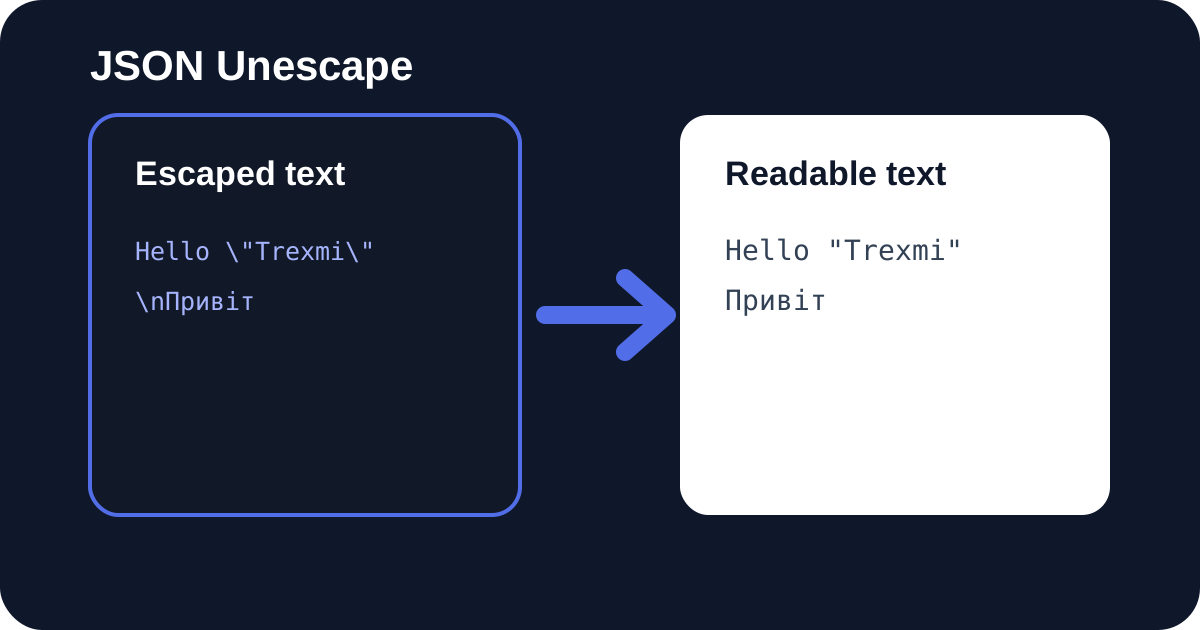
JSON Unescape converts valid JSON escape sequences back into readable text. The JSON Unescape tool restores escaped quotation marks, backslashes, forward slashes, newlines, tabs, carriage returns, control characters, and Unicode sequences such as \u041f. It is useful when API responses, application logs, configuration exports, test fixtures, or copied string literals display escape codes instead of the characters they represent.
Paste the content of a JSON string without its surrounding quotation marks. The decoder validates the sequence before returning a result, so malformed Unicode escapes, unsupported backslash codes, and incomplete surrogate pairs are rejected rather than silently changed. For an entire JSON object or array, use JSON Viewer or JSON Formatter instead.
Focused controls, predictable output, and a workflow designed around this exact transformation.
Convert visible escape sequences into the characters and whitespace they represent.
Sequences such as \u041f are restored to their readable Unicode characters.
Incomplete Unicode sequences and invalid JSON escapes return a clear validation error.
The tool processes the escaped value through the Trexmi workflow.
Practical details about input, output, privacy, limits, and the best way to use this tool.
It restores readable characters and whitespace from standard JSON escape sequences.
Yes. Four-digit Unicode sequences and valid surrogate pairs are decoded by the JSON parser.
No. Paste the escaped string content without the surrounding JSON quotation marks.
The sequence may be incomplete, unsupported or contain invalid hexadecimal digits.
No. Use HTML Decoder for entities such as &.
Yes. \n becomes a line break and \t becomes a tab.
Use JSON Escape to convert the readable text back into JSON-safe string content.
It decodes one valid JSON escaping layer at a time. Review the result before running another pass so that literal backslashes are not changed accidentally.
A single high or low surrogate does not identify a complete Unicode character. The decoder rejects malformed pairs to prevent corrupted output.
The tool only restores characters. Treat the result as untrusted content and apply destination-specific validation before using it in HTML, SQL, shells, or templates.
Learn JSON objects, arrays, value types, validation, formatting, parsing, API workflows, and common syntax errors.
Standard JSON supports a defined set of escape sequences. The decoder restores \" to a quotation mark, \ to a backslash, \/ to a forward slash, \b to backspace, \f to form feed, \n to a line break, \r to a carriage return, and \t to a tab. Four-digit sequences such as \u041f are decoded as Unicode code units.
Characters outside the Basic Multilingual Plane, including many emoji, may be represented by a pair of Unicode surrogate escapes. JSON Unescape validates and combines a correct pair into one readable character. An isolated high or low surrogate is invalid and should produce an error instead of corrupted text.
A log entry such as Line 1\nLine 2 becomes two physical lines. The value She said \"Hello\" becomes readable quoted text. A path written as C:\Tools\Trexmi is restored to normal single backslashes. Unicode sequences can restore names, localized messages, symbols, and emoji that were serialized by another system.
When a value still appears escaped after one pass, determine whether it was encoded more than once. For example, \n may represent the literal characters backslash and n after the first decoding layer. Do not repeatedly unescape data blindly because each layer has a different meaning.
JSON Unescape is especially useful when copying a single property from a serialized API response or from a database field that stores JSON text. Restoring the readable form makes messages, templates, and stack traces easier to inspect. After editing, use JSON Escape to produce safe string content again.
For a complete API response, first use JSON Formatter or JSON Viewer. Those tools parse the document and preserve its object structure. Extract only the string value that needs decoding. This avoids accidentally converting quotation marks and braces that belong to the surrounding JSON syntax.
An unsupported sequence such as \q is not valid JSON. A Unicode escape must contain exactly four hexadecimal digits, and surrogate code units must appear in a valid pair when required. Another common issue is including the outer quotation marks even though the workspace expects only the inner string content.
JSON Unescape is not an HTML decoder, URL decoder, or Base64 decoder. HTML entities such as &, percent sequences such as %20, and Base64 text require their corresponding tools. Using the wrong decoder can leave the value unchanged or create misleading output.
Keep a copy of the original value, especially when diagnosing multiple encoding layers. Compare the restored output with the application that produced it. Preserve UTF-8, verify line endings when moving text between Windows and Unix systems, and validate any reconstructed JSON document before sending it to an API.
Application code should normally rely on a standard JSON parser rather than manually decoding escape sequences. This online JSON Unescape tool is most useful for debugging, support work, data migration, documentation, and controlled one-off conversions.
Unescaping makes content readable but does not make it safe to execute or insert into HTML, SQL, shell commands, or templates. Treat the result as untrusted input until it has been validated for its destination. Avoid pasting secrets, tokens, private keys, or personal information into demonstrations. JSON syntax is standardized in RFC 8259.
Continue with related Trexmi tools: use JSON Escape to encode the text again, JSON Validator for complete documents, JSON Viewer for nested structures, and HTML Decoder for HTML entities.