01
Readable article identity
Review headline, author, publisher and dates visually instead of reading raw JSON first.
Start typing to search 227 tools.
Generate Article JSON-LD with headline, author, publisher, dates, image, and canonical URL.
Structured data is ready to review.
Check the human-readable preview, then copy JSON-LD only if it matches the visible page.
Article Schema Generator creates Article JSON-LD structured data for articles, blog posts, and news-style content without requiring you to write Schema.org markup by hand. Enter the visible headline, canonical URL, author, publisher, dates, description, and image, then review the result before copying the code.
This article schema generator is designed around consistency: structured data should describe the article users can actually read, not a second hidden version of the page. Use the generated markup as a clean starting point and keep every property aligned with the visible content.
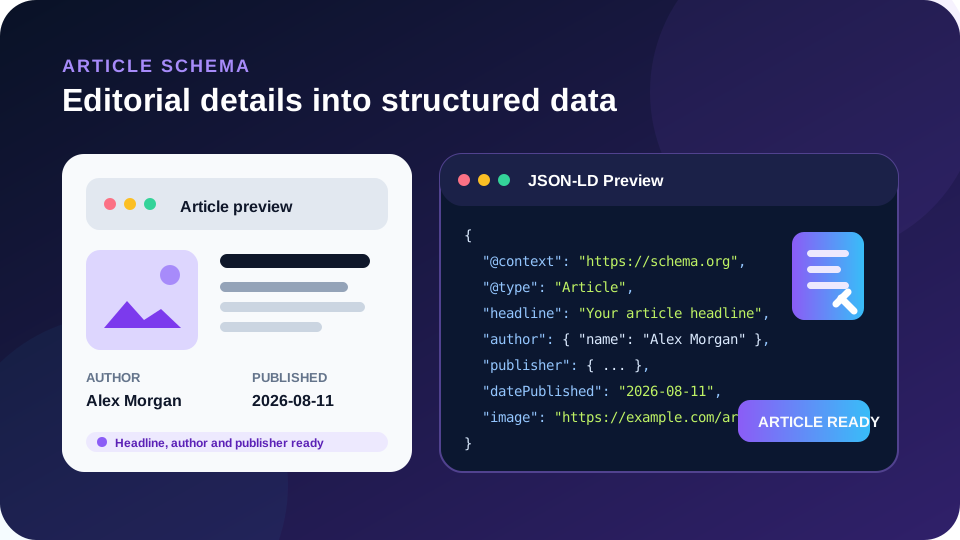
Focused controls, predictable output, and a workflow designed around this exact transformation.
Review headline, author, publisher and dates visually instead of reading raw JSON first.
Required URLs and date formats are checked before schema is generated.
Generate Article, NewsArticle, or BlogPosting from one focused interface.
The same valid input produces deterministic JSON-LD locally.
Practical details about input, output, privacy, limits, and the best way to use this tool.
Use the most specific type that accurately describes the visible page. BlogPosting fits typical blog content, NewsArticle fits genuine news reporting, and Article is a broader fallback.
It should represent the same article headline users see. Avoid inserting a different keyword-focused headline only into structured data.
Use the date of a meaningful content update when the page genuinely communicates that modification.
The tool allows it to be omitted, but a representative crawlable article image is useful when it accurately belongs to the page.
This focused generator currently creates a Person author and an Organization publisher. Use the broader Schema Markup Generator when your model requires a different structure.
The Article Schema Generator converts editorial information into JSON-LD using the Schema.org vocabulary. It creates the schema context, selected article type, headline, canonical URL, mainEntityOfPage reference, author, publisher, publication date, and optional description, image, modification date, and publisher logo. The visual result exists to make those relationships understandable before you open the raw code.
Structured data does not replace the visible article. Search systems compare markup with the page and may ignore data that is misleading, unsupported, duplicated, or inconsistent. Treat generated JSON-LD as a machine-readable description of existing content.
Article is a general creative-work type for editorial content. BlogPosting is more specific for posts published as part of a blog. NewsArticle is intended for news reporting. Choosing a more specific type is useful only when it truthfully matches the page. Do not select NewsArticle merely because it sounds more important.
The Schema.org Article vocabulary documents the underlying properties and related types. Search-specific eligibility can change independently, so also review current Google Article structured data guidance when implementation depends on Google Search features.
The headline should identify the same article users see. The canonical URL should point to the preferred version of that article. Author identifies the person responsible for the content, while publisher identifies the organization publishing it. Keeping these roles separate makes the entity relationship clearer.
datePublished should reflect the original publication date. dateModified should be updated for meaningful editorial changes rather than every automated template or cache change. The featured image should be a stable absolute URL for an image associated with the article. Publisher logo should likewise represent the publishing organization.
Use consistent author names across related pages. When author biography pages exist, a more advanced implementation can connect identities with URLs or identifiers. This generator intentionally focuses on a clean, understandable baseline rather than inventing unsupported properties.
First, confirm the selected schema type matches the page. Second, compare the generated headline with the visible title. Third, verify the canonical URL. Fourth, confirm the author is real and correctly named. Fifth, verify the publisher. Sixth, check the original publication date. Seventh, use dateModified only when appropriate. Eighth, verify the featured image loads publicly. Ninth, confirm the description accurately summarizes the article. Tenth, inspect the rendered page source after implementation so another plugin has not created a conflicting duplicate.
Validation can prove that JSON syntax is valid, but it cannot prove editorial truth. A technically perfect block with the wrong author or stale date is still poor structured data. Review the visual summary first, then use the JSON-LD tab for implementation.
Use Schema Markup Generator for other schema types, SERP Snippet Preview to review search-result messaging, and Meta Tags Generator for standard title, description, canonical, and indexing metadata.
Article Schema Generator provides a practical bridge between editorial content and structured data. It validates core fields, builds predictable JSON-LD, and presents the article identity in a readable preview so authors, editors, developers, and SEO teams can catch obvious mismatches before publishing.