01
Four common hash algorithms
Generate MD5, SHA-1, SHA-256, or SHA-512 without switching between separate tools.
Start typing to search 227 tools.
Use this free Hash Generator to create MD5, SHA-1, SHA-256, and SHA-512 hashes from text, verify exact input, and copy results online.
Hash Generator is a free online utility for creating MD5, SHA-1, SHA-256, and SHA-512 hashes from text. It is designed for developers, QA engineers, system administrators, and support teams who need a fast way to reproduce a digest, compare checksums, inspect integration output, or prepare safe test data.
A hash function converts an input of any length into a fixed-length digest. Even a small change in the source text normally produces a very different result. The same text processed with the same algorithm produces the same digest, which makes hashes useful for integrity checks, cache keys, test fixtures, and debugging.
This Hash Generator keeps the original text visible while displaying the generated digest separately. That makes it easier to confirm whether spaces, line breaks, capitalization, or encoding differences affected the result before you copy it into another system.
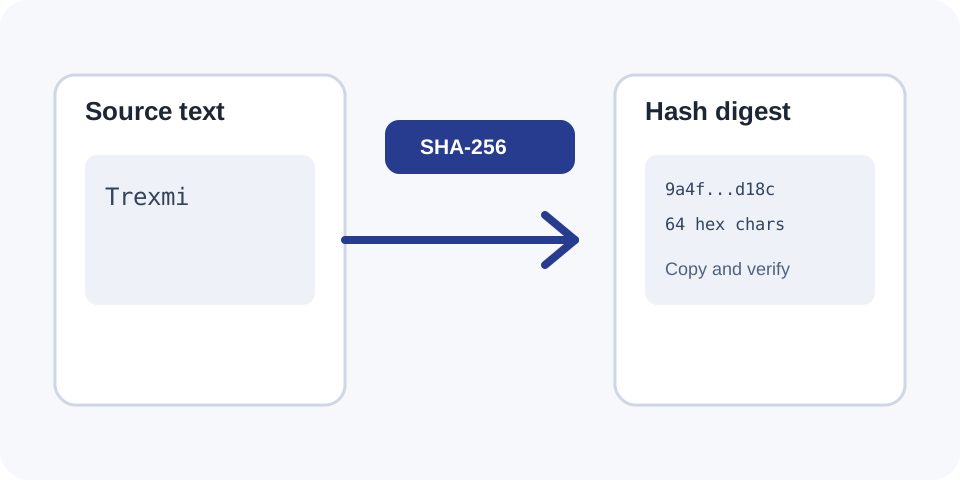
Focused controls, predictable output, and a workflow designed around this exact transformation.
Generate MD5, SHA-1, SHA-256, or SHA-512 without switching between separate tools.
Review the exact source beside the digest to catch whitespace and capitalization differences.
Use the final digest in tests, documentation, configuration, or comparison workflows.
Understand why fast hashes are useful for checksums but not suitable for secure password storage.
Practical details about input, output, privacy, limits, and the best way to use this tool.
A Hash Generator converts text into a fixed-length digest using an algorithm such as MD5, SHA-1, SHA-256, or SHA-512. The same input and algorithm produce the same digest.
Cryptographic hashes are designed as one-way functions. There is no normal decoding process that reconstructs the original text from the digest.
Spaces, tabs, line breaks, capitalization, and punctuation are part of the input. Any byte-level difference can create a completely different digest.
Use the algorithm required by the destination system. SHA-256 is a common modern choice for integrity and development workflows. MD5 and SHA-1 remain useful for compatibility checks but are not collision-resistant enough for modern security decisions.
No. Password storage should use a dedicated password-hashing function with salting and a configurable work factor, such as Argon2, bcrypt, or scrypt.
Check the selected algorithm, text encoding, capitalization, trailing spaces, and final line breaks. A copied newline is one of the most common causes of mismatched hashes.
The hexadecimal letters may be displayed in lowercase or uppercase without changing the underlying numeric value, but some systems compare the text representation strictly.
Avoid submitting passwords, API keys, private keys, tokens, personal records, or confidential production data to any environment you do not fully trust.
Understand SHA hashes, checksums, HMAC, salts, password hashing, verification, and practical integrity workflows.
The tool reads the submitted text exactly as entered and passes it to the selected hashing algorithm. The resulting bytes are represented as hexadecimal characters, producing a digest with a predictable length for each algorithm.
MD5 produces 128 bits, SHA-1 produces 160 bits, SHA-256 produces 256 bits, and SHA-512 produces 512 bits. The digest length changes with the algorithm, not with the amount of input text.
Hashing is deterministic. Repeating the same input with the same algorithm produces the same digest. This is why hashes are useful for comparing whether two values are identical without visually reviewing every character.
A tiny input change normally causes a large visible change in the digest. Replacing one letter, adding a space, or changing a line ending can produce an unrelated-looking result.
MD5 is fast and widely recognized in legacy checksum workflows. It should not be used where collision resistance is required, but it can still help reproduce existing non-security checksums.
SHA-1 is also a legacy algorithm with known collision weaknesses. Use it only when compatibility with an existing system requires SHA-1.
SHA-256 is part of the SHA-2 family and is a common choice for integrity checks, signatures, API workflows, build systems, and deterministic identifiers.
SHA-512 creates a longer digest and belongs to the same SHA-2 family. Select it when the receiving system explicitly requires a 512-bit digest.
Generate a digest from a known test payload and compare it with the value produced by an API, webhook, automation, or application.
Use hashes to detect whether a text fixture, generated configuration, or exported record changed between test runs.
Convert a stable source string into a compact repeatable key. Confirm the destination system accepts the chosen algorithm and representation.
When two values look identical but produce different hashes, inspect hidden spaces, Unicode normalization, carriage returns, and final newlines.
An MD5 digest cannot match a SHA-256 digest. Confirm the algorithm before comparing values.
Text copied from terminals and files may include a final line break. Remove or preserve it consistently across both systems.
Most web workflows use UTF-8, but older systems may hash a different byte encoding. The visible text can look the same while the byte sequence differs.
Hash functions are case-sensitive because uppercase and lowercase characters use different byte values.
A digest is not encryption and cannot be decrypted with a key. However, short or predictable inputs can still be guessed by hashing many candidates and comparing the results.
Do not use plain MD5, SHA-1, SHA-256, or SHA-512 for password storage. Dedicated password-hashing functions are intentionally slow and include salts to reduce the effectiveness of precomputed attacks.
For digital signatures, message authentication, or password storage, use a reviewed protocol rather than inventing a custom construction from a basic hash.
Use Base64 Encoder to encode binary-safe text, Base64 Decoder to inspect encoded content, or Case Converter to normalize capitalization before creating a test digest.
For the SHA-2 algorithm family, consult the NIST Secure Hash Standard.