01
Recursive key sorting
Alphabetize object keys at the root and throughout deeply nested JSON structures.
Start typing to search 227 tools.
Use this free JSON Sorter to alphabetize object keys recursively while preserving values, nested structures, and array order online.
Json Sorter gives you a focused workflow for this task. Use json sorter with representative input, review the complete result, and verify the output in the destination system before production use.
JSON Sorter is a free online tool that alphabetizes JSON object keys recursively while preserving values and array order. It helps developers, QA teams, analysts, and technical writers create predictable JSON output for reviews, documentation, tests, configuration files, and version control.
Object key order is usually not semantically important to JSON consumers, but inconsistent ordering can make files harder to compare and review. Sorting keys produces a stable visual structure, reduces noisy diffs, and makes repeated exports easier to inspect.
The JSON Sorter validates the submitted document before processing it. Every object is sorted independently, including nested objects inside arrays. Array elements remain in their existing sequence because changing array order could change the meaning of the data.
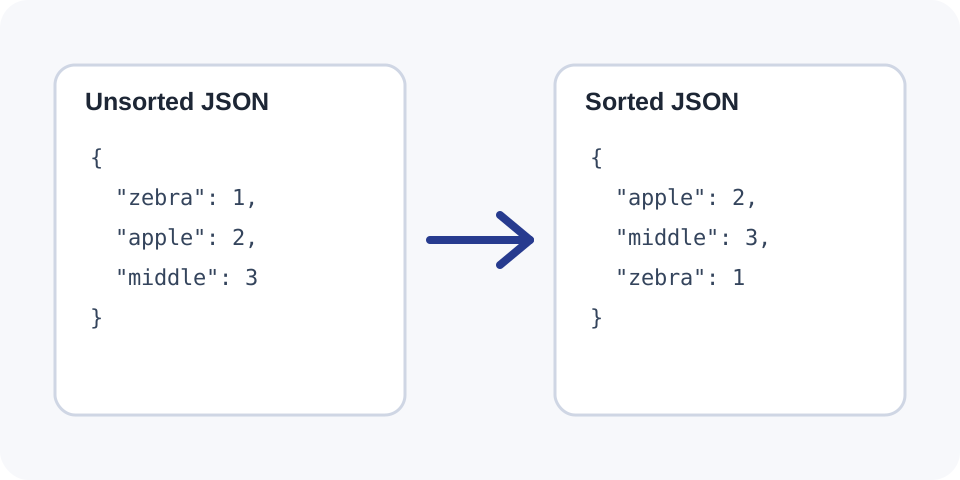
Focused controls, predictable output, and a workflow designed around this exact transformation.
Alphabetize object keys at the root and throughout deeply nested JSON structures.
Keep array items in their original sequence so list semantics are not changed.
Reduce ordering noise in Git diffs, configuration reviews, and generated documentation.
Receive structured output that can be copied into tests, files, and development workflows.
Practical details about input, output, privacy, limits, and the best way to use this tool.
JSON Sorter validates a JSON document and alphabetizes every object key recursively. Values and array item order remain unchanged.
JSON object members are generally treated as an unordered collection by consumers. However, stable visual ordering is useful for reviews, tests, documentation, and version control.
No. It preserves array item order because reordering a list can change the meaning of the document. Objects contained inside arrays still have their keys sorted.
No. Strings, numbers, Booleans, null values, arrays, and nested structures remain associated with their original keys.
No. It reports invalid syntax rather than guessing how to repair the document. Use a JSON Validator to locate syntax errors first.
Stable key order reduces unrelated line movement, making code reviews and version differences easier to understand.
Alphabetical key sorting alone does not guarantee compliance with every canonicalization standard. Canonical formats may also define number serialization, Unicode handling, escaping, and whitespace.
Avoid submitting access tokens, private keys, personal data, or confidential production payloads to any environment you do not fully trust.
Learn JSON objects, arrays, value types, validation, formatting, parsing, API workflows, and common syntax errors.
Json Sorter works best when the source is realistic and the result is reviewed before export. Use json sorter on a small example first, then repeat the same json sorter workflow with a production-like sample that contains no private data.
After running json sorter, compare the source and result, check special characters and empty values, and test the output in the receiving application. A reliable json sorter workflow keeps the original input available until the destination accepts the result.
Typical mistakes include incomplete input, incorrect assumptions about defaults, hidden whitespace, encoding differences, and skipping final validation. When json sorter gives an unexpected result, reduce the example to the smallest failing case and add complexity back one change at a time.
Continue with Json Formatter or Json Validator for a second formatting, validation, or verification step.
The tool parses the submitted JSON into native structured values. When it encounters an object, it sorts that object’s keys and then processes every nested value recursively. When it encounters an array, it keeps the sequence unchanged while continuing to sort any object elements inside it.
After processing, the structure is serialized back into readable JSON. This creates a predictable visual layout without intentionally altering the underlying values.
Sorting only the root object is not enough for complex data. Recursive sorting applies the same rule to nested configuration blocks, API records, metadata objects, and objects contained inside arrays.
Consistent key order makes repeated exports easier to compare. When the values are unchanged, the resulting sorted documents are more likely to produce small and meaningful text diffs.
An object maps property names to values. Most JSON consumers do not assign semantic meaning to the display order of those properties. An array is an ordered list, so changing item positions can change the meaning of the data.
For that reason, this sorter alphabetizes object keys but does not reorder array items. A list of deployment steps, search results, coordinates, or transaction records remains in the same sequence.
Sort generated or manually maintained JSON before committing it. Stable ordering helps reviewers focus on changed values instead of arbitrary key movement.
Use sorted object keys in snapshots and fixtures when the producer returns properties in inconsistent order. Confirm that the testing framework does not require a different canonicalization rule.
Alphabetical keys make long sample payloads easier to scan and help readers locate fields quickly.
Sort development, staging, and production configurations before using JSON Compare. This can separate actual value changes from property-order differences.
Trailing commas, comments, single quotes, and unquoted keys are not valid standard JSON. Correct them before sorting.
The tool intentionally preserves arrays. Use a domain-specific sorting process only when you know which array field defines the correct order.
Some signing and hashing protocols require a precise canonical JSON standard. Simple key sorting may not satisfy number formatting, escaping, or Unicode requirements.
Keep the original document and test the sorted output in the receiving application before overwriting an important file.
Validate the document first, preserve a backup, and review representative nested sections after sorting. For large files, check the beginning, middle, and end of the result.
Do not rely on visual sorting as a security mechanism. When a signature or digest depends on serialized JSON, follow the exact canonicalization specification required by that protocol.
Use sorted output consistently. Applying the tool only occasionally can create large one-time diffs that obscure meaningful changes.
Use JSON Formatter for readable indentation, JSON Validator to diagnose syntax errors, JSON Compare to review two versions, or JSON Minifier to create compact output.
For the standard data model and grammar, see RFC 8259.