01
Focused SQL workflow
The workspace is configured specifically for sql minifier.
Start typing to search 227 tools.
Compress SQL queries by removing comments and unnecessary whitespace while keeping statements easy to copy and deploy.
SQL Minifier is a free online sql minifier for developers and technical teams. Compress SQL queries by removing comments and unnecessary whitespace while keeping statements easy to copy and deploy.
The workspace keeps source and result separate, does not execute submitted code, and supports a careful review-before-copy workflow.
Use SQL Minifier for debugging, migration work, QA, documentation, and safe preparation of test data. Always verify the result in the system that will consume it.
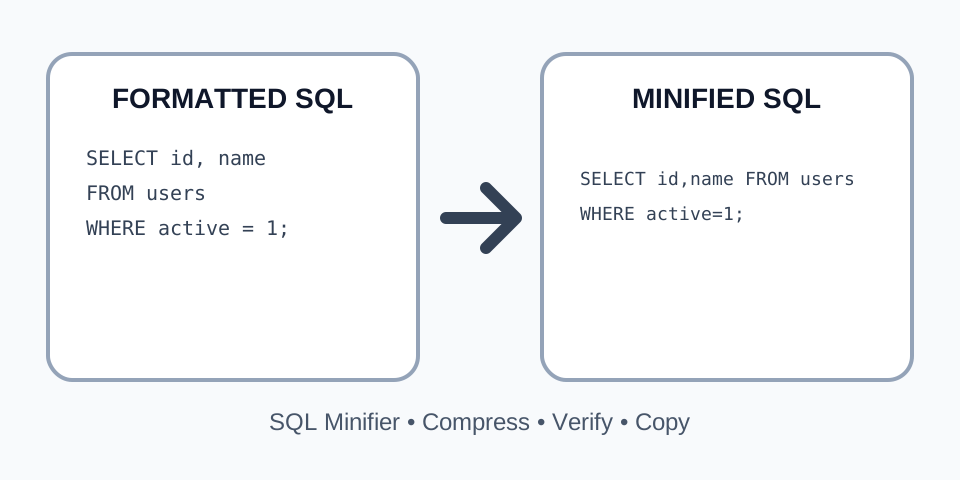
Focused controls, predictable output, and a workflow designed around this exact transformation.
The workspace is configured specifically for sql minifier.
Source and output remain separated for easier verification.
Submitted source is processed without being run as application code.
Copy or download the verified result.
Practical details about input, output, privacy, limits, and the best way to use this tool.
SQL Minifier is an online developer utility used to compress SQL queries by removing comments and unnecessary whitespace while keeping statements easy to copy and deploy.
No. It processes text or structured data without executing submitted source as application code.
Compatible UTF-8 text files can be uploaded where the workspace provides a file control.
Test it with the destination parser, database, browser, compiler, validator, and project test suite first.
The tool aims to preserve or convert structure predictably, but edge cases and nonstandard syntax require verification.
Do not submit secrets, private keys, personal records, or confidential production content.
Utilities may use different parsers, formatting rules, quoting policies, or normalization strategies.
Inspect the entire result and test it in a staging or local environment while retaining the original.
The sql minifier processes the source directly in the Trexmi workspace and keeps the original input visible for review. It applies predictable text or parser-based rules without executing submitted code. This makes the result easier to inspect, copy, download, and test in the destination system.
Compress SQL queries by removing comments and unnecessary whitespace while keeping statements easy to copy and deploy. The tool is designed for developers, analysts, QA specialists, content teams, and technical users who need a focused browser workflow. Keep a backup before replacing production data.
Use the sql minifier to inspect output created by build tools, exports, APIs, plugins, databases, and third-party services. Readable structure helps reveal missing values, accidental edits, malformed nesting, and inconsistent formatting.
Clean output is easier to include in issue reports, internal guides, migration notes, pull requests, and support tickets. Replace secrets and personal information with safe placeholders.
Confirm that the complete source was copied, including the first and last characters. Check encoding, delimiters, quotation marks, comments, nesting, and line endings. Start with a representative sample before processing a large file.
Do not paste passwords, private keys, access tokens, session identifiers, confidential customer data, or proprietary production content into any environment you do not fully trust.
Inspect the beginning, middle, and end of the result. Verify key structures, values, delimiters, comments, attributes, clauses, and data types. A visually clean result can still contain a source-level error.
Validate the output with the parser, database, browser, compiler, linter, import tool, or test suite that will actually consume it. Keep the original available for rollback.
Make sure the source field is not empty and the file was not truncated. Malformed input, unmatched delimiters, invalid encoding, or unsupported syntax can prevent reliable processing.
Tools may use different parsers, quoting rules, whitespace policies, comment handling, or normalization strategies. Compare behavior against the destination system rather than visual appearance alone.
A reliable sql minifier workflow begins with a controlled sample and a clear expected result. Record the source format, encoding, line endings, delimiter rules, and any project-specific syntax before processing. After the first run, compare important identifiers, counts, values, and structural boundaries. This approach catches mistakes that a quick visual scan can miss.
When SQL content comes from an export, build pipeline, database client, CMS, or external service, preserve the original file and its generation settings. Run the sql minifier on a copy, then validate the output independently. Version control or a checksum can help confirm that only the intended presentation or representation changed.
For team workflows, document the selected options and expected conventions. A shared SQL Minifier process reduces unnecessary formatting noise in reviews and makes repeated work more predictable. It also helps support teams reproduce results when a source file behaves differently across environments.
Readable structure benefits more than developers. Clear indentation, consistent line breaks, descriptive field names, and stable ordering make technical content easier to discuss in tickets, training materials, audits, and handovers. The sql minifier should support understanding, not replace technical validation.
For large inputs, test a smaller representative section first. Include comments, nested structures, quoted values, repeated records, unusual characters, and the longest lines. When the sample succeeds, process the full source and review multiple locations rather than only the beginning. The SQL Minifier result should remain traceable to the original.
Continue with Sql Beautifier, Sql Formatter, Json Formatter, Csv Formatter. Each related utility handles a narrower formatting, validation, conversion, or minification step.
For formal syntax and interoperability guidance, consult the ISO SQL overview.