Start typing to search 227 tools.
SHA512 Generator & SHA256 Comparison
Generate a 128-character SHA-512 digest for long text or hexadecimal key material and compare it with SHA-256 calculated from the same bytes.
512-bit digest ready
Compare the 128-character SHA-512 output with SHA-256 calculated from the same bytes.
SHA-512 hexadecimal output is exactly 2× longer.
produced the expected SHA-512 digest.
Do not store passwords as plain SHA-512 hashes. Password storage should use a dedicated password-hashing function such as BCrypt or Argon2.
What SHA512 Generator does
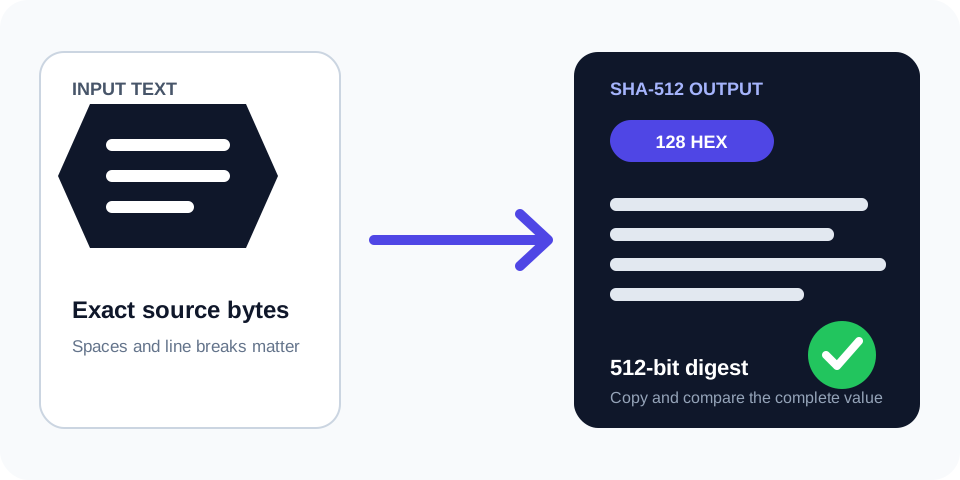
SHA512 Generator & SHA256 Comparison creates a 512-bit SHA-2 digest from exact UTF-8 text or hexadecimal bytes. The result includes 128-character lowercase and uppercase hexadecimal forms, Base64 of the raw 64-byte digest, and an optional expected-value check.
The same run also calculates SHA-256 from the identical byte sequence. This makes the structural difference visible: SHA-512 produces 128 hexadecimal characters while SHA-256 produces 64. The algorithms are related members of SHA-2, but their outputs are not interchangeable.
Use this page when a protocol explicitly requires SHA-512, when working with long test or key material, or when documenting the practical difference between SHA-512 and SHA-256. It is not a password-storage or key-generation tool.
How to use
- Choose the byte representation. Use Text / UTF-8 for readable content or Hex bytes for exact binary values represented as byte pairs.
- Paste the full input. Preserve capitalization, whitespace, line endings, and every hexadecimal byte.
- Add a reference if available. The expected SHA-512 field accepts a complete 128-character hexadecimal digest.
- Generate both outputs. Review SHA-512 as the primary result and SHA-256 as a comparison calculated from the same bytes.
- Follow the specification. Copy only the algorithm and representation the destination protocol explicitly requires.
Why use SHA512 Generator?
Focused controls, predictable output, and a workflow designed around this exact transformation.
Dedicated long digest
Generate a complete 512-bit result without choosing from a generic algorithm menu.
Same-input comparison
See SHA-512 and SHA-256 together, calculated from exactly the same input bytes.
Hex key material mode
Decode hexadecimal byte pairs before hashing instead of hashing the visible hex characters.
Strict reference check
Reject truncated values and compare a full 128-character expected SHA-512 digest.
Questions about SHA512 Generator
Practical details about input, output, privacy, limits, and the best way to use this tool.
01 What is the output length of SHA-512?
SHA-512 always produces 512 bits, equal to 64 bytes, 128 hexadecimal characters, or 88 Base64 characters with standard padding.
02 How is SHA-512 different from SHA-256?
Both belong to SHA-2, but SHA-512 uses a 512-bit digest and 1024-bit message blocks, while SHA-256 uses a 256-bit digest and 512-bit blocks. Their outputs differ even for the same input.
03 Is SHA-512 simply twice SHA-256?
No. Its hexadecimal output is twice as long, but SHA-512 is a separate algorithm with different internal word and block sizes. It is not two SHA-256 hashes joined together.
04 Why does this tool also display SHA-256?
The comparison makes digest length and algorithm identity explicit. Both values are calculated from the identical bytes, so you can document or test the two SHA-2 results without changing input.
05 Can I use SHA-512 to create a cryptographic key?
A hash can derive a fixed-length value in some specified constructions, but raw SHA-512 alone is not a general key-generation or password-based key-derivation method. Follow the protocol and use an approved KDF when one is required.
06 Is SHA-512 suitable for password storage?
No. Plain SHA-512 is fast and lacks the salt and adjustable work factor required for password storage. Use Argon2id, scrypt, bcrypt, or the password function mandated by the platform.
07 Why can SHA-512 results differ between tools?
Check whether both tools hash the same bytes, not merely similar-looking text. Encoding, Unicode normalization, line endings, trailing whitespace, and hex decoding all affect the result.
08 When should I use the separate SHA-256 page?
Use it for local file checksum verification against a published SHA-256 value. This SHA-512 page is intended for long digest generation, exact hex material, and SHA-512 versus SHA-256 comparison.
Read the complete Hashing Guide
Understand SHA hashes, checksums, HMAC, salts, password hashing, verification, and practical integrity workflows.
- SHA and checksum workflows
- HMAC and keyed hashes
- Password hashing and verification
How SHA-512 generation works
The generator converts the selected input into a precise byte sequence and processes it with SHA-512. UTF-8 mode encodes readable text. Hex mode removes permitted separators, validates complete byte pairs, decodes those pairs, and hashes the resulting bytes.
The primary hexadecimal result always has 128 characters. Uppercase and lowercase hexadecimal represent the same underlying 64 bytes, while Base64 is a different textual representation of those bytes. Choose the format required by the destination system rather than converting by appearance.
Known vectors and expected values
Standard short vectors help confirm compatible implementations. When the input is abc or 123456789, the result includes a known-vector check. For project-specific verification, paste a complete expected SHA-512 value; truncated 64-character SHA-256 values are rejected instead of being compared incorrectly.
SHA-512 versus SHA-256 for the same input
This tool calculates both algorithms from one byte sequence. SHA-512 returns 512 bits and SHA-256 returns 256 bits, so the hexadecimal results contain 128 and 64 characters respectively. The SHA-512 value does not contain the SHA-256 value, and neither output can be converted into the other without hashing the original input again.
Digest length alone does not decide which algorithm a system should use. Compatibility usually controls the choice: certificates, protocols, APIs, build systems, and data formats specify an exact algorithm. Replacing SHA-256 with SHA-512 without updating the specification will break verification even though both algorithms are members of SHA-2.
Performance context
Implementation performance depends on the processor, runtime, input size, and hardware acceleration. SHA-512 can perform efficiently on 64-bit platforms, but that observation does not make it a universal replacement for SHA-256. Use measured requirements and the governing standard.
Long text and hexadecimal key material
Hex mode is useful when documentation presents exact binary material as hexadecimal bytes. For example, visible text 41 42 in hex mode becomes the two bytes for AB; in text mode, the characters, digits, and space themselves are hashed. The distinction is essential when reproducing protocol vectors.
Do not confuse hashing key material with generating a key. Security protocols may use SHA-512 inside a defined KDF, signature scheme, HMAC, or derivation process. Those constructions include rules and parameters beyond a single raw hash. Use this page to inspect the SHA-512 primitive only when that is the required operation.
If a secret must authenticate a message, use the HMAC Generator and the exact algorithm specified by the integration. Concatenating a secret and message before hashing is not a safe substitute for HMAC.
Common SHA-512 comparison errors
Supplying a SHA-256 reference
A SHA-256 hexadecimal digest contains 64 characters; SHA-512 requires 128. The expected field validates the full SHA-512 length so a shorter value cannot produce a misleading mismatch.
Hashing the hex representation instead of decoded bytes
Text mode hashes characters such as 4, 1, and spaces. Hex mode decodes 41 into a single byte. Choose the mode defined by the test vector or protocol.
Changing long input during copying
Log viewers, spreadsheets, editors, and chat tools can wrap, trim, normalize, or truncate long values. Compare byte counts and preserve an untouched source. Even one changed newline produces completely different SHA-512 and SHA-256 outputs.
SHA-512 security limitations
SHA-512 is a one-way general-purpose hash, not encryption. It does not hide low-entropy inputs from guessing, authenticate a sender, add a salt, or impose a password work factor. Use standardized higher-level constructions for those goals.
For the formal SHA-2 definitions and parameters, consult the NIST Secure Hash Standard.
Related Trexmi tools
Use the SHA256 File Checksum Generator to hash any local file in the browser and compare it with a published 64-character checksum. Use the Hash Generator for a compact multi-algorithm text workflow. Use the HMAC Generator when a secret key must authenticate a message.
Final SHA-512 checklist
- Confirm that the destination explicitly requires SHA-512.
- Choose text or decoded hexadecimal bytes correctly.
- Preserve every byte of long input and key material.
- Expect 128 hexadecimal characters for SHA-512 and 64 for SHA-256.
- Use a KDF, HMAC, signature, or password hash when the security goal requires more than a raw digest.