01
Focused security workflow
Generate keyed HMAC digests from a message and secret using SHA-256, SHA-384, or SHA-512, with clear hexadecimal output for testing integrations.
Start typing to search 227 tools.
Generate keyed HMAC digests from a message and secret using SHA-256, SHA-384, or SHA-512, with clear hexadecimal output for testing integrations.
HMAC Generator is a free online security utility for developers, testers, administrators, students, and technical teams. Generate keyed HMAC digests from a message and secret using SHA-256, SHA-384, or SHA-512, with clear hexadecimal output for testing integrations.
The source remains visible beside the result so you can confirm every important character before copying the output. Processing uses the reusable Trexmi workspace and does not require an external API request.
For safer testing, use non-sensitive sample values. Do not paste production passwords, private keys, live API secrets, access tokens, or confidential customer information into any environment you do not fully control.
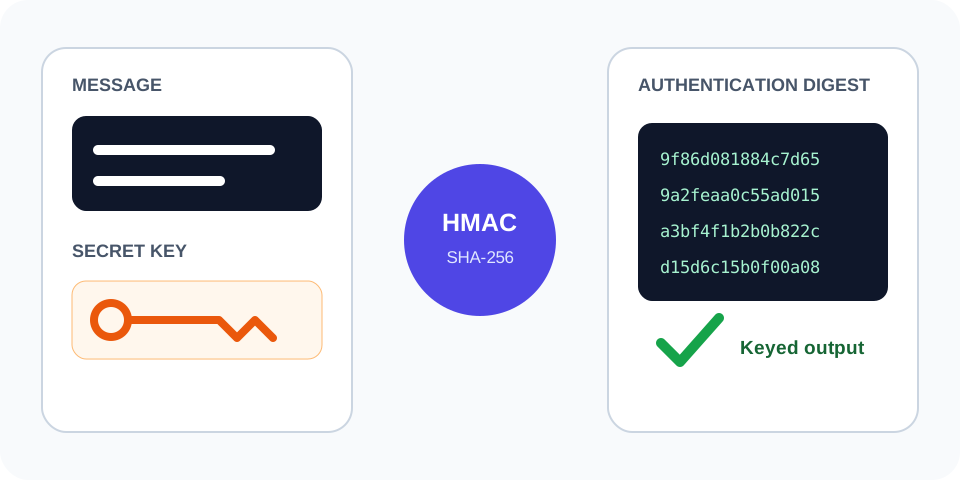
Always verify the selected algorithm, encoding, source bytes, and output format against the destination system. A correctly generated value can still be unusable when the wrong settings were selected.
Focused controls, predictable output, and a workflow designed around this exact transformation.
Generate keyed HMAC digests from a message and secret using SHA-256, SHA-384, or SHA-512, with clear hexadecimal output for testing integrations.
Review spaces, line endings, capitalization, and copied values beside the result.
The output is formatted for fast comparison and controlled testing.
Understand important limits before using a result in a real system.
Practical details about input, output, privacy, limits, and the best way to use this tool.
Generate keyed HMAC digests from a message and secret using SHA-256, SHA-384, or SHA-512, with clear hexadecimal output for testing integrations.
No. The Trexmi processor runs without an external API request.
Spaces, tabs, and line breaks are part of the input and affect deterministic calculations.
Use non-sensitive test values unless you fully control and trust the installation.
Check the algorithm, encoding, case, line endings, prefixes, and whether the complete source was copied.
No. Hashes, checksums, verification results, and strength scores are not reversible encryption.
No. Follow the destination platform, current standards, code review, testing, and organizational security requirements.
Reduce the input to a safe known test value, verify settings, and restore the original data step by step.
Understand SHA hashes, checksums, HMAC, salts, password hashing, verification, and practical integrity workflows.
The HMAC Generator combines a cryptographic hash function with a secret key. The result authenticates both the message and knowledge of the key. Anyone can calculate a normal hash from public data, but only a party holding the secret should be able to reproduce the correct HMAC.
Concatenating a secret and message and then hashing them is not a safe replacement for HMAC. Standard HMAC applies a defined inner and outer construction that avoids weaknesses found in improvised schemes. Use the exact algorithm named by the API, webhook provider, payment system, or protocol.
Every space, newline, quote, slash, and Unicode character affects the output. For JSON webhooks, sign the raw request body when the provider requires it. Parsing and re-serializing JSON can change whitespace or key order and produce a different signature even though the data appears equivalent.
Use this tool to reproduce webhook signatures, test API authentication, verify SDK implementations, prepare documentation fixtures, compare server and client calculations, and isolate encoding problems. Keep test secrets separate from production credentials.
Copy the exact raw payload, enter the test signing secret, select the required algorithm, and compare the full hexadecimal digest. Also confirm whether the provider adds a timestamp, prefix, version marker, or delimiter before signing.
Some systems publish a hexadecimal digest while others encode the raw bytes as Base64. These strings look different but may represent the same HMAC bytes. This workspace returns the documented format shown in its result; match the receiving system precisely.
Do not paste live API secrets, webhook signing keys, access tokens, or private customer payloads into an environment you do not fully control. Rotate any secret that may have been exposed. Compare signatures using a timing-safe function in production code rather than a normal string comparison.
Key quality matters. A long random secret is harder to guess than a short human-created word. Store secrets in a protected secret manager or environment configuration, restrict access, and never commit them to a public repository.
Use this repeatable process to reduce mistakes:
Long hashes, signatures, or source strings can be truncated by database fields, spreadsheets, log viewers, or chat applications. Compare the complete value and expected length.
Trailing spaces, tabs, line breaks, non-breaking spaces, and Unicode normalization can change a result while leaving the visible text almost identical. Use plain text and inspect the boundaries carefully.
Confirm the exact algorithm, case, hexadecimal or decimal representation, and any required prefix. Do not select an option only because the output looks similar.
For additional technical guidance, consult RFC 2104 HMAC specification and NIST Keyed-Hash Message Authentication Code. These references explain the underlying standards and security considerations in more detail.
Before reusing the output, confirm the original source, selected algorithm, text encoding, whitespace, expected length, output representation, and security requirements. Keep test data separate from production secrets and verify important results in the receiving application.