01
Focused SEO workflow
Purpose-built fields keep the task clearer than editing raw markup by hand.
Start typing to search 227 tools.
Generate BreadcrumbList JSON-LD from names and canonical URLs.
Structured data is ready to review.
Check the human-readable preview, then copy JSON-LD only if it matches the visible page.
Breadcrumb Schema Generator turns a human-readable navigation path into BreadcrumbList JSON-LD. Enter each breadcrumb as a name and absolute URL from the site root to the current page, and the tool assigns ListItem positions automatically.
A breadcrumb trail should describe a meaningful hierarchy rather than a random list of internal links. Keep the structured path consistent with navigation users can understand on the page.
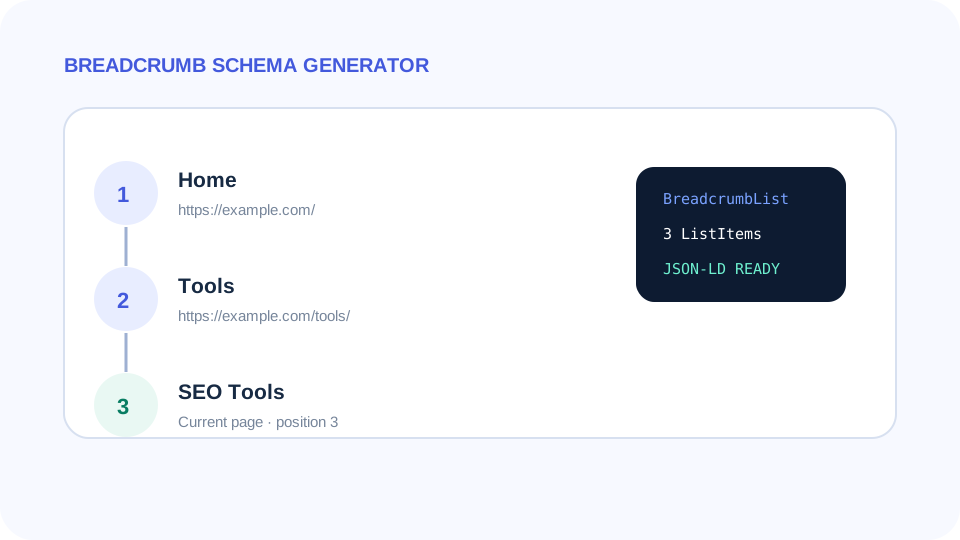
Focused controls, predictable output, and a workflow designed around this exact transformation.
Purpose-built fields keep the task clearer than editing raw markup by hand.
Common malformed values are rejected before the result is generated.
Results are formatted for quick review and implementation.
The same valid inputs produce predictable structured output without a third-party API.
Practical details about input, output, privacy, limits, and the best way to use this tool.
It is structured data that represents an ordered navigation path using ListItem nodes with positions.
It can be included as the final breadcrumb when that matches the page navigation and your implementation.
They generally should not. This generator rejects duplicate URLs because each position should represent a distinct hierarchy step.
The generator supports up to 25 items, which is more than enough for normal site hierarchies.
No. Structured data describes the hierarchy; it is not a substitute for usable on-page navigation.
Generate BreadcrumbList JSON-LD from an ordered list of breadcrumb names and canonical URLs. A dedicated interface reduces syntax mistakes and makes the generated result easier to audit before it reaches a template, CMS, or production page.
The output should always represent the real page or entity. Technical validity is useful, but accuracy, consistency, and visible user-facing content remain more important than simply adding more metadata.
Start with the final page or entity information rather than placeholders. Enter stable canonical URLs, use the same names and descriptions visitors see, then generate the output. Read the generated result once before copying it and confirm every optional property has a real source.
When the underlying page changes, regenerate or update the markup at the same time. This is especially important for commercial values, identity details, navigation paths, and frequently edited copy.
Check syntax, absolute URLs, spelling, entity names, and whether every generated property can be verified from the page or official source. Avoid adding unsupported claims merely because a field exists. Search engines and other consumers may ignore, rewrite, or stop supporting particular presentation features over time.
After implementation, inspect the rendered HTML rather than only the CMS editor. Make sure there is one intentional version of the data and that plugins or themes are not injecting conflicting duplicates.
The Breadcrumb Schema Generator should represent the navigation path a visitor can understand. First, start with the broadest meaningful level. Second, keep breadcrumb names concise and recognizable. Third, use canonical absolute URLs for linked levels. Fourth, preserve the real hierarchy instead of adding categories only for keywords. Fifth, keep positions sequential with no gaps. Sixth, make sure the final item represents the current page when that matches the visible breadcrumb design. Seventh, check the rendered HTML for duplicate BreadcrumbList markup created by a theme, SEO plugin, or ecommerce extension.
A breadcrumb trail is primarily a navigation aid. The structured-data version should reinforce that same hierarchy, not create a second artificial information architecture. If a page moves to a different section, update both the visible breadcrumb and its JSON-LD so users, crawlers, and internal linking signals remain consistent.
Before publishing the generated result, compare it with the final page rather than the draft you started with. Check every important value, remove placeholders, confirm that URLs resolve to the intended canonical resources, and make sure visible page content supports the structured or SEO data you generated. This final review catches mistakes that syntax validation alone cannot detect.
After deployment, inspect the rendered source instead of assuming the editor output is identical to the public page. WordPress themes, caching layers, SEO plugins, minifiers, and other extensions can alter or duplicate metadata. A quick source check confirms that the intended output is present once, uses current values, and is available to crawlers without depending on an interaction.
Build broader structured data with Schema Markup Generator, preview search messaging with SERP Snippet Preview, and prepare standard page metadata with Meta Tags Generator.
For structured-data vocabulary, review Schema.org. For search implementation guidance, review the current Google Search structured data documentation.