01
Focused operation
A clearly defined rule produces an output that is easier to inspect.
Start typing to search 227 tools.
Extract signed integers and decimal values from mixed text while preserving their original order.
Number Extractor is a focused browser utility that helps you extract signed integers and decimal values from mixed text while preserving their original order.
The workspace keeps the source available, applies one transparent operation, and displays the result separately. This makes the output easier to compare before it is published, imported, shared, or reused.
For important content, work from a complete source, keep an untouched backup, and verify context-sensitive values in the destination system.
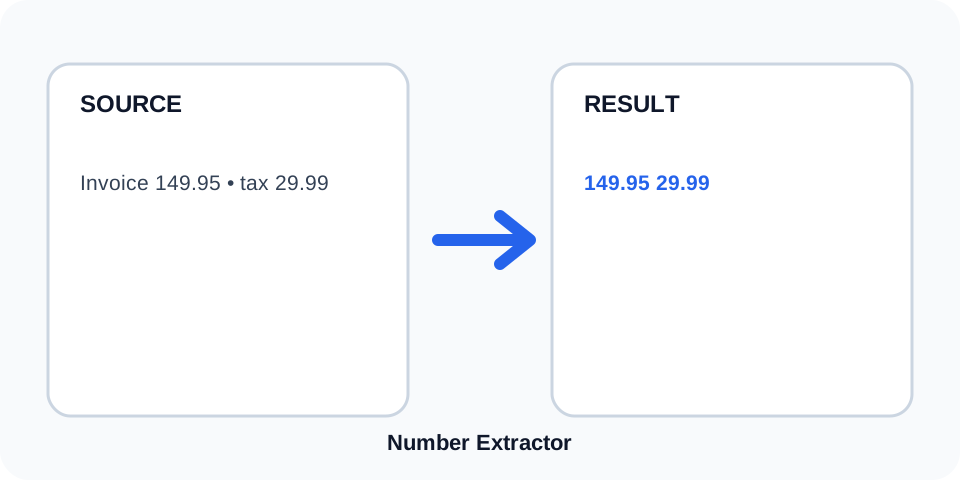
Focused controls, predictable output, and a workflow designed around this exact transformation.
A clearly defined rule produces an output that is easier to inspect.
The original content stays available for comparison and recovery.
Generated content is displayed independently from the source.
Review the complete output before copying it into another system.
Practical details about input, output, privacy, limits, and the best way to use this tool.
The extractor detects integers, decimal values, and optional plus or minus signs.
No. Every detected value is returned in its original order, including repeats.
Comma-formatted values may be split into separate matches. Review financial data carefully.
The numeric part is extracted, while the percent symbol remains outside the result.
No. It only extracts matching numeric text and performs no arithmetic.
A directly attached minus sign is included in the extracted value.
No. Units such as kg, cm, or USD are not included.
Compare the extracted list with the source and check decimals, signs, dates, and formatted identifiers.
Number Extractor scans source text from beginning to end and returns number-like matches in the same sequence. It can identify whole numbers, decimal values, and directly attached positive or negative signs without changing the original source.
Review the source and generated result together, keep an untouched backup, and confirm the output in the destination system before relying on it.
Values such as 18, -3, +7, 4.50, and .75 can be detected. The tool treats each matching pattern as text, so it does not normalize decimal precision or convert one numeric format into another.
Review the source and generated result together, keep an untouched backup, and confirm the output in the destination system before relying on it.
Editors can use the extractor to pull dimensions, weights, quantities, prices, and model references from descriptions. Because units are excluded, keep the source visible when the meaning of each value matters.
Review the source and generated result together, keep an untouched backup, and confirm the output in the destination system before relying on it.
Dates, invoice codes, version strings, and hyphenated identifiers may contain digits that resemble ordinary numbers. Thousands separators and locale-specific decimal marks can also affect matching, so structured financial data requires extra review.
Review the source and generated result together, keep an untouched backup, and confirm the output in the destination system before relying on it.
The result follows the source order and does not remove duplicates. This is useful when sequence and frequency matter, but it also means repeated values remain present intentionally.
Review the source and generated result together, keep an untouched backup, and confirm the output in the destination system before relying on it.
Compare every result with its surrounding source text before importing or calculating. Pay special attention to minus signs, decimal points, comma-formatted values, ranges, dates, and identifiers.
Review the source and generated result together, keep an untouched backup, and confirm the output in the destination system before relying on it.
Continue with a related utility, another focused tool, or a complementary workflow. Keeping operations separate makes changes easier to understand and reverse.
For general string-processing concepts, consult the MDN String reference.