Supported input
Paste a header row followed by one or more delimited data rows.
Start typing to search 227 tools.
Convert UTF-8 CSV, TSV, semicolon or pipe-delimited rows to a formatted JSON array with header controls, delimiter detection and empty-value handling.
Paste a header row followed by one or more delimited data rows.
Confirm the delimiter and test a short representative sample first.
CSV to JSON converts delimited table rows into a formatted JSON array of objects. It supports comma, semicolon, tab and pipe delimiters, including quoted fields that contain delimiters or line breaks.
With headers enabled, the first row supplies JSON property names. Without headers, the converter generates column_1, column_2 and so on. Every CSV value remains a string unless an empty field is explicitly converted to null; numeric-looking IDs and dates are therefore not silently retyped.
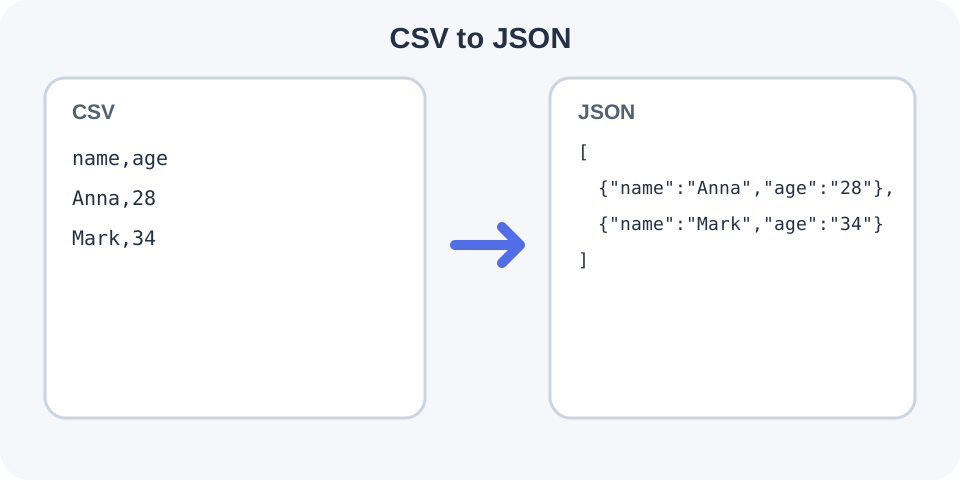
Focused controls, predictable output, and a workflow designed around this exact transformation.
Quoted delimiters and embedded line breaks are parsed as fields instead of being split naively.
Detect common separators automatically or select one explicitly for predictable imports.
Use unique source headers or create stable numbered property names.
Receive a readable array with conversion statistics and a downloadable JSON file.
Practical details about input, output, privacy, limits, and the best way to use this tool.
The converter supports comma, semicolon, tab and pipe. Choose one explicitly when automatic detection is ambiguous.
No. CSV has no universal data-type system, so non-empty fields remain JSON strings. This preserves values such as leading-zero identifiers.
They become empty strings by default. You can choose to output JSON null values instead.
Yes. Properly quoted multiline fields are read as one logical CSV record.
When headers are enabled, empty or duplicate column names are rejected because they cannot map safely to unique object properties.
Missing trailing cells are padded with empty strings or null according to the selected empty-value setting.
The conversion stops with the physical row number, expected column count and actual column count.
CSV dialects vary in delimiter, escape and encoding rules. Test the output with the destination application.
Learn JSON objects, arrays, value types, validation, formatting, parsing, API workflows, and common syntax errors.
Headers must be present, non-empty and unique when the first row is used for property names. If the file has no header, disable the option and the first row becomes data under generated names such as column_1. This avoids silently treating real data as labels.
The parser reads logical CSV records, so a newline inside a properly quoted field does not create an extra JSON object. A row with missing trailing fields is padded; a row wider than the header is rejected because its extra values have no property name.
Automatic mode compares comma, semicolon, tab and pipe against the first line. Explicit selection is safer when a file contains only one column, unusual punctuation or a delimiter that appears frequently inside unquoted text.
CSV values remain strings. This prevents automatic changes to phone numbers, SKUs, postal codes and identifiers with leading zeroes. Empty cells can remain empty strings or become null, but the converter does not guess booleans, numbers or dates.
Use CSV Validator to locate row-width, quote or header issues before converting. Use JSON Formatter for a dedicated formatting pass, or JSON to CSV to create a delimited export from compatible JSON data.
RFC 4180 documents a common CSV format, but real applications use several dialects. Follow the destination importer when it specifies a delimiter or encoding. Remove confidential records and credentials from production exports before using any online utility.