Start typing to search 227 tools.
MD5 Generator
Use this free MD5 Generator to generate a MD5 hash from exact text, verify whitespace and encoding, and copy a clean hexadecimal digest online.
128-bit digest ready
Use for non-security checksums or legacy compatibility only.
produced the expected MD5 digest.
MD5 is cryptographically broken. Do not use it for passwords, signatures, certificates, or security decisions.
What MD5 Generator does
MD5 Generator creates a MD5 digest from the exact text you provide. It is built for developers, QA engineers, system administrators, technical writers, and support teams that need a quick, repeatable checksum during debugging or data verification.
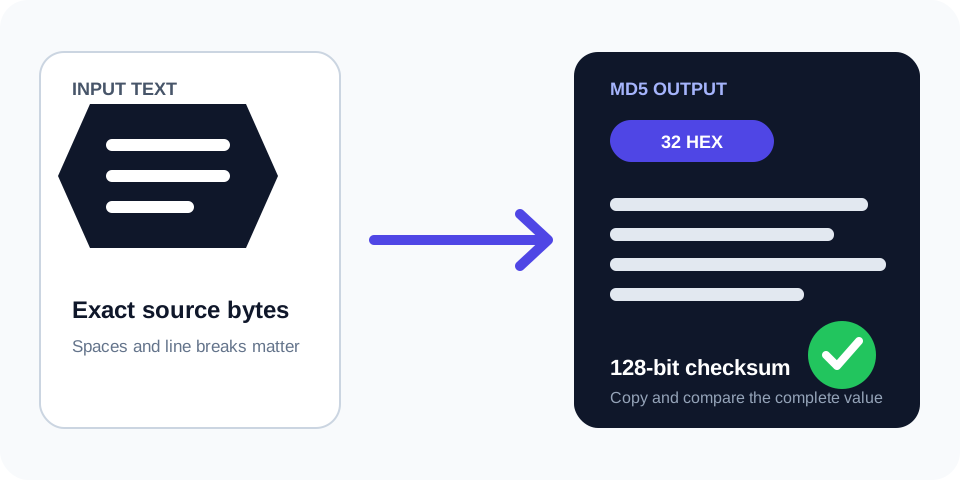
The same input always produces the same MD5 output. A single changed character, space, or line break produces a different digest, so the tool keeps the source visible and displays the result separately.
MD5 produces a fixed 32-character lowercase hexadecimal value. This generator is useful for legacy checksums and compatibility testing; it is not suitable for secure password storage or collision-sensitive decisions.
How to use
- Paste the exact text. Include every intended space, punctuation mark, and line break.
- Generate the hash. Select the action button to process the text with MD5.
- Review the digest. Confirm that the output contains the expected 32-character hexadecimal value.
- Troubleshoot differences. Check capitalization, text encoding, trailing spaces, and final newlines.
- Copy the result. Use it only after confirming the source and required algorithm.
Why use MD5 Generator?
Focused controls, predictable output, and a workflow designed around this exact transformation.
Dedicated MD5 workflow
No algorithm selector is required, reducing accidental use of the wrong hash function.
Exact input stays visible
Review spaces, punctuation, capitalization, and line endings beside the result.
Copy-ready digest
Receive a clean lowercase hexadecimal value for tests, checksums, or documentation.
Clear limitations
Understand where MD5 is appropriate and where a stronger or password-specific method is required.
Questions about MD5 Generator
Practical details about input, output, privacy, limits, and the best way to use this tool.
01 What does the MD5 Generator do?
It converts text into a fixed-length MD5 hexadecimal digest. The same input always produces the same output.
02 Can a MD5 hash be decoded?
No normal decoding operation reconstructs the original input. Hash functions are designed to be one-way.
03 Why does one space change the result?
Whitespace is part of the input. Spaces, tabs, and line breaks all affect the digest.
04 Why is the digest always the same length?
MD5 always returns a fixed-size digest regardless of whether the source contains one character or many pages of text.
05 Can I use MD5 for passwords?
No. Passwords should use a dedicated salted password-hashing function such as Argon2id, bcrypt, or scrypt.
06 Why does another tool return a different value?
Check the algorithm, encoding, capitalization, trailing spaces, and line endings. The source bytes must match exactly.
07 Is uppercase hexadecimal different?
Uppercase and lowercase hexadecimal usually represent the same digest value, although a strict text comparison may still treat them as different strings.
08 Should I hash confidential production data online?
Avoid submitting passwords, tokens, personal records, private keys, or confidential production data to an environment you do not fully trust.
How the MD5 Generator works
The generator reads the submitted text as a sequence of bytes and processes it with MD5. The result is represented in hexadecimal notation. Because the algorithm is deterministic, identical bytes always generate identical output.
The fixed output length does not reveal the source length. A short word and a long document both produce a 32-character digest. This property makes hashes convenient for comparisons, but a digest is not encryption and does not preserve a reversible copy of the source.
Exact input matters
Hash calculations include every byte. Uppercase and lowercase letters differ. A normal space differs from a non-breaking space. Unix and Windows line endings may also differ. When two results do not match, compare the raw input rather than only the visible words.
Deterministic verification
A known test vector is useful when validating code in PHP, JavaScript, Python, Java, or another language. Generate the digest here, run the same source in your implementation, and compare every character.
Common MD5 Generator use cases
API and integration testing
Some systems derive identifiers, signatures, cache keys, or comparison values from text. A dedicated generator helps reproduce the expected digest without changing application code.
Fixture and build verification
Teams can hash stable sample content to detect whether generated configuration, documentation fixtures, or test payloads changed between runs.
Checksum compatibility
The tool can reproduce an existing MD5 checksum when a legacy system or published specification requires that exact algorithm. Always follow the destination system rather than selecting an algorithm based only on digest length.
Documentation examples
Technical writers can create deterministic sample hashes for tutorials, API references, migration notes, and troubleshooting guides. Use non-sensitive example text so the documentation can be shared safely.
Common MD5 Generator errors
Trailing whitespace
Copied text may include a final space or newline. The digest will be valid but will not match a value produced from the visually similar string without that extra character.
Wrong character encoding
Unicode text can be represented differently at the byte level. Confirm that both systems use the same encoding, typically UTF-8, and normalize text only when the specification explicitly requires it.
Wrong algorithm
MD5, SHA-1, SHA-256, and SHA-512 produce different results and different lengths. A correct digest from the wrong algorithm is still unusable for comparison.
Hashing the hexadecimal text twice
Some workflows hash raw bytes once, while others hash the displayed hexadecimal digest again. These operations are not equivalent. Confirm exactly what the receiving system expects.
MD5 security limitations
MD5 is a general-purpose hash algorithm, not a complete password-storage system. Fast hashes make large-scale password guessing easier, so passwords require a salted, deliberately expensive password-hashing function.
For integrity or security-sensitive designs, follow the current protocol or platform specification. Do not invent a custom authentication scheme by concatenating a secret and a message. Use a standard construction such as HMAC when message authentication is required.
This tool is best used with non-sensitive development data. Never paste production credentials, access tokens, private keys, or personal records into a tool unless you fully control and trust the environment.
Why use this MD5 Generator?
This Md5 Generator creates a 32-character hexadecimal digest from exact text. The Md5 Generator is useful for checksum comparisons, test fixtures, migration checks, and debugging workflows that explicitly require MD5. Use the Md5 Generator whenever you need a fast, repeatable result without switching between algorithms.
For the formal algorithm reference, read the RFC 1321 MD5 specification. The linked resource documents the standard and provides authoritative technical context.
Related tools
Use the Hash Generator when you need to compare MD5, SHA-1, SHA-256, and SHA-512 from one workspace. Dedicated generators are better when the algorithm is already fixed by a specification because they reduce accidental selection errors.
Final verification checklist
Before using the result, confirm the source text, algorithm name, expected digest length, character encoding, line endings, and whether the destination expects lowercase or uppercase hexadecimal. A valid hash only proves that a particular algorithm processed a particular byte sequence; it does not prove that the source is trustworthy.