01
Punctuation cleanup
Removes punctuation through one predictable text transformation.
Start typing to search 227 tools.
Remove punctuation characters from text while preserving words, numbers, spaces, and line order for review.
Remove Punctuation is a focused browser utility that remove punctuation characters from text while preserving words, numbers, spaces, and line order for review.
The workspace keeps the source available, applies one clearly named operation, and displays the result separately. This makes the output easier to compare before it is published, imported, shared, or reused.
Use the complete source whenever possible, verify context-sensitive values, and retain a backup for important documents or structured data.
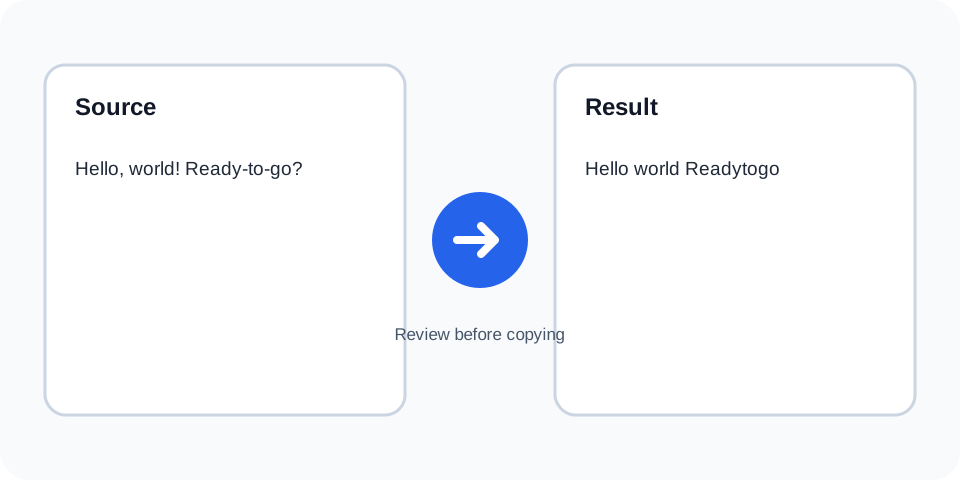
Focused controls, predictable output, and a workflow designed around this exact transformation.
Removes punctuation through one predictable text transformation.
Letters, numbers, and whitespace stay available in the result.
Compare the source and processed text side by side.
Prepare simplified text for matching, indexing, or basic analysis.
Practical details about input, output, privacy, limits, and the best way to use this tool.
Common punctuation marks such as commas, periods, quotes, dashes, and brackets are removed.
No. Numeric digits remain.
The hyphen is removed, so the parts may join together.
Yes, which can change contractions and possessive forms.
Not necessarily. Use Remove Emojis for emoji-specific cleanup.
Yes. The operation targets punctuation rather than line structure.
Usually not, because URLs rely on punctuation characters.
No. Keep the original source for recovery.
The tool scans the text and removes characters classified as punctuation while leaving letters, numbers, and whitespace.
Review the source and generated result together, keep an untouched backup, and confirm the output in the destination system before relying on it.
Removing punctuation can merge words or change meaning, especially in names, contractions, and compound terms.
Review the source and generated result together, keep an untouched backup, and confirm the output in the destination system before relying on it.
These values depend on punctuation and can become unusable after processing.
Review the source and generated result together, keep an untouched backup, and confirm the output in the destination system before relying on it.
A punctuation-free version may help with simple comparison, indexing, or keyword analysis when meaning is checked separately.
Review the source and generated result together, keep an untouched backup, and confirm the output in the destination system before relying on it.
Different scripts and Unicode characters may be handled differently, so multilingual text should be tested carefully.
Review the source and generated result together, keep an untouched backup, and confirm the output in the destination system before relying on it.
Inspect joined words, leftover spacing, and any technical values before copying the result.
Review the source and generated result together, keep an untouched backup, and confirm the output in the destination system before relying on it.
Remove Punctuation works best when you start with representative text and keep the original source available. Use remove punctuation on a small sample first, compare every change, and confirm the result before processing important content.
When using remove punctuation, check whitespace, punctuation, Unicode characters, line endings, and any values whose meaning depends on formatting. This review step helps prevent accidental changes that are difficult to reverse later.
Continue with a related utility, another focused tool, or a complementary workflow. Keeping operations separate makes changes easier to understand and reverse.
For general string-processing concepts, consult the MDN String reference.