Start typing to search 227 tools.
Text
Ready
Text Statistics
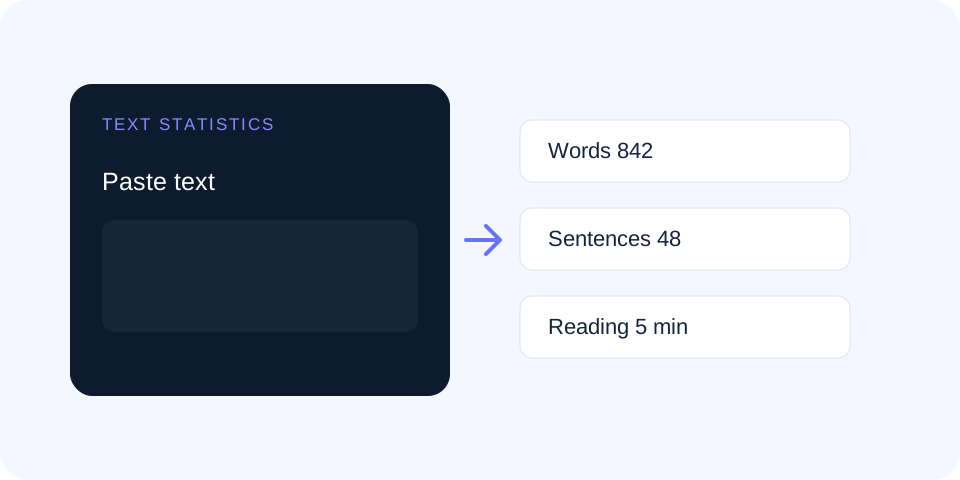
Measure words, characters, sentences, paragraphs, lines, and estimated reading time in one document overview.
Live document metrics Unicode-aware characters Reading-time estimate No text rewriting
Private browser processing. Your input is processed on this device and is not sent to the Trexmi server.
INPUT Text to analyze
Add the complete draft or sample whose structure should be measured. Example: Paste an article, essay, product description or any other text to analyze.
Complete text statistics
Statistics update from the text without changing your source.
SMART ANALYSIS
Live document overview
Live
Add text to see a tool-specific analysis before processing.
Processing complete
Recent runs on this device
About the tool
What Text Statistics does
Text Statistics provides a single overview of document length and structure. It measures words, visible characters, characters without spaces, sentences, paragraphs, lines, and estimated reading time. The tool is useful for articles, product descriptions, essays, metadata, social posts, scripts, documentation, and editorial quality checks.
The measurements update without rewriting the source. Sentence and paragraph counts are practical estimates based on punctuation and line breaks, so unusual formatting, abbreviations, code, and fragments may require manual review. Character counting is Unicode-aware, which makes the result more useful for emoji and non-Latin writing.
How to use
- Paste the complete text. Use the full draft whenever possible because short samples can distort reading-time and structure estimates.
- Review live metrics. Check words, characters, sentences, and estimated reading time while editing.
- Run Text Statistics. Generate the complete structured measurement panel.
- Compare with requirements. Check platform limits, assignment rules, editorial briefs, or publishing standards.
- Interpret the numbers. Use measurements to support editing decisions, not as a replacement for reading the text.
Built for the task
Why use Text Statistics?
Focused controls, predictable output, and a workflow designed around this exact transformation.
01
One complete document overview
Review words, characters, sentences, paragraphs, lines, and reading time without switching between separate counters.
02
Track exact length requirements
Check copy against metadata, advertising, social media, form, and assignment limits.
03
Estimate reading effort
Use word count and a practical reading speed to estimate how long a reader may need.
04
Measure without rewriting
The original source stays unchanged while the statistics update.
Useful answers
Questions about Text Statistics
Practical details about input, output, privacy, limits, and the best way to use this tool.
01 How are words counted in Text Statistics?
Words are detected from non-empty groups separated by whitespace. URLs, numbers, and hyphenated forms can affect the count depending on their formatting.
02 Is the sentence count exact?
It is an estimate based mainly on sentence-ending punctuation. Abbreviations, headings, fragments, and code can require manual review.
03 How is reading time estimated?
The estimate divides the detected word count by a practical reading speed. Actual time varies with complexity, language, familiarity, and accessibility needs.
04 Are emoji counted as characters?
Yes. Character measurement is Unicode-aware, although complex combined emoji may occupy more than one underlying code point or byte sequence.
05 What is the difference between characters and bytes?
Characters represent visible text units, while bytes describe encoded storage size. Non-ASCII characters often require multiple UTF-8 bytes.
06 Does Text Statistics store or edit my document?
The tool analyzes the supplied source and presents separate measurements. It does not rewrite your text.
Understanding text length
Word and character limits appear throughout publishing workflows. Search snippets, ad platforms, forms, marketplaces, school assignments, and editorial briefs may each use different rules. Text Statistics keeps several measurements together so you can distinguish words from characters with spaces, characters without spaces, and encoded bytes.
For a focused limit check, open the Character Counter. The combined statistics view is better when length must be understood alongside sentences, paragraphs, and reading effort.
Sentence and paragraph structure
Sentence count can highlight long dense passages, while paragraph count shows how content is divided visually. Neither metric proves readability. A technical paragraph may need several precise sentences; a landing page may use short sections. Use the counts to locate areas worth reviewing, then read those areas in context.
Reading-time estimates
Reading time is based on average speed and should be presented as an estimate. Complex instructions, unfamiliar terminology, tables, links, and code slow readers down. Short promotional copy may be scanned faster. The estimate is most useful for comparing drafts of the same type.
Using statistics responsibly
Good writing cannot be reduced to numbers. Metrics do not measure accuracy, usefulness, tone, or logical flow. Combine them with proofreading, user testing, and subject knowledge. To investigate repetition inside the same document, continue with the Word Frequency Counter.
Text Statistics is most useful when several document measurements must be reviewed together. Run Text Statistics again after major edits to compare structure, length, and reading effort.
For accessibility-focused writing guidance, consult the W3C tips for writing accessible content.