01
Clean URL format
Converts a phrase into a lowercase, hyphen-separated slug.
Start typing to search 227 tools.
Slug Generator creates a clean, lowercase, hyphenated URL slug from any title or phrase. Use this free online tool to review an SEO-friendly result before publishing or changing a permalink.
Slug Generator gives you a focused workflow for this task. Use slug generator with representative input, review the complete result, and verify the output in the destination system before production use.
Slug Generator is a focused browser utility that helps you create a clean, lowercase URL slug from a title or phrase and review the result before publishing.
The workspace keeps the source available, applies one clearly named operation, and displays the result separately. This makes the output easier to compare before it is published, imported, shared, or reused.
Use the complete source whenever possible, verify context-sensitive values, and retain a backup for important documents or structured data.
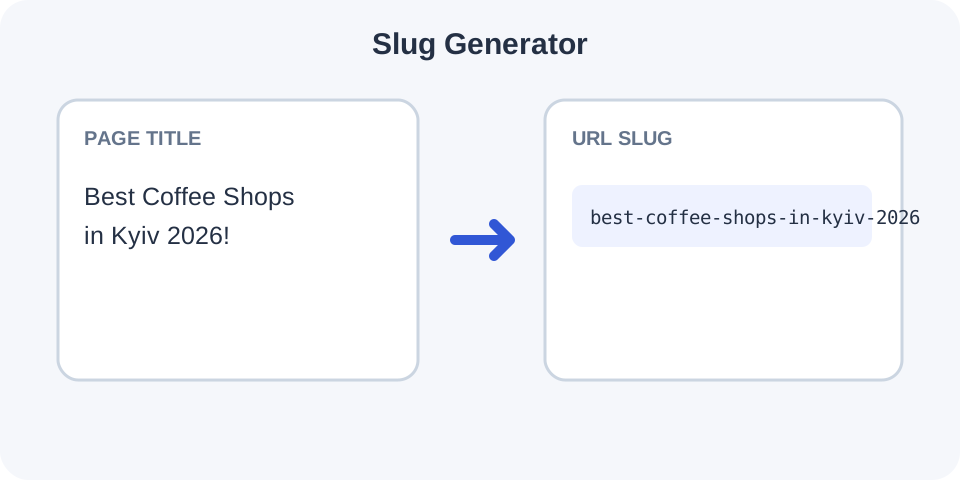
Focused controls, predictable output, and a workflow designed around this exact transformation.
Converts a phrase into a lowercase, hyphen-separated slug.
Produces a readable format that can be used in page and post URLs.
Adjust the original title and immediately generate another candidate.
Review the generated slug before adding it to a CMS or routing system.
Practical details about input, output, privacy, limits, and the best way to use this tool.
It converts a title or phrase into a URL-friendly path segment, usually with lowercase letters and hyphens.
No. The result is the slug portion only, not a complete URL.
Yes. Word boundaries are typically represented with hyphens.
Unsupported punctuation and symbols are usually removed or normalized.
For an SEO page, a concise slug often includes the main topic when that wording is natural and accurate.
Yes. Review and shorten it before publishing when unnecessary words remain.
It can. Existing URLs may need redirects and internal links may need updating.
No. Check the destination website to ensure the slug is not already in use.
Slug Generator works best when the source is realistic and the result is reviewed before export. Use slug generator on a small example first, then repeat the same slug generator workflow with a production-like sample that contains no private data.
After running slug generator, compare the source and result, check special characters and empty values, and test the output in the receiving application. A reliable slug generator workflow keeps the original input available until the destination accepts the result.
Typical mistakes include incomplete input, incorrect assumptions about defaults, hidden whitespace, encoding differences, and skipping final validation. When slug generator gives an unexpected result, reduce the example to the smallest failing case and add complexity back one change at a time.
Continue with Url Encoder or Url Parser for a second formatting, validation, or verification step.
The phrase is normalized into a compact path segment by converting letters to lowercase, removing unsupported punctuation, and joining words with hyphens.
Review the generated slug against the page title and remove unnecessary words only when the topic remains clear.
Start with the real page topic rather than a long promotional sentence. A clear title usually produces a clearer result.
Before publishing, check that the slug reflects the actual page topic and does not conflict with an existing URL.
Remove filler words only when meaning remains obvious. The final path should help users understand the destination.
Keep important topic words readable; a shorter slug is useful only when it still describes the destination accurately.
Colons, quotation marks, decorative symbols, and repeated separators are normally removed or simplified.
Inspect how punctuation and symbols were normalized, especially when the source contains brand names or nonstandard characters.
Paste the result into the permalink or URL field, then confirm the complete address before publishing.
Paste the final slug into your CMS permalink field and verify the complete URL before publishing the page.
When a live slug changes, add an appropriate redirect and update internal references to avoid broken links.
If you change a live slug, add the correct redirect and update internal links so visitors and search engines reach the new URL.
Continue with a related utility, another focused tool, or a complementary workflow. Keeping operations separate makes changes easier to understand and reverse.
For general string-processing concepts, consult the MDN String reference.