Original JSON
0 lines · 0 characters
Drop a text file here
Start typing to search 227 tools.
Compare two JSON documents online, validate their syntax, normalize formatting, and highlight added, removed, changed, and unchanged lines.
Paste or upload two JSON documents to validate, normalize, and compare their structure.
Json Compare gives you a focused workflow for this task. Use json compare with representative input, review the complete result, and verify the output in the destination system before production use.
JSON Compare is a free online JSON comparison tool for developers, QA engineers, analysts, and technical teams who need to identify differences between two structured data documents. It validates each document, normalizes valid JSON into a consistent readable format, and then highlights additions, removals, changed lines, and unchanged content.
Unlike a basic text comparison, this workflow first parses both JSON inputs. That means formatting differences such as indentation or compact versus pretty-printed JSON do not hide the actual structural changes. Invalid JSON is reported before the comparison begins, helping you locate syntax errors instead of reviewing an unreliable diff.
Use JSON Compare for API responses, configuration files, test fixtures, deployment settings, webhook payloads, exported records, and version-to-version data checks. The original and modified documents remain visible throughout the process so you can verify the complete result before downloading or sharing it.
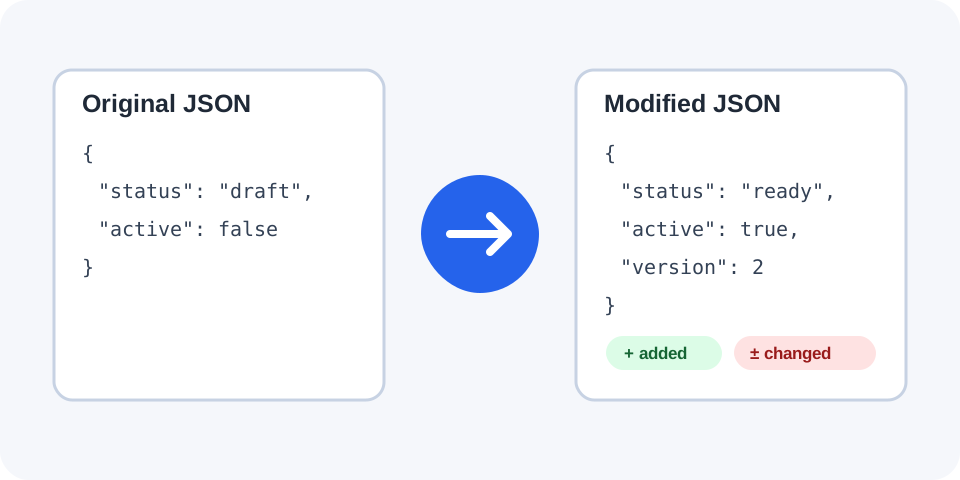
Focused controls, predictable output, and a workflow designed around this exact transformation.
Both documents must parse successfully, preventing misleading results caused by malformed JSON.
Separate totals show how many lines were added, removed, changed, or left unchanged.
Switch between side-by-side, unified, and raw-input views depending on the review task.
The original and modified JSON stay available so the full comparison can be checked before export.
Practical details about input, output, privacy, limits, and the best way to use this tool.
JSON Compare is an online JSON diff tool that validates, normalizes, and compares two JSON documents. It highlights additions, removals, changed lines, and unchanged content.
Yes. Valid inputs are parsed and formatted consistently before comparison, so compact and pretty-printed versions of the same JSON do not appear different only because of whitespace.
Yes. You can upload compatible JSON or text files into either comparison panel. Files larger than the supported workspace limit are rejected.
The comparison stops and displays an error identifying whether the original or modified JSON contains invalid syntax. Correct that document and run the comparison again.
Yes. Once both documents are normalized, changed lines are displayed separately from added and removed lines. Review surrounding structure to confirm the exact field affected.
Property order is retained during parsing and serialization. Two objects with identical values but different key order may therefore display ordering differences.
Yes. After a successful comparison, use Download diff to save a text representation of the additions, removals, and changes.
Avoid submitting passwords, private keys, access tokens, personal records, or sensitive production payloads to any environment you do not fully trust.
Learn JSON objects, arrays, value types, validation, formatting, parsing, API workflows, and common syntax errors.
Json Compare works best when the source is realistic and the result is reviewed before export. Use json compare on a small example first, then repeat the same json compare workflow with a production-like sample that contains no private data.
After running json compare, compare the source and result, check special characters and empty values, and test the output in the receiving application. A reliable json compare workflow keeps the original input available until the destination accepts the result.
Typical mistakes include incomplete input, incorrect assumptions about defaults, hidden whitespace, encoding differences, and skipping final validation. When json compare gives an unexpected result, reduce the example to the smallest failing case and add complexity back one change at a time.
Continue with Json Diff Viewer or Json Formatter for a second formatting, validation, or verification step.
The tool reads the original and modified inputs independently. Each document must contain one complete valid JSON value, such as an object, array, string, number, Boolean, or null. The most common use case is comparing two objects or arrays.
After validation, both documents are serialized with consistent indentation. This normalization removes irrelevant presentation differences and makes nested objects and arrays easier to compare line by line. The comparison engine then classifies rows as added, removed, changed, or unchanged.
The side-by-side view places the original JSON next to the modified JSON. It is useful when reviewing configuration changes, API payload updates, or nested values that need surrounding context.
The unified view combines both versions into one sequence. Added lines use a plus-style change, removed lines use a minus-style change, and unchanged content provides context around the edit.
Capture a response before and after a release, then compare status values, field names, nested records, and optional properties. This can reveal contract changes that may affect client applications.
Compare development, staging, and production configuration files before deployment. Look for missing keys, changed feature flags, updated endpoints, and environment-specific values.
Use the tool to verify whether a fixture, snapshot, webhook payload, or exported record changed as expected. Keep representative identifiers and edge cases in the sample.
Compare saved versions of package metadata, translation files, application settings, or generated manifests. The statistics provide a quick overview before detailed inspection.
Always compare complete documents rather than isolated fragments when context matters. Keep an untouched backup, confirm the first and last characters were copied, and remove comments because standard JSON does not support them.
Use realistic data, but replace secrets and personal information with safe placeholders. For large files, begin with a smaller representative sample, then inspect the beginning, middle, and end of the final comparison.
Remember that JSON object key order is generally not semantically significant to consumers, but this line-based visual comparison retains serialized property order. If order differs while values remain identical, review whether that distinction matters to your destination system.
A comma after the final object property or array item is invalid in standard JSON. Remove it before running the comparison.
JSON property names and string values require double quotation marks. Replace JavaScript-style single-quoted strings with valid JSON strings.
Quotation marks, backslashes, and control characters inside strings must be escaped correctly. A parser error often points near the first invalid character.
Missing opening or closing braces and brackets cause validation failure. Confirm the entire payload was copied from the source.
JavaScript object literals may include comments, functions, undefined values, unquoted keys, or trailing commas. Convert them to valid JSON before comparison.
Start with the summary counts, but do not rely on totals alone. Inspect each changed section and check the surrounding parent object or array. A single inserted array item can shift multiple lines and make a small logical change appear larger.
Confirm data types as well as visible values. The number 1, the string "1", the Boolean true, and the string "true" are different JSON values even when they look similar in a quick review.
Before using the modified document, validate it in the receiving application, test one safe record or environment, and keep the original version available for rollback.
Use JSON Formatter to make one document easier to read, JSON Validator to diagnose syntax problems, JSON Minifier to create compact JSON, or Text Diff when the inputs are not valid JSON.
For the formal data format and grammar, consult the JSON specification in RFC 8259.