01
Focused workflow
The workspace is configured specifically for csv viewer.
Start typing to search 227 tools.
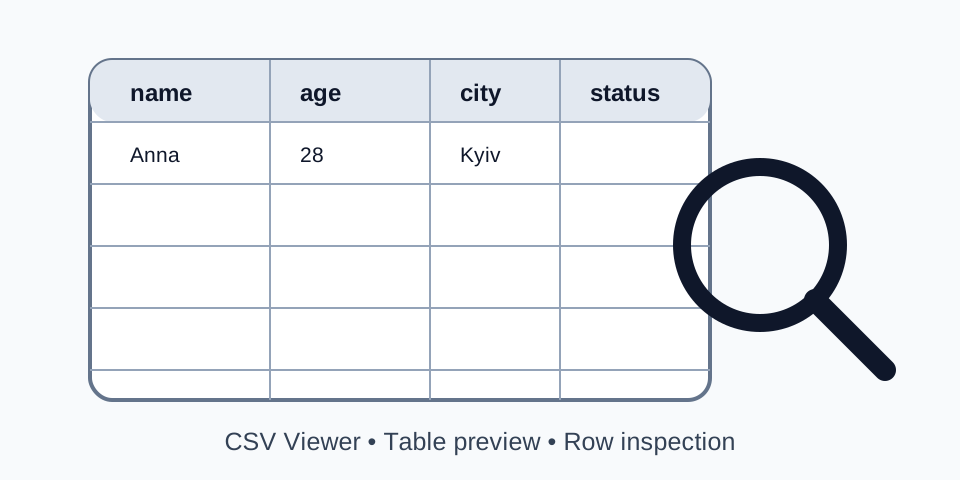
Open CSV data in a clear table, inspect rows and columns, and review structured records before using them elsewhere.
Csv Viewer gives you a focused workflow for this task. Use csv viewer with representative input, review the complete result, and verify the output in the destination system before production use.
CSV Viewer is a free online csv viewer for developers, analysts, and technical teams. Open CSV data in a clear table, inspect rows and columns, and review structured records before using them elsewhere.
The workspace keeps source and result separate, does not execute submitted code, and supports careful review before copying or downloading output.
Use CSV Viewer for migrations, QA, debugging, spreadsheet preparation, and safe testing. Always verify the result in the destination system.
Focused controls, predictable output, and a workflow designed around this exact transformation.
The workspace is configured specifically for csv viewer.
Source and output remain separated for verification.
Submitted structured text is parsed without running it.
Copy or download the verified result.
Practical details about input, output, privacy, limits, and the best way to use this tool.
CSV Viewer is an online utility that open CSV data in a clear table, inspect rows and columns, and review structured records before using them elsewhere.
No. It processes structured text without executing it as application code.
Compatible UTF-8 CSV, TSV, TXT, or XML files can be uploaded where supported.
Test it with the destination parser, spreadsheet, database, importer, or test suite first.
Blank records, quoted line breaks, headers, malformed rows, or conversion rules may affect record counts.
Do not submit passwords, tokens, personal records, or confidential production content.
Utilities may use different delimiter detection, quoting, normalization, or XML flattening rules.
Inspect the entire result and test it in a staging or local environment while retaining the source.
Csv Viewer works best when the source is realistic and the result is reviewed before export. Use csv viewer on a small example first, then repeat the same csv viewer workflow with a production-like sample that contains no private data.
After running csv viewer, compare the source and result, check special characters and empty values, and test the output in the receiving application. A reliable csv viewer workflow keeps the original input available until the destination accepts the result.
Typical mistakes include incomplete input, incorrect assumptions about defaults, hidden whitespace, encoding differences, and skipping final validation. When csv viewer gives an unexpected result, reduce the example to the smallest failing case and add complexity back one change at a time.
Continue with Csv Formatter or Csv Validator for a second formatting, validation, or verification step.
A this viewer turns comma-separated text into a readable grid. That makes long records, empty cells, repeated headers, and unexpected column shifts easier to notice than in a raw text editor.
Use the this viewer with a controlled sample first. Compare expected fields, record counts, special characters, and blank values. Document the selected settings so the same process can be repeated by another team member without guessing.
Review the first row, then compare several records from the beginning, middle, and end. A stable CSV file should keep the same logical number of fields unless the data format intentionally permits variable records.
Use the this viewer with a controlled sample first. Compare expected fields, record counts, special characters, and blank values. Document the selected settings so the same process can be repeated by another team member without guessing.
Commas, line breaks, and quotation marks may appear inside quoted fields. A reliable this viewer should parse those values as one cell instead of splitting them into extra columns.
Use the this viewer with a controlled sample first. Compare expected fields, record counts, special characters, and blank values. Document the selected settings so the same process can be repeated by another team member without guessing.
Keep an untouched copy of the original file. Confirm that the content is complete, encoded consistently, and not truncated during upload or copy and paste. Remove passwords, access tokens, private customer information, and other sensitive production data before using any online utility.
Select the delimiter, header behavior, row limit, or conversion setting that matches the source. Automatic detection is convenient, but explicit settings are safer when the data contains unusual punctuation, regional number formats, or inconsistent exports.
Inspect more than the first few rows. Compare the beginning, middle, and end, then check identifiers, dates, prices, empty values, quoted text, and non-Latin characters. A result can look correct at the top while still containing a structural problem later.
The final parser, spreadsheet, CMS, database, analytics platform, or importer is the most important compatibility check. Use a staging environment or a small sample first, retain the source, and keep a rollback path until the full import is confirmed.
A dependable this viewer workflow begins with a clear purpose. Decide whether the result is for visual inspection, validation, splitting, merging, conversion, migration, or permanent storage. That decision affects the delimiter, header policy, row limits, quoting rules, and the checks required after processing.
Start with a representative sample that contains ordinary values as well as edge cases. Include empty fields, quoted commas, long descriptions, line breaks, Unicode characters, dates, decimal values, and identifiers with leading zeroes. When the sample behaves correctly, process the full source and compare several sections rather than trusting a single preview.
Record the source filename, export date, encoding, delimiter, and selected options. In team environments, these notes make the this viewer result reproducible and reduce confusion when a later export behaves differently. A checksum or version-controlled copy can also prove that the original source remained unchanged.
Structured files may contain email addresses, order details, internal IDs, or confidential notes. Replace sensitive values with safe examples whenever possible. The this viewer should support data work, but it should never become a reason to expose secrets or regulated personal information.
The most common problems come from mismatched delimiters, malformed quotes, unexpected byte-order marks, duplicate headers, inconsistent row lengths, nested structures, and line breaks inside fields. Correct the source or choose matching settings before running the this viewer again.
Another frequent issue is assuming that visual output guarantees compatibility. Spreadsheet applications may silently convert dates, trim leading zeroes, or display large identifiers in scientific notation. Always validate the exported text and test the destination workflow.
Different utilities can use different parsing libraries, delimiter detection, whitespace policies, XML flattening rules, or error recovery behavior. Compare results against the applicable specification and the destination system rather than choosing only the version that looks cleaner.
Keep the original file, process a copy, and verify record counts before and after the operation. Check required columns, unique identifiers, and a selection of important values. When the operation changes file boundaries or structure, confirm that no record was lost, duplicated, or shifted.
For large data, divide verification into measurable checks: total rows, header count, number of generated files, first and last identifier, and expected null values. These checks are faster and more reliable than reading every row manually.
Clear headers, consistent ordering, and readable structure help developers, analysts, support staff, and content teams discuss the same dataset. The this viewer improves visibility, but technical validation remains necessary before production use.
Continue with CSV Validator, CSV Formatter, CSV to JSON. These tools support validation, formatting, conversion, splitting, merging, and review around the this viewer workflow.
For formal syntax and interoperability guidance, consult the RFC 4180.