01
Focused security workflow
Calculate CRC32, MD5, SHA-1, SHA-256, SHA-384, or SHA-512 checksums from exact text and compare deterministic outputs across systems.
Start typing to search 227 tools.
Calculate CRC32, MD5, SHA-1, SHA-256, SHA-384, or SHA-512 checksums from exact text and compare deterministic outputs across systems.
Checksum Calculator is a free online security utility for developers, testers, administrators, students, and technical teams. Calculate CRC32, MD5, SHA-1, SHA-256, SHA-384, or SHA-512 checksums from exact text and compare deterministic outputs across systems.
The source remains visible beside the result so you can confirm every important character before copying the output. Processing uses the reusable Trexmi workspace and does not require an external API request.
For safer testing, use non-sensitive sample values. Do not paste production passwords, private keys, live API secrets, access tokens, or confidential customer information into any environment you do not fully control.
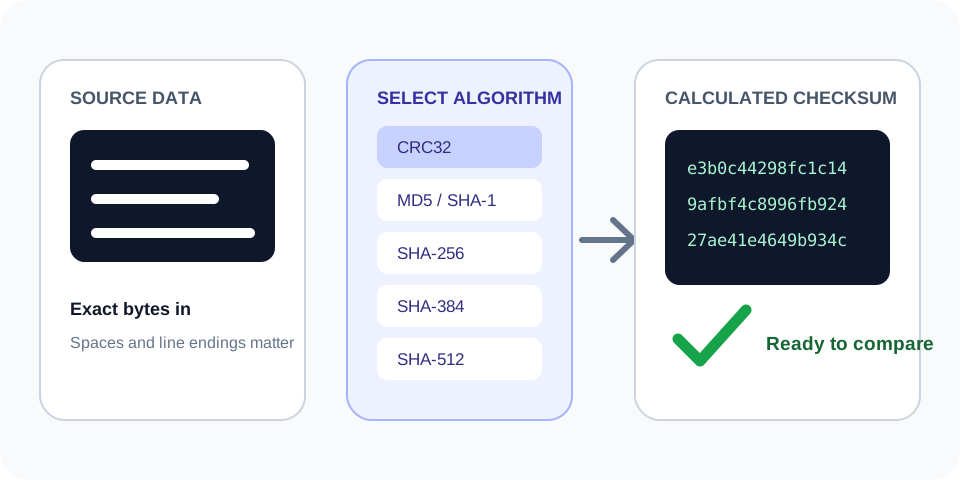
Always verify the selected algorithm, encoding, source bytes, and output format against the destination system. A correctly generated value can still be unusable when the wrong settings were selected.
Focused controls, predictable output, and a workflow designed around this exact transformation.
Calculate CRC32, MD5, SHA-1, SHA-256, SHA-384, or SHA-512 checksums from exact text and compare deterministic outputs across systems.
Review spaces, line endings, capitalization, and copied values beside the result.
The output is formatted for fast comparison and controlled testing.
Understand important limits before using a result in a real system.
Practical details about input, output, privacy, limits, and the best way to use this tool.
Calculate CRC32, MD5, SHA-1, SHA-256, SHA-384, or SHA-512 checksums from exact text and compare deterministic outputs across systems.
No. The Trexmi processor runs without an external API request.
Spaces, tabs, and line breaks are part of the input and affect deterministic calculations.
Use non-sensitive test values unless you fully control and trust the installation.
Check the algorithm, encoding, case, line endings, prefixes, and whether the complete source was copied.
No. Hashes, checksums, verification results, and strength scores are not reversible encryption.
No. Follow the destination platform, current standards, code review, testing, and organizational security requirements.
Reduce the input to a safe known test value, verify settings, and restore the original data step by step.
Understand SHA hashes, checksums, HMAC, salts, password hashing, verification, and practical integrity workflows.
Use the exact same text bytes when comparing another implementation.
Trexmi checksum sample · SHA-256
64-character hexadecimal checksum
Confirm that both systems use the compatible CRC32/ISO-HDLC representation.
123456789 · CRC32
cbf43926
Use MD5 only when a legacy format explicitly requires it, not for security decisions.
Non-sensitive fixture · MD5
32-character hexadecimal checksum
The Checksum Calculator converts exact input bytes into a fixed-format result using the selected algorithm. Identical bytes produce identical output. Any changed character, space, newline, or encoding can produce a different value.
CRC32, MD5, SHA-1, SHA-256, SHA-384, and SHA-512 are not interchangeable. They have different output sizes, performance characteristics, and security properties. Select the algorithm explicitly required by the application, protocol, archive, API, or published reference.
Hexadecimal MD5 output normally has 32 characters, SHA-1 has 40, SHA-256 has 64, SHA-384 has 96, and SHA-512 has 128. CRC32 is commonly shown as eight hexadecimal characters. Correct length does not prove the value is correct, but an unexpected length quickly reveals a format or algorithm mismatch.
Use this workspace for migration checks, API fixtures, documentation examples, build outputs, text comparisons, generated configuration, cache identifiers, and troubleshooting between programming languages. Keep an untouched copy of the original source so you can identify accidental edits.
Start with a known short test vector, confirm both systems return the same result, and then test the real non-sensitive payload. If results differ, inspect encoding, line endings, Unicode normalization, trailing whitespace, and whether one side hashes raw bytes while the other hashes hexadecimal text.
This tool calculates from the text entered into the workspace. Pasting visible file contents is not always equivalent to hashing the original file bytes. Binary files, byte-order marks, compressed data, and line-ending conversions can change the result.
Fast algorithms such as CRC32, MD5, and SHA-1 should not be used for password storage. General-purpose hashes alone also do not authenticate a message. Use a dedicated password-hashing function for passwords and HMAC or digital signatures when you must detect deliberate modification.
For security-sensitive integrity checks, follow the current standard and use an approved modern algorithm such as SHA-256 or SHA-512 where appropriate. Never assume that matching a checksum proves a source is trustworthy; it only shows that the compared bytes produced the same digest.
Use this repeatable process to reduce mistakes:
Long hashes, signatures, or source strings can be truncated by database fields, spreadsheets, log viewers, or chat applications. Compare the complete value and expected length.
Trailing spaces, tabs, line breaks, non-breaking spaces, and Unicode normalization can change a result while leaving the visible text almost identical. Use plain text and inspect the boundaries carefully.
Confirm the exact algorithm, case, hexadecimal or decimal representation, and any required prefix. Do not select an option only because the output looks similar.
For additional technical guidance, consult NIST Secure Hash Standard and RFC 1321 MD5 specification. These references explain the underlying standards and security considerations in more detail.
Before reusing the output, confirm the original source, selected algorithm, text encoding, whitespace, expected length, output representation, and security requirements. Keep test data separate from production secrets and verify important results in the receiving application.