Start typing to search 227 tools.
CRC32 Generator
Generate CRC32 checksums from exact text in hexadecimal and decimal formats for compatibility checks, fixtures, archives, and data-transfer testing.
0x00000000
Checksum ready for compatibility and integrity checks.
00000000000000000000000000000000123456789 must produce CBF43926 for CRC-32/ISO-HDLC.
CRC32 is useful for detecting accidental changes. It is not a cryptographic hash and must not be used for passwords, signatures, or authentication.
0x04C11DB70xEDB883200xFFFFFFFF0xFFFFFFFF123456789 → CBF43926What CRC32 Generator does
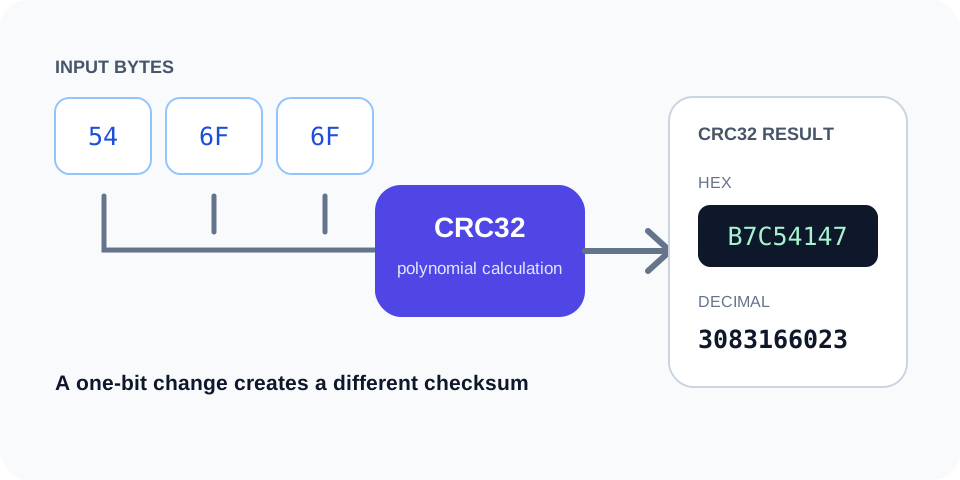
CRC32 Generator calculates the common CRC-32/ISO-HDLC checksum used for file integrity checks, fixtures, archives, protocols, and compatibility testing. It accepts exact UTF-8 text or hexadecimal bytes and returns the same 32-bit checksum in several useful representations.
The label CRC32 can refer to different parameter sets in different software. Trexmi identifies the exact variant and displays its polynomial, initial value, final XOR, reflection settings, and the standard 123456789 → CBF43926 check value so you can verify compatibility before comparing results.
CRC32 Generator is a free online security utility for developers, testers, administrators, students, and technical teams. Generate CRC32 checksums from exact text in hexadecimal and decimal formats for compatibility checks, fixtures, archives, and data-transfer testing.
The source remains visible beside the result so you can confirm every important character before copying the output. Processing uses the reusable Trexmi workspace and does not require an external API request.
For safer testing, use non-sensitive sample values. Do not paste production passwords, private keys, live API secrets, access tokens, or confidential customer information into any environment you do not fully control.
How to use
- Step 1. Paste the exact text to process.
- Step 2. Preserve intended spaces and line breaks.
- Step 3. Run the CRC32 Generator.
- Step 4. Review hexadecimal and decimal values.
- Step 5. Confirm the expected CRC variant before reuse.
Always verify the selected algorithm, encoding, source bytes, and output format against the destination system. A correctly generated value can still be unusable when the wrong settings were selected.
Why use CRC32 Generator?
Focused controls, predictable output, and a workflow designed around this exact transformation.
Focused security workflow
Generate CRC32 checksums from exact text in hexadecimal and decimal formats for compatibility checks, fixtures, archives, and data-transfer testing.
Exact input remains visible
Review spaces, line endings, capitalization, and copied values beside the result.
Clear copy-ready result
The output is formatted for fast comparison and controlled testing.
Practical safety guidance
Understand important limits before using a result in a real system.
Questions about CRC32 Generator
Practical details about input, output, privacy, limits, and the best way to use this tool.
01 What does CRC32 Generator do?
Generate CRC32 checksums from exact text in hexadecimal and decimal formats for compatibility checks, fixtures, archives, and data-transfer testing.
02 Does CRC32 Generator use an external API?
No. The Trexmi processor runs without an external API request.
03 Why can one extra space change the result?
Spaces, tabs, and line breaks are part of the input and affect deterministic calculations.
04 Can I enter real passwords or secret keys?
Use non-sensitive test values unless you fully control and trust the installation.
05 Why does another application return a different value?
Check the algorithm, encoding, case, line endings, prefixes, and whether the complete source was copied.
06 Is the output encryption?
No. Hashes, checksums, verification results, and strength scores are not reversible encryption.
07 Can I rely only on this tool for production security?
No. Follow the destination platform, current standards, code review, testing, and organizational security requirements.
08 How should I troubleshoot an unexpected result?
Reduce the input to a safe known test value, verify settings, and restore the original data step by step.
Read the complete Hashing Guide
Understand SHA hashes, checksums, HMAC, salts, password hashing, verification, and practical integrity workflows.
- SHA and checksum workflows
- HMAC and keyed hashes
- Password hashing and verification
Crc32 Generator: 7 practical checks
Crc32 Generator works best when the source is realistic and the result is reviewed before export. Use crc32 generator on a small example first, then repeat the same crc32 generator workflow with a production-like sample that contains no private data.
How to verify crc32 generator
After running crc32 generator, compare the source and result, check special characters and empty values, and test the output in the receiving application. A reliable crc32 generator workflow keeps the original input available until the destination accepts the result.
Common crc32 generator mistakes
Typical mistakes include incomplete input, incorrect assumptions about defaults, hidden whitespace, encoding differences, and skipping final validation. When crc32 generator gives an unexpected result, reduce the example to the smallest failing case and add complexity back one change at a time.
Related Trexmi tools
Continue with Checksum Calculator or Hash Generator for a second formatting, validation, or verification step.
How the this generator works
The this generator calculates a 32-bit cyclic redundancy check from the exact input bytes. CRC values are designed to detect common accidental changes during storage or transmission. They are fast and compact, which makes them common in archives, network formats, file containers, test fixtures, and legacy integrations.
CRC32 is an integrity check, not encryption
A CRC value does not hide data, prove authorship, or resist deliberate tampering. Different inputs can produce the same 32-bit result. Use a cryptographic hash or HMAC when the threat model includes an attacker rather than accidental corruption.
Why decimal values may look negative
CRC32 represents an unsigned 32-bit number. Some programming languages or database types display the same bit pattern as a signed integer, resulting in a negative decimal value. Hexadecimal output is often easier to compare across platforms because it preserves the eight-digit representation.
Common this generator use cases
Developers use CRC32 for archive verification, protocol debugging, database imports, generated fixture checks, cache identifiers, migration comparisons, and compatibility with published file formats. Always confirm the exact CRC variant required by the destination.
Variant and parameter differences
The label CRC32 can refer to calculations with different polynomials, initial values, reflection rules, and final XOR values. Two tools may return different answers because they implement different variants. Compare a known test vector, such as the standard text required by the relevant specification, before processing important data.
Whitespace and encoding mismatches
A trailing newline, Windows versus Unix line endings, UTF-8 encoding, or an invisible non-breaking space changes the result. When values differ, compare raw bytes and not only visible text.
this generator limitations
Do not use CRC32 for passwords, digital signatures, authentication tokens, or security-sensitive file verification. It is optimized for error detection and speed, not collision resistance. For stronger integrity checks, use SHA-256 or SHA-512. For authenticated messages, use HMAC with a protected secret.
This tool is useful when a format explicitly requires CRC32 or when you need a quick deterministic checksum for non-adversarial workflows.
5-step this generator workflow
Use this repeatable process to reduce mistakes:
- Step 1. Paste the exact text to process.
- Step 2. Preserve intended spaces and line breaks.
- Step 3. Run the this generator.
- Step 4. Review hexadecimal and decimal values.
- Step 5. Confirm the expected CRC variant before reuse.
Common this generator errors
Incomplete copied values
Long hashes, signatures, or source strings can be truncated by database fields, spreadsheets, log viewers, or chat applications. Compare the complete value and expected length.
Invisible characters
Trailing spaces, tabs, line breaks, non-breaking spaces, and Unicode normalization can change a result while leaving the visible text almost identical. Use plain text and inspect the boundaries carefully.
Wrong algorithm or format
Confirm the exact algorithm, case, hexadecimal or decimal representation, and any required prefix. Do not select an option only because the output looks similar.
Authoritative references
For additional technical guidance, consult Catalogue of parametrised CRC algorithms and PHP crc32 documentation. These references explain the underlying standards and security considerations in more detail.
Related Trexmi tools
- Checksum Calculator — use it for a closely related verification or generation workflow.
- Hash Generator — use it for a closely related verification or generation workflow.
- MD5 Generator — use it for a closely related verification or generation workflow.
Final verification checklist
Before reusing the output, confirm the original source, selected algorithm, text encoding, whitespace, expected length, output representation, and security requirements. Keep test data separate from production secrets and verify important results in the receiving application.