01
Secure random source
Values are created with a cryptographically secure generator.
Start typing to search 227 tools.
Generate an RSA SSH public and private key pair with selectable strength, OpenSSH public-key output, and a SHA-256 fingerprint.
SSH Key Generator generate an RSA SSH public and private key pair with selectable strength, OpenSSH public-key output, and a SHA-256 fingerprint.
The tool does not call an external API. Review the selected options before using generated credentials or random values in an application.
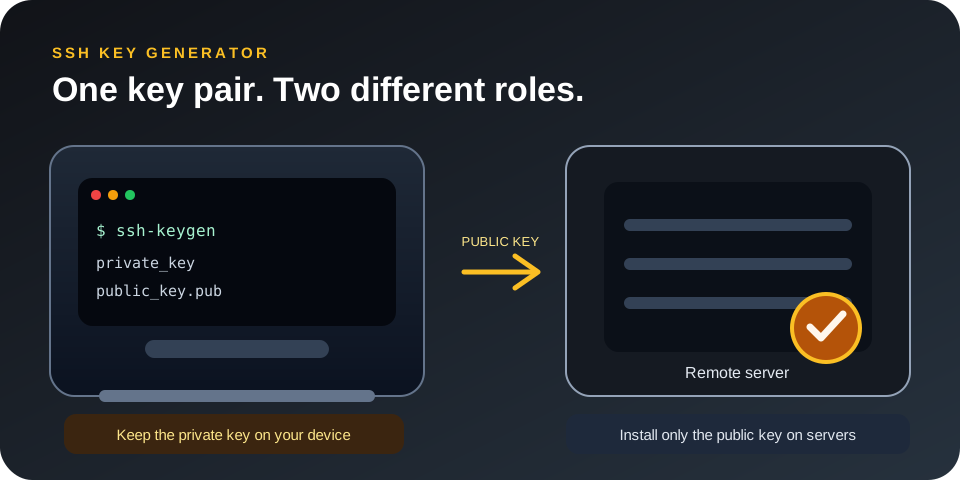
Focused controls, predictable output, and a workflow designed around this exact transformation.
Values are created with a cryptographically secure generator.
Choose the format and size required by the destination.
Generated values are presented for direct review and copying.
No third-party API request is required.
Practical details about input, output, privacy, limits, and the best way to use this tool.
No. No third-party API request is required.
Confirm the required length, format, storage method, and destination rules first.
No. Store active credentials in a password manager or secrets-management system.
Greater random length generally increases the search space, provided the random source and storage are secure.
Do not share active private keys, API keys, session tokens, or other live secrets.
The SSH Key Generator uses a cryptographically secure random source and applies the options selected in the workspace. The result is generated only after the required size, format, and quantity have been validated. This makes the tool useful for development, testing, deployment preparation, and security administration.
Different applications accept different formats. URL-safe values avoid reserved URL characters, hexadecimal values are easy to inspect, and Base64 is compact. Select a length that meets the real security requirement rather than choosing the shortest accepted value.
Common uses include development credentials, integration testing, staging environments, one-time setup values, secure identifiers, deployment preparation, and replacing predictable placeholders. The SSH Key Generator should be used with unique output for each independent account, service, device, or environment.
A visible prefix or comment can identify purpose without revealing the secret itself. Never encode confidential information into a key name, token prefix, SSH comment, or other public label.
Copy generated secrets directly into a trusted password manager, environment-variable system, or secrets manager. Restrict access, rotate credentials according to policy, and remove test values that are no longer needed. A secure generator cannot protect a value that is later exposed in logs, repositories, screenshots, support tickets, or analytics.
Use sufficient entropy and verify destination limits before deployment. Server-side validation, access controls, rate limiting, audit logging, and revocation procedures remain necessary.
Names, timestamps, counters, and ordinary pseudo-random functions are not replacements for cryptographically secure randomness. Increase the selected size instead of manually adding predictable text.
Production, staging, development, and local environments should use separate credentials. Reuse increases the effect of an accidental exposure.
Do not save active credentials in source code, spreadsheets, ordinary notes, or public repositories. Apply least-privilege access and secure backups.
Review current OWASP security guidance and RFC Editor specifications for the protocol used by your application.