01
Canonical format check
Require exactly 36 visible characters in the 8-4-4-4-12 hyphenated representation.
Start typing to search 227 tools.
Validate canonical UUID syntax, identify versions 1–8, recognize Nil and Max UUIDs, report the variant, and explain format failures.
UUID Validator checks the canonical 8-4-4-4-12 textual form, reports the version nibble for versions 1 through 8, classifies the encoded variant, and recognizes the all-zero Nil UUID and all-one Max UUID.
A valid result describes identifier structure only. It cannot prove uniqueness, authenticity, ownership, authorization, or the existence of a matching database record. Input is normalized to lowercase for the report without contacting another service.
Focused controls, predictable output, and a workflow designed around this exact transformation.
Require exactly 36 visible characters in the 8-4-4-4-12 hyphenated representation.
Read the version nibble and accept versions 1 through 8 as supported layouts.
Report NCS, RFC, Microsoft legacy, or reserved variant bits without hiding the distinction.
The guide separates structural validation from uniqueness, ownership, and database existence.
Practical details about input, output, privacy, limits, and the best way to use this tool.
The validator expects 32 hexadecimal characters in the canonical 8-4-4-4-12 layout with four hyphens.
Yes. Uppercase hexadecimal letters are accepted and normalized to lowercase in the result.
The version nibble is accepted when it is 1 through 8. Nil and Max are handled as special UUID values.
It classifies the layout bits as NCS legacy, RFC 4122 / RFC 9562, Microsoft legacy, or reserved.
No. A fabricated or duplicated UUID can be structurally valid. Check existence in the issuing application.
No. Never treat knowledge of an identifier as permission to access the represented resource.
The current validator intentionally requires canonical hyphen placement rather than the 32-character compact representation.
Leading and trailing whitespace is trimmed, but embedded whitespace or non-hexadecimal characters make the value invalid.
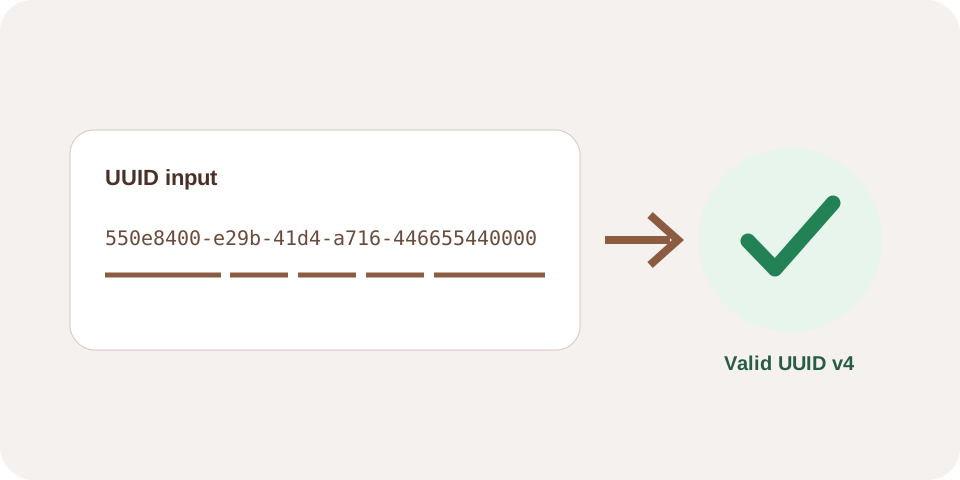
The canonical group layout and version nibble are recognized.
550e8400-e29b-41d4-a716-446655440000
Valid · version 4 · RFC 4122 / RFC 9562 variant
RFC 9562 defines this all-zero special value separately from numbered versions.
00000000-0000-0000-0000-000000000000
Valid Nil UUID
This validator requires the 36-character hyphenated representation.
550e8400e29b41d4a716446655440000
Invalid canonical format
The accepted representation contains 32 hexadecimal digits separated into groups of 8, 4, 4, 4, and 12 characters. With four hyphens it has 36 visible characters. The check is intentionally strict: braces, URN prefixes, compact text, and extra punctuation are not silently removed.
Letter case does not change the hexadecimal value. The result normalizes accepted input to lowercase so identifiers copied from different systems are easier to compare.
The first hexadecimal character in the third group is the version nibble. The processor reports versions 1 through 8. These versions describe different generation layouts, including time-based, name-based, random, reordered-time, Unix-time, and application-defined forms.
Validation does not recompute namespace hashes, randomness quality, timestamps, or application-defined version 8 data. It checks the visible structure and encoded version field.
The leading bits in the fourth group distinguish layout families. The result labels NCS legacy, RFC 4122 / RFC 9562, Microsoft legacy, or reserved values. This classification is reported independently from the supported version nibble so migrations can expose unexpected legacy layouts rather than hiding them.
Applications may enforce a narrower rule, such as requiring both RFC variant bits and version 4. Apply that business rule in the receiving system after structural validation.
The Nil UUID contains all zero bits, while the Max UUID contains all one bits. They are valid special values defined by RFC 9562 and do not carry a numbered version in this report. Applications often use them as sentinels, so confirm whether the destination permits them.
Review RFC 9562 for UUID layouts, versions, variants, and special values.
Create v4 or v7 identifiers with UUID Generator, inspect version-specific fields with UUID Decoder, or validate an API payload with JSON Validator.