01
Security-focused controls
Settings and results are presented for careful review.
Start typing to search 227 tools.
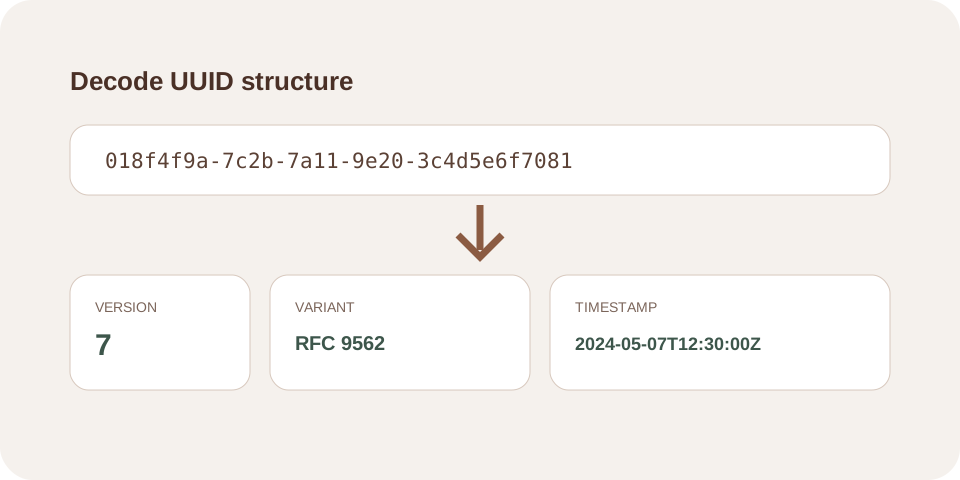
Decode a UUID into version, variant, hexadecimal fields, node data, clock sequence, and timestamp information when the version supports it.
UUID Decoder helps you decode a UUID into version, variant, hexadecimal fields, node data, clock sequence, and timestamp information when the version supports it.
The tool runs without an external API request and keeps the source or settings visible while you inspect the result. Do not use live secrets or private production data as test input.
Focused controls, predictable output, and a workflow designed around this exact transformation.
Settings and results are presented for careful review.
The output uses readable labels instead of raw technical data.
Verified or generated values can be copied after review.
The operation does not require a third-party server request.
Practical details about input, output, privacy, limits, and the best way to use this tool.
No external API is required for this operation.
No. Always compare the result with the rules of the destination application.
No. Use non-sensitive test data and store real credentials in an appropriate secrets manager.
No. Structural validation or decoding does not prove ownership, origin, or authorization.
Yes. Copy values from plain text and check for leading, trailing, or invisible characters.
The UUID Decoder validates the identifier and separates its hexadecimal groups into logical fields. It reports the UUID version, RFC variant, time-related sections, clock sequence, and node field. When a supported version embeds a timestamp, the tool also displays a readable UTC value.
The same visible group boundaries can have different meanings depending on the version. Version 1 stores a Gregorian-based timestamp across several fields, while version 7 places Unix-epoch milliseconds at the beginning. Version 4 is random and does not provide a creation time, even though its groups can still be displayed.
Version 1 combines timestamp data, a clock sequence, and a node field. The timestamp counts 100-nanosecond intervals from the UUID epoch in 1582. The node field was historically based on a network address, but modern implementations may use a random or privacy-preserving value. Do not assume it reveals a real device.
Version 7 begins with a 48-bit Unix timestamp in milliseconds, followed by version, variant, and random data. This layout is useful for roughly time-ordered database keys. The decoded timestamp indicates the value embedded by the generator; it does not prove when a database row was created or modified.
A version 4 UUID is primarily random data with fixed version and variant bits. Websites that claim to recover an exact creation time from UUID v4 are making an unsupported inference. Use application logs or database timestamps instead.
Use the decoder while debugging distributed events, inspecting database identifiers, checking ordering behavior, confirming migration formats, reviewing API logs, or teaching UUID structure. It can also distinguish a random identifier from a time-based format before a system design decision.
The UUID Decoder helps developers inspect identifiers from logs, APIs, and databases without guessing their layout. Use the UUID Decoder only after validation, and interpret each field according to the detected version.
Decoding exposes encoded structure only. It cannot identify the owner, retrieve a database record, verify authenticity, guarantee uniqueness, or prove the source system. A timestamp can be intentionally set to an arbitrary value, and node fields may be randomized.
UUIDs are often visible identifiers rather than secrets, but they may still expose internal record relationships or approximate creation times. Avoid sharing production identifiers when they connect to private customer or infrastructure data.
Review the RFC 9562 UUID specification and current OWASP security guidance where applicable.