01
Predictable processing
A defined rule makes the result easier to understand.
Start typing to search 227 tools.
Extract unique hashtags from captions, notes, and campaign text in their original first-seen order.
Hashtag Extractor is a focused browser tool that helps you extract unique hashtags from captions, notes, and campaign text in their original first-seen order.
The workspace keeps the source available for comparison, applies a defined rule, and presents the result separately. This makes the change easier to inspect before content is published, imported, shared, or used in another workflow.
Use the complete source whenever possible, verify context-sensitive values, and retain a backup for important documents or structured data.
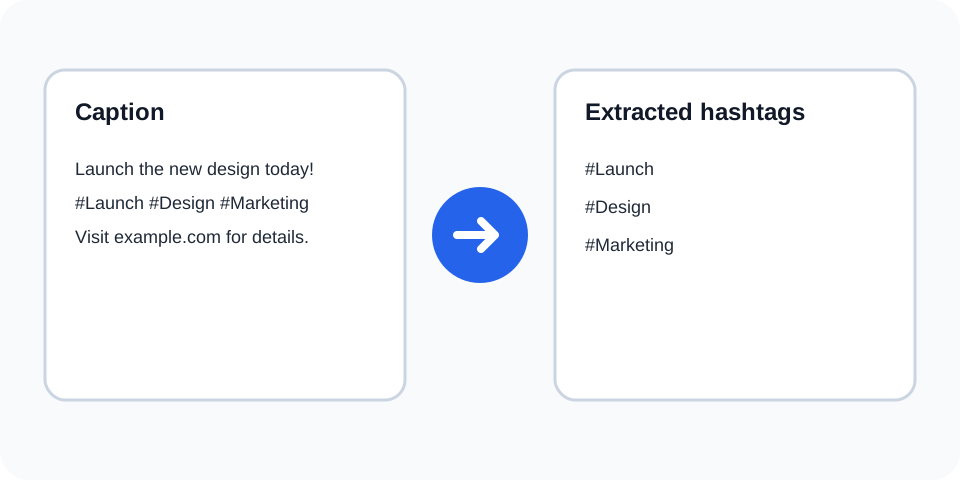
Focused controls, predictable output, and a workflow designed around this exact transformation.
A defined rule makes the result easier to understand.
The original text stays available for comparison.
The generated output is displayed independently.
Review first, then copy the approved result.
Practical details about input, output, privacy, limits, and the best way to use this tool.
A hashtag begins with # and continues through supported letters, numbers, or underscore characters.
Yes. Repeated matches are omitted while the first-seen order remains.
The processor may preserve the first spelling while treating exact extracted values according to its matching rule.
A # fragment in a URL may look like a hashtag, so review extracted results for context.
Yes. Returned values include the leading hash character.
No. It only processes text you paste or upload.
No. Confirm relevance, spelling, platform rules, and campaign ownership first.
Yes. The extracted list is generated separately.
Understand SHA hashes, checksums, HMAC, salts, password hashing, verification, and practical integrity workflows.
Hashtag Extractor scans the supplied text for tokens that begin with a hash sign. It returns matching values as a clean list without the surrounding caption or paragraph. This is helpful when auditing campaign drafts, consolidating social notes, reviewing creator submissions, or comparing tag sets across approved content.
Review the source and generated result together, keep an untouched backup, and confirm the output in the destination system before relying on it.
Repeated tags can make a copied list noisy. The tool removes repeated matches from the result while preserving the order in which each unique tag first appeared. That order can help reconstruct the source context and makes manual comparison easier.
Review the source and generated result together, keep an untouched backup, and confirm the output in the destination system before relying on it.
Punctuation can end a tag, and copied text may contain unusual Unicode characters. A visually similar symbol is not always the standard # character. Review tags with accents, non-Latin scripts, underscores, numbers, and trailing punctuation before reuse.
Review the source and generated result together, keep an untouched backup, and confirm the output in the destination system before relying on it.
A tag found in public or internal text is not automatically suitable for a new campaign. Check brand relevance, current platform policies, trademark concerns, moderation risks, and audience expectations. Use only text you are authorized to process.
Review the source and generated result together, keep an untouched backup, and confirm the output in the destination system before relying on it.
For a large export, compare the number of source posts with the extracted set, inspect suspicious one-character tags, and search for tags embedded in links. Keep the original source so any result can be traced back to its context.
Review the source and generated result together, keep an untouched backup, and confirm the output in the destination system before relying on it.
After extraction, a frequency tool can show repeated campaign terms, a mention extractor can collect account references, and text statistics can summarize the original draft. Keep each operation separate so the result remains understandable.
Review the source and generated result together, keep an untouched backup, and confirm the output in the destination system before relying on it.
Continue with a related converter, a cleanup tool, or a text analysis tool. Each operation remains separate so changes are easier to understand and reverse.
For general string-processing concepts, consult the MDN String reference.