01
Focused cleanup
Strips common leading line-number patterns without changing the remaining text.
Start typing to search 227 tools.
Remove leading line numbers from text while preserving the remaining line content and order.
Remove Line Numbers gives you a focused workflow for this task. Use remove line numbers with representative input, review the complete result, and verify the output in the destination system before production use.
Remove Line Numbers is a focused browser utility that remove leading line numbers from text while preserving the remaining line content and order.
The workspace keeps the source available, applies one clearly named operation, and displays the result separately. This makes the output easier to compare before it is published, imported, shared, or reused.
Use the complete source whenever possible, verify context-sensitive values, and retain a backup for important documents or structured data.
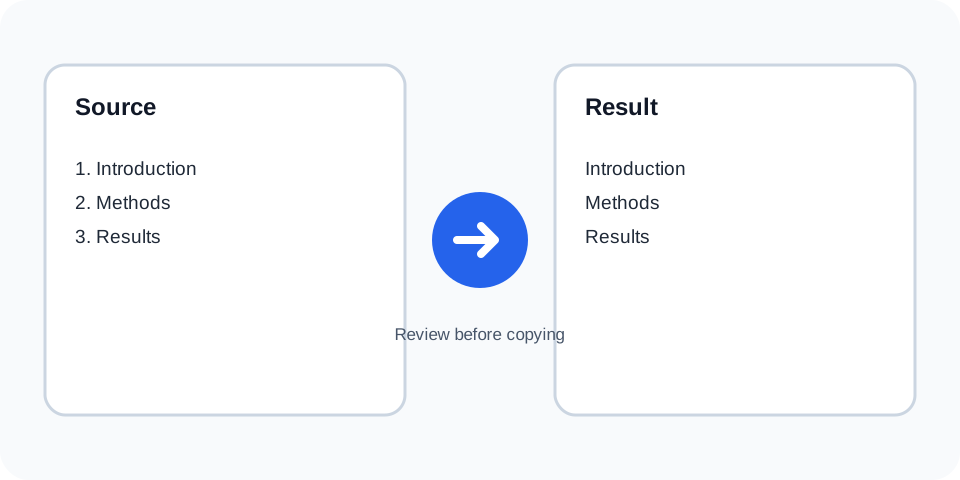
Focused controls, predictable output, and a workflow designed around this exact transformation.
Strips common leading line-number patterns without changing the remaining text.
Every cleaned line stays in its original position.
Compare the numbered input with the separate result before copying.
Clean text copied from reports, transcripts, and numbered lists.
Practical details about input, output, privacy, limits, and the best way to use this tool.
The tool targets numbers at the beginning of lines when they form a line-number pattern.
No. Numbers that are part of the remaining line content are preserved.
Yes. Only the leading numbering is removed.
Common prefixes such as 1., 1), and similar line numbering can be removed.
Review the output because surrounding spaces may be normalized by the processor.
Use caution. Numeric labels can be meaningful in code or data.
Keep the original source because removed prefixes cannot be reconstructed reliably.
No. It removes existing line numbers rather than creating a new sequence.
Remove Line Numbers works best when the source is realistic and the result is reviewed before export. Use remove line numbers on a small example first, then repeat the same remove line numbers workflow with a production-like sample that contains no private data.
After running remove line numbers, compare the source and result, check special characters and empty values, and test the output in the receiving application. A reliable remove line numbers workflow keeps the original input available until the destination accepts the result.
Typical mistakes include incomplete input, incorrect assumptions about defaults, hidden whitespace, encoding differences, and skipping final validation. When remove line numbers gives an unexpected result, reduce the example to the smallest failing case and add complexity back one change at a time.
Continue with Line Counter or Prefix Lines for a second formatting, validation, or verification step.
The operation checks the beginning of each line for a recognizable numeric prefix and removes that prefix while retaining the remaining text.
Review the source and generated result together, keep an untouched backup, and confirm the output in the destination system before relying on it.
Documents may use periods, parentheses, colons, or spacing after a number. Review the result when formatting is inconsistent.
Review the source and generated result together, keep an untouched backup, and confirm the output in the destination system before relying on it.
Dates, quantities, model numbers, and other values after the prefix should remain unchanged.
Review the source and generated result together, keep an untouched backup, and confirm the output in the destination system before relying on it.
The tool is useful when text copied from PDFs, editors, or transcripts includes unwanted line numbering.
Review the source and generated result together, keep an untouched backup, and confirm the output in the destination system before relying on it.
Do not remove prefixes when they identify legal clauses, code lines, inventory records, or references that must remain intact.
Review the source and generated result together, keep an untouched backup, and confirm the output in the destination system before relying on it.
Compare several lines from the beginning, middle, and end of the result before using it elsewhere.
Review the source and generated result together, keep an untouched backup, and confirm the output in the destination system before relying on it.
Continue with a related utility, another focused tool, or a complementary workflow. Keeping operations separate makes changes easier to understand and reverse.
For general string-processing concepts, consult the MDN String reference.