01
Reverse every character
Produces a mirror-order character sequence from the final character back to the first.
Start typing to search 227 tools.
Reverse text with a browser utility that returns characters in the opposite order while keeping the original source visible for direct comparison.
reverse text reverse text with a browser utility that returns characters in the opposite order while keeping the original source visible for direct comparison.
The workspace keeps the source available, applies one clearly named operation, and displays the result separately. This makes the output easier to compare before it is published, imported, shared, or reused.
Use the complete source whenever possible, verify context-sensitive values, and retain a backup for important documents or structured data.
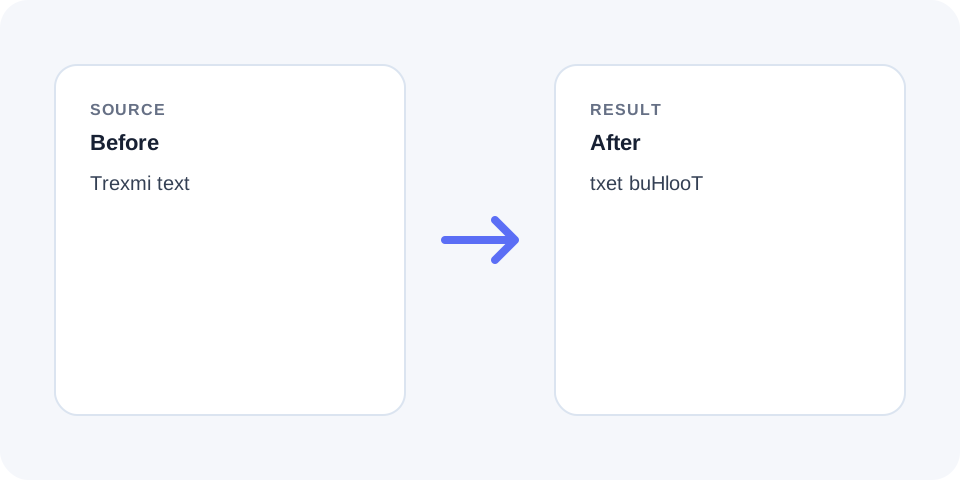
Focused controls, predictable output, and a workflow designed around this exact transformation.
Produces a mirror-order character sequence from the final character back to the first.
The original string stays available for comparison and recovery.
A separate result makes spaces, punctuation, and symbols easier to inspect.
Helpful for demonstrations, puzzles, text experiments, and checking character order.
Practical details about input, output, privacy, limits, and the best way to use this tool.
It reverses the character sequence. Use Reverse Words to change only word order.
Yes. Spaces are characters in the sequence and move with everything else.
Punctuation moves to the opposite character position.
No. Each letter keeps its original capitalization.
Yes. Review how line-break characters are represented in the output.
No. It reverses order but does not replace letters with mirrored glyphs.
Running the same character reversal on the result restores the original sequence.
Modern browser processing generally supports Unicode, but combined characters and emoji sequences should be reviewed.
Reverse Text treats the input as an ordered character sequence and returns that sequence from end to beginning.
The result is different from reversing word order because every letter, space, and punctuation mark changes position.
Whitespace and punctuation participate in the reversal, which can create unusual spacing and place punctuation at the opposite end.
Inspect multiline input carefully because line breaks also affect the visual structure of the result.
Letters keep their existing case, and symbols are not converted into different glyphs.
The operation changes position only; it does not translate, normalize, or rewrite the source.
Emoji, accented letters, and scripts that use combined code points can be more complex than simple Latin text.
Review the output visually when processing multilingual text or joined emoji sequences.
Character reversal is useful for puzzles, demonstrations, test fixtures, and quick experiments with strings.
It is not an encryption method and should not be used to protect confidential information.
Compare distinctive punctuation and the first and last characters to confirm the transformation.
Applying the same reversal a second time should return the original character order.
reverse text processes the complete character sequence, including spaces, punctuation, numbers, emoji, and symbols. The final character becomes the first character in the result, and the original first character moves to the end. reverse text is useful for demonstrations, puzzles, test data, and checking how software handles character order. It does not translate, correct spelling, or preserve normal reading order. Review short samples first, especially when the text contains emoji, combined Unicode characters, or right-to-left scripts. Keep a copy of the source and verify the full result before using it in another application.
reverse text keeps the source and result separate so the transformation remains easy to inspect, explain, and reverse when necessary.
Continue with a related utility, another focused tool, or a complementary workflow. Keeping operations separate makes changes easier to understand and reverse.
For general string-processing concepts, consult the MDN String reference.