01
Block-structure checks
Detect invalid nesting and mixed sequence/mapping content with source line context.
Start typing to search 227 tools.
Check a practical YAML subset for indentation, mappings, sequences, duplicate keys, quotes and scalar syntax, with explicit unsupported-feature errors.
YAML Validator checks common configuration-style YAML made from mappings, sequences and scalar values. It detects empty or duplicate keys, mixed mapping and sequence blocks, invalid nesting, tabs, odd indentation and broken quoted strings.
This validator intentionally supports a practical subset rather than the entire YAML 1.2 language. Indentation must use multiples of two spaces. Anchors, aliases, custom tags and block scalars are rejected with a clear message. This boundary prevents a simple result from being presented as full YAML conformance.
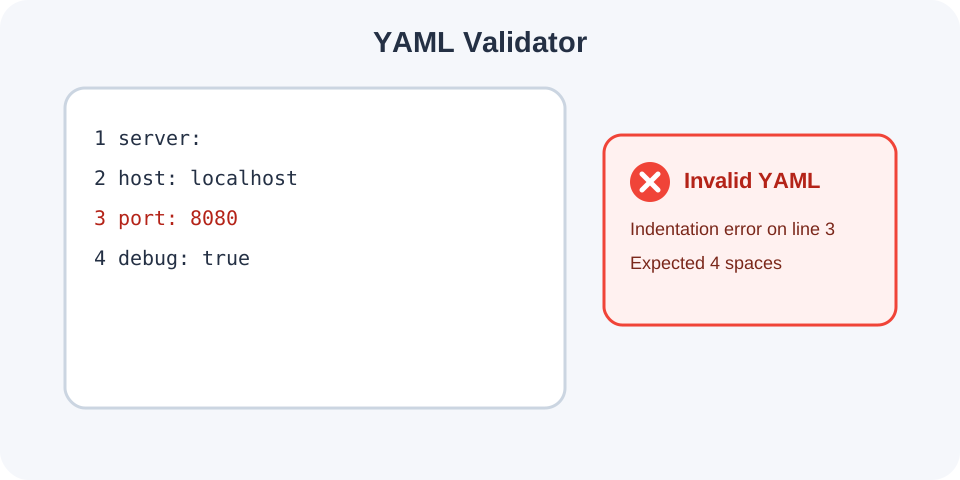
Valid YAML only after the supported document parses completely.Focused controls, predictable output, and a workflow designed around this exact transformation.
Detect invalid nesting and mixed sequence/mapping content with source line context.
Reject a repeated key within the same mapping instead of silently keeping one value.
Check null, boolean, number, quoted text and JSON-style inline collection syntax.
Advanced YAML constructs are rejected rather than incorrectly reported as valid.
Practical details about input, output, privacy, limits, and the best way to use this tool.
No. It validates a documented subset intended for common mappings, sequences and scalar configuration data.
Indentation must use spaces in multiples of two. Tabs and odd numbers of leading spaces are rejected.
No. Anchors, aliases and custom tags are rejected explicitly.
No. Literal and folded block scalars using | or > are outside the supported subset.
Blank lines, full-line comments and ordinary inline comments are supported within the practical parser rules.
Yes when the inline collection uses valid JSON-style syntax.
Yes within each parsed mapping block.
Your application may support a broader YAML feature set or apply different schemas and type resolution.
The validator handles indentation-based mappings, dash-prefixed sequences, nested blocks and scalar sequence items. Sequence items may also begin a mapping. A block cannot mix mapping and sequence entries at the same indentation level.
Null, true, false, integers and simple decimals are parsed as values. Single- and double-quoted strings are checked for closure. Plain strings are supported, and inline collections must use JSON-style brackets, braces and quoting.
Tabs are rejected because their display width is ambiguous. Each indentation level must be a multiple of two spaces. Within a mapping, a key cannot be empty or appear twice. These stricter rules are useful for Trexmi output but do not describe every valid style permitted by the YAML specification.
Anchors, aliases, custom tags and literal or folded block scalars are outside this validator. A rejection for one of these constructs does not necessarily mean the document is invalid YAML; it means a full-featured YAML parser is required.
Start from JSON to YAML when you need straightforward compatible YAML. If the document describes an API contract, run OpenAPI Validator after fixing YAML syntax. Use JSON Validator to isolate syntax problems in an equivalent JSON serialization.
Consult the YAML 1.2.2 specification or the documentation for your production parser when full conformance matters. Remove passwords, tokens and other secrets from configuration samples before using an online utility.