01
Nesting preserved
Objects and arrays retain their hierarchy as YAML mappings and sequences.
Start typing to search 227 tools.
Convert valid JSON objects, arrays and scalar values to readable YAML while preserving nesting, strings, numbers, booleans, null and Unicode text.
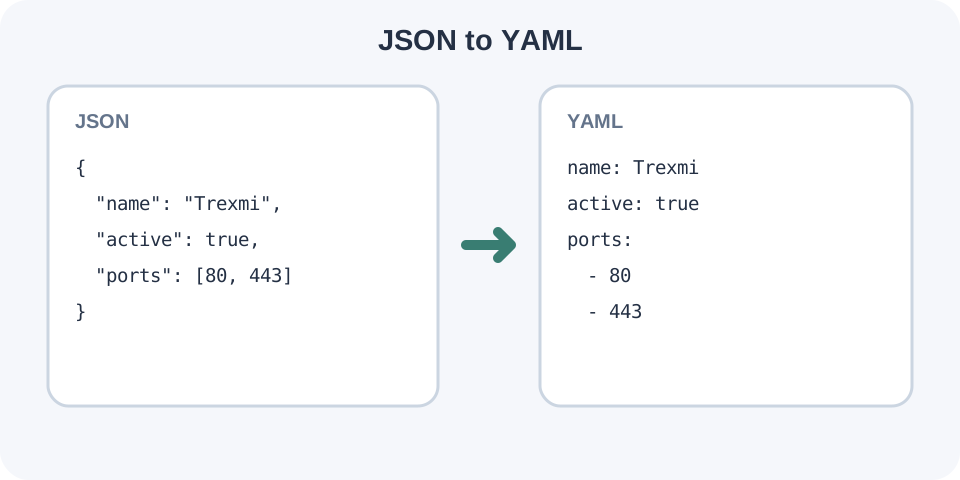
JSON to YAML converts a valid JSON value into a readable YAML representation. JSON objects become mappings, arrays become sequences and nested structures use two-space indentation.
Strings, numbers, booleans, null values and Unicode text are preserved by type. Strings that could be mistaken for YAML syntax or implicit values are quoted in the output. Because JSON has no comments, anchors, tags or block-scalar style, the converter does not invent those YAML features.
Focused controls, predictable output, and a workflow designed around this exact transformation.
Objects and arrays retain their hierarchy as YAML mappings and sequences.
Malformed JSON is rejected instead of producing partial YAML.
Ambiguous strings are quoted so their text meaning remains visible.
Two-space indentation produces a compact configuration-style result.
Practical details about input, output, privacy, limits, and the best way to use this tool.
Yes. A root array becomes a YAML sequence.
Yes. Invalid JSON produces an error and no YAML output.
No. JSON array order is preserved.
Strings containing YAML punctuation, whitespace controls or values that look like booleans, null or numbers are quoted to preserve their string meaning.
No. Standard JSON does not support comments, so there are no comments to transfer.
No. The output uses plain mappings, sequences and scalar values.
No. Data structure can be preserved, but whitespace, quote style and other presentation details are not a round-trip guarantee.
YAML implementations can differ in supported features and schema rules. The destination parser remains authoritative.
Learn JSON objects, arrays, value types, validation, formatting, parsing, API workflows, and common syntax errors.
A JSON object becomes a YAML mapping with one key per line. A JSON array becomes a dash-prefixed sequence in the same order. Nested collections are indented by two spaces per level, making the hierarchy visible without braces or brackets.
JSON true, false, null and numeric values remain typed YAML scalars. Strings remain strings. When a string contains punctuation with YAML meaning or resembles an implicit scalar such as true, null or a number, the emitter adds JSON-compatible double quotes.
JSON cannot represent YAML comments, anchors, aliases, custom tags or block-scalar style. This converter produces a straightforward data representation rather than attempting to manufacture configuration-specific YAML conventions.
Use JSON Formatter when the source is difficult to inspect. After conversion, run YAML Validator and then the parser used by the destination. Use YAML to JSON for the reverse direction, while expecting formatting differences.
See RFC 8259 for JSON and the YAML 1.2.2 specification for YAML. Remove secrets from production configuration before using an online conversion tool.