01
YAML to JSON: Best Free Online Converter
YAML to JSON converts YAML mappings and sequences into formatted JSON for APIs, testing, configuration, and data exchange. Review the structured result and copy it after verification.
Start typing to search 227 tools.
Convert YAML data to formatted JSON.
YAML to JSON is a focused browser utility that helps you convert yaml mappings and sequences into formatted json for apis, configuration workflows, testing, and data exchange.
The yaml to json keeps source content separate from the result, making it easier to compare structure, nesting, values, and formatting before copying the output. It supports practical development, configuration, migration, documentation, and quality-assurance workflows.
Paste representative data, run the operation, inspect the complete result, and test it in the destination system. The visual guide below shows the basic source, process, review, and copy workflow.
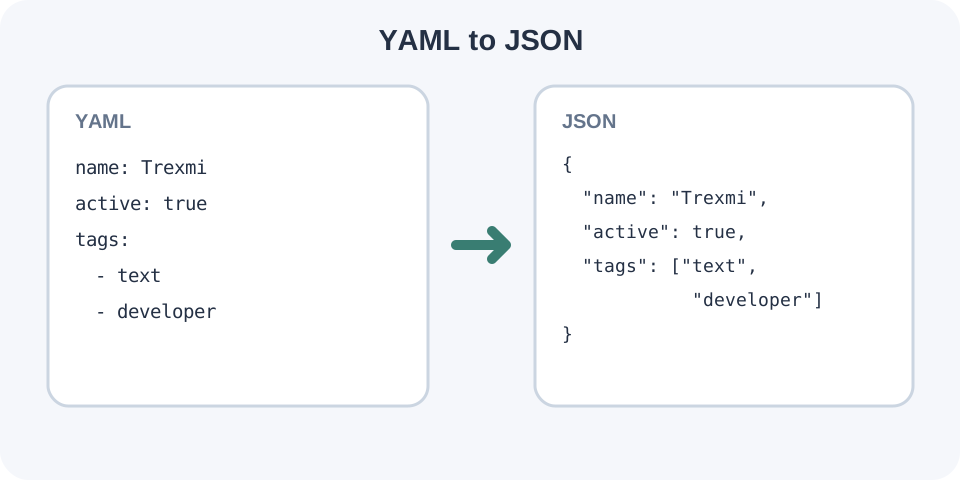
Focused controls, predictable output, and a workflow designed around this exact transformation.
YAML to JSON converts YAML mappings and sequences into formatted JSON for APIs, testing, configuration, and data exchange. Review the structured result and copy it after verification.
The original input stays available for comparison and correction.
Processed content appears separately and can be reviewed before copying.
Validation and comparison reduce mistakes before import or deployment.
Practical details about input, output, privacy, limits, and the best way to use this tool.
It converts YAML to JSON in a focused browser workspace and displays the result separately from the source.
No. Your source remains visible while a separate result is generated.
Yes. Common Unicode text is preserved, including non-Latin letters and symbols.
Hidden tabs, inconsistent indentation, duplicate keys, invalid quotes, unsupported syntax, or truncated content can cause errors.
Yes within the active plan limits. Test a small representative sample first.
No. Comments, anchors, custom tags, exact number formatting, and implementation-specific features may not survive conversion.
Yes. The destination parser, API, application, or configuration loader remains authoritative.
Avoid pasting passwords, tokens, private keys, or confidential production data into any environment you do not trust.
Learn JSON objects, arrays, value types, validation, formatting, parsing, API workflows, and common syntax errors.
The yaml to json reads the supplied value, applies one defined validation, formatting, conversion, or date-time operation, and places the result in a separate output area. Keeping both versions visible makes structural changes easier to review.
The tool is designed for common practical data. The receiving parser or platform remains authoritative, especially when a format contains implementation-specific extensions.
Typical uses include application configuration, API testing, data migration, documentation, debugging, deployment preparation, content transformation, test fixtures, and support investigations. A quick browser tool is useful when opening a full development environment would be unnecessary.
Use representative content rather than an oversimplified sample. Realistic nesting, Unicode characters, empty values, booleans, dates, and arrays reveal edge cases before production use.
Keep an untouched backup of important source data. Copy the complete value, including the first and last line. Check indentation, tabs, quotes, commas, brackets, duplicate keys, line endings, and any characters copied from rich-text editors.
For a large document, test one smaller section first. This confirms that the chosen operation matches your intended workflow and makes errors easier to isolate.
Inspect more than the first few lines. Compare nesting levels, keys, array order, scalar types, timestamps, timezone offsets, and Unicode values. Confirm that null, false, zero, and empty-string values were not confused.
When the output will be deployed or imported, test it in staging or with one safe record before replacing production content.
If processing fails, reduce the input to the smallest example that still reproduces the error. Then restore sections gradually. This identifies the exact indentation, quote, token, key, date, or value responsible for the problem.
Advanced YAML features such as anchors, aliases, custom tags, block scalar modifiers, and complex keys may require a dedicated standards-compliant parser. Date-time strings without an explicit timezone can also be interpreted differently by different systems.
Formatting and conversion do not encrypt or anonymize data. Avoid using confidential credentials or customer records unless you trust the environment and understand the processing path.
Before finishing, confirm that the entire output was copied, the destination accepts it, and the original source remains available. A final parser test is faster than repairing a broken configuration or import.
Continue with YAML Validator or JSON to YAML for a related workflow.
For structured-data background, consult the YAML specification or relevant platform documentation.