01
Predictable processing
A defined rule makes the result easier to understand.
Start typing to search 227 tools.
Extract unique @mentions from authorized text and preserve the order in which accounts first appear.
Mention Extractor is a focused browser tool that helps you extract unique @mentions from authorized text and preserve the order in which accounts first appear.
The workspace keeps the source available for comparison, applies a defined rule, and presents the result separately. This makes the change easier to inspect before content is published, imported, shared, or used in another workflow.
Use the complete source whenever possible, verify context-sensitive values, and retain a backup for important documents or structured data.
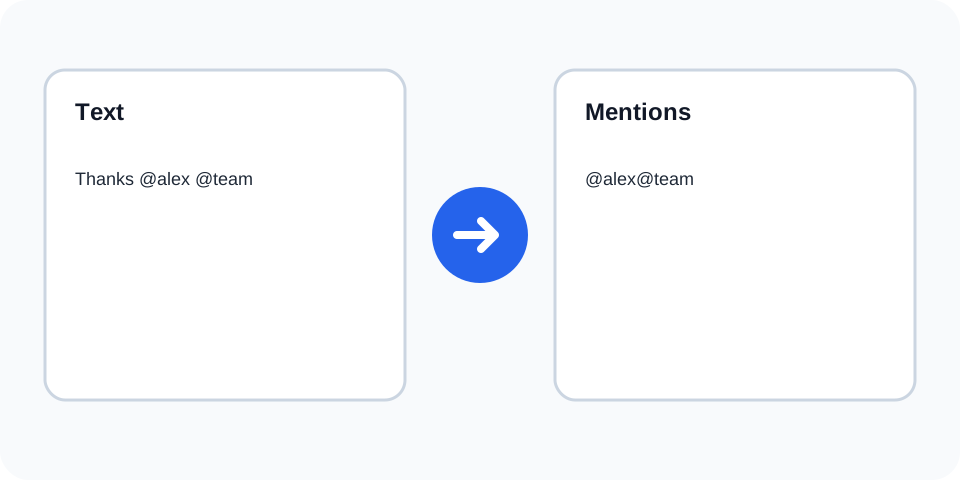
Focused controls, predictable output, and a workflow designed around this exact transformation.
A defined rule makes the result easier to understand.
The original text stays available for comparison.
The generated output is displayed independently.
Review first, then copy the approved result.
Practical details about input, output, privacy, limits, and the best way to use this tool.
A mention begins with @ and continues through supported letters, numbers, dots, hyphens, or underscores.
Yes. Unique values are returned in first-seen order.
No. It only extracts matching text and does not query a platform.
Yes. The part after @ in an email may resemble a mention, so review context.
No. It processes only the text you provide.
Review authorization and privacy before exporting or redistributing account references.
Yes. Extracted values include the leading at sign.
No. The source remains separate from the extracted list.
Mention Extractor scans the supplied text for tokens beginning with the @ symbol and returns matching values as a clean list. It is useful for reviewing approved captions, support transcripts, community notes, event summaries, and campaign drafts without copying the surrounding prose.
Review the source and generated result together, keep an untouched backup, and confirm the output in the destination system before relying on it.
Repeated account references are removed from the result while the first occurrence remains. Preserving first-seen order makes it easier to compare the list with the source and can reflect the sequence in which participants were introduced.
Review the source and generated result together, keep an untouched backup, and confirm the output in the destination system before relying on it.
An email address contains an @ symbol, so part of an email can resemble a social mention. Extraction is pattern-based rather than context-aware. Inspect every result and use the dedicated email extractor when the source primarily contains contact addresses.
Review the source and generated result together, keep an untouched backup, and confirm the output in the destination system before relying on it.
Different platforms allow different characters, lengths, and capitalization rules in usernames. A token that looks valid in text may not be an active account on the intended service. Verify names directly on the relevant platform before publishing or tagging.
Review the source and generated result together, keep an untouched backup, and confirm the output in the destination system before relying on it.
Account references can be personal data or part of a private conversation. Process only content you are allowed to use, avoid unnecessary redistribution, and review whether each mention is appropriate for the final audience.
Review the source and generated result together, keep an untouched backup, and confirm the output in the destination system before relying on it.
Use hashtag extraction for campaign tags, email extraction for addresses, and text statistics for the original draft. Separate tools reduce ambiguity and make the source-to-result relationship easier to audit.
Review the source and generated result together, keep an untouched backup, and confirm the output in the destination system before relying on it.
Continue with a related converter, a cleanup tool, or a text analysis tool. Each operation remains separate so changes are easier to understand and reverse.
For general string-processing concepts, consult the MDN String reference.