01
Consistent suffix
Appends the same selected text to every target line.
Start typing to search 227 tools.
Add the same suffix to every line while keeping the original list visible for careful comparison.
Suffix Lines is a focused browser utility that helps you add the same suffix to every line while keeping the original list visible for careful comparison.
The workspace keeps the source available, applies one clearly named operation, and displays the result separately. This makes the output easier to compare before it is published, imported, shared, or reused.
Use the complete source whenever possible, verify context-sensitive values, and retain a backup for important documents or structured data.
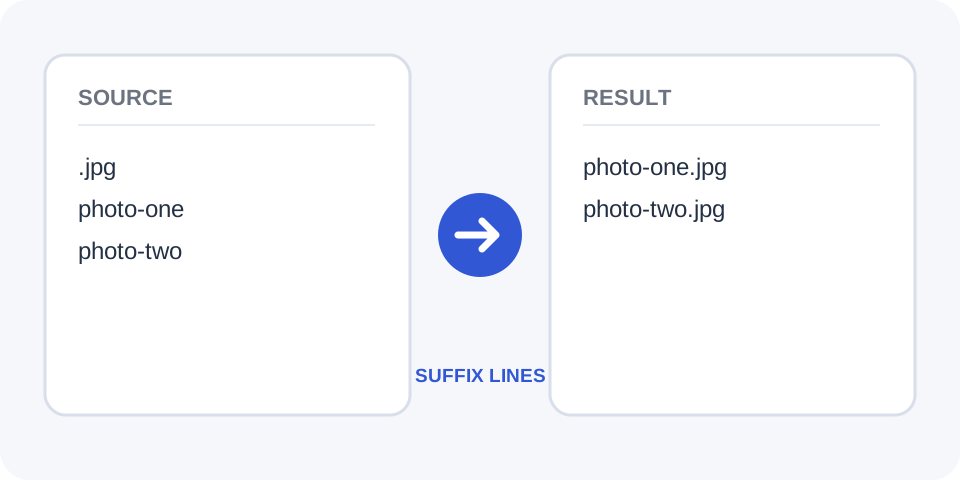
Focused controls, predictable output, and a workflow designed around this exact transformation.
Appends the same selected text to every target line.
Processes a complete line-based list in one operation.
Keep the original entries visible while checking the appended result.
Prepare paths, labels, commands, keywords, or formatted records for reuse.
Practical details about input, output, privacy, limits, and the best way to use this tool.
Enter the suffix in the setting field or designated first line used by the workspace.
Behavior can depend on the processor, so remove empty lines first when they should be skipped.
Yes, but verify leading spaces because they become part of every appended value.
No. It appends text and does not automatically remove an existing suffix.
Yes. A comma, semicolon, quote, extension, or other short ending can be appended.
Yes. Each line is processed independently.
Use the unchanged source or remove the suffix with a separate, carefully configured operation.
It can prepare repetitive fragments, but validate syntax before executing or publishing generated content.
The selected ending is joined to each target line without changing the original text that appears before it.
Compare the generated result with the original source, keep an untouched backup, and confirm the output in the destination system before relying on it.
Include every required character, such as a period, extension, slash, comma, quote, or space. Small differences affect every result.
Compare the generated result with the original source, keep an untouched backup, and confirm the output in the destination system before relying on it.
A leading space in the suffix creates separation; no leading space creates a direct join. Review several lines before copying.
Compare the generated result with the original source, keep an untouched backup, and confirm the output in the destination system before relying on it.
The processor does not usually detect whether a line already ends with the same value, so repeated endings may be created.
Compare the generated result with the original source, keep an untouched backup, and confirm the output in the destination system before relying on it.
Common uses include extensions, URL fragments, closing markup, punctuation, labels, and standardized notes.
Compare the generated result with the original source, keep an untouched backup, and confirm the output in the destination system before relying on it.
Check short lines, blank lines, existing punctuation, and the last entry to confirm consistent formatting.
Compare the generated result with the original source, keep an untouched backup, and confirm the output in the destination system before relying on it.
Continue with a related utility, another focused tool, or a complementary workflow. Keeping operations separate makes changes easier to understand and reverse.
For general string-processing concepts, consult the MDN String reference.