01
Reverse word sequence
Moves the final word to the beginning while retaining the characters inside each word.
Start typing to search 227 tools.
Reverse word order online while keeping the letters inside each word intact for sentences, phrases, lists, language exercises, and text tests.
Reverse Words online reverses the order of words in a sentence or phrase while keeping the characters inside each word readable. Use it as a word-order reverser for language exercises, creative text experiments, lists, and predictable test data.
reverse words reverse words with a focused tool that changes the order of word tokens while keeping the characters inside each individual word readable.
The workspace keeps the source available, applies one clearly named operation, and displays the result separately. This makes the output easier to compare before it is published, imported, shared, or reused.
Use the complete source whenever possible, verify context-sensitive values, and retain a backup for important documents or structured data.
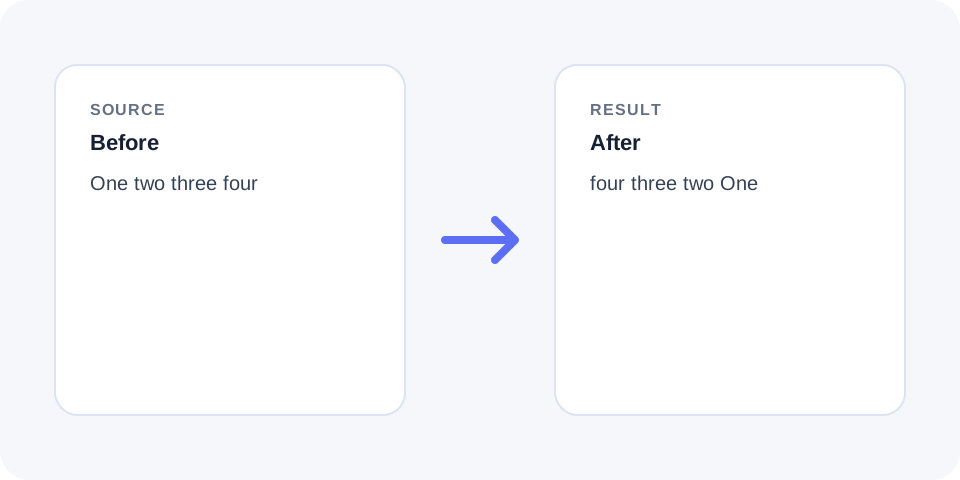
Focused controls, predictable output, and a workflow designed around this exact transformation.
Moves the final word to the beginning while retaining the characters inside each word.
Unlike character reversal, the spelling inside individual words remains readable.
The separate result makes the changed sequence easy to compare with the source.
Helpful for word-order demonstrations, creative experiments, and text-processing tests.
Practical details about input, output, privacy, limits, and the best way to use this tool.
No. Individual words remain readable while their positions change.
Punctuation usually stays attached to the word beside it, so review the final sentence.
Whitespace may be normalized depending on processing, so compare formatted input carefully.
The processor follows its configured text scope; review multiline output before use.
Yes. Reversing word order usually changes or removes the original meaning.
Yes, especially when entries are space-separated and order is the only required change.
Reverse the generated word sequence again or retain the source.
No. It only changes position and does not translate or rewrite vocabulary.
The tool identifies word tokens and returns them from the final token back to the first.
Characters inside each word remain in their original order, which distinguishes this operation from Reverse Text.
Commas, periods, quotation marks, and brackets may remain attached to neighboring tokens during reversal.
Read the result carefully because punctuation designed for the original order may no longer be grammatically correct.
Input with repeated spaces, tabs, or line breaks can produce output that differs from a simple single-line sentence.
Normalize whitespace first when consistent spacing is important for the destination.
Word reversal is mechanical and does not preserve natural grammar or meaning.
Use it for controlled transformations, exercises, and tests rather than automatic sentence rewriting.
The operation can quickly invert space-separated labels or create predictable test samples.
For one-item-per-line data, Reverse Lines is usually a better match because it preserves each complete row.
Check the first and last several words and confirm that no token disappeared.
Applying the operation again should restore the original token order when tokenization remains unchanged.
reverse words moves the last word to the beginning and continues backward through the sequence. It is different from character reversal because spelling inside each word remains unchanged. reverse words can support language exercises, creative writing experiments, sentence-order testing, and text-processing checks. Punctuation may remain attached to the word beside it, so commas, quotation marks, and sentence-ending marks should be reviewed after processing. Test a short representative sample, compare the source with the result, and keep the original text available until the reversed word order is confirmed.
reverse words keeps the source and result separate so the transformation remains easy to inspect, explain, and reverse when necessary.
Continue with a related utility, another focused tool, or a complementary workflow. Keeping operations separate makes changes easier to understand and reverse.
For general string-processing concepts, consult the MDN String reference.