01
Focused operation
A clearly defined rule produces output that is easy to inspect.
Start typing to search 227 tools.
Remove repeated words case-insensitively while keeping each first spelling and the original first-seen order.
Remove Duplicate Words gives you a focused workflow for this task. Use remove duplicate words with representative input, review the complete result, and verify the output in the destination system before production use.
Remove Duplicate Words is a focused browser utility that removes duplicate words with a transparent, reviewable workflow.
The workspace keeps the source available, applies one clearly named operation, and displays the result separately. This makes the output easier to compare before it is published, imported, shared, or reused.
Use the complete source whenever possible, verify context-sensitive values, and retain a backup for important documents or structured data.
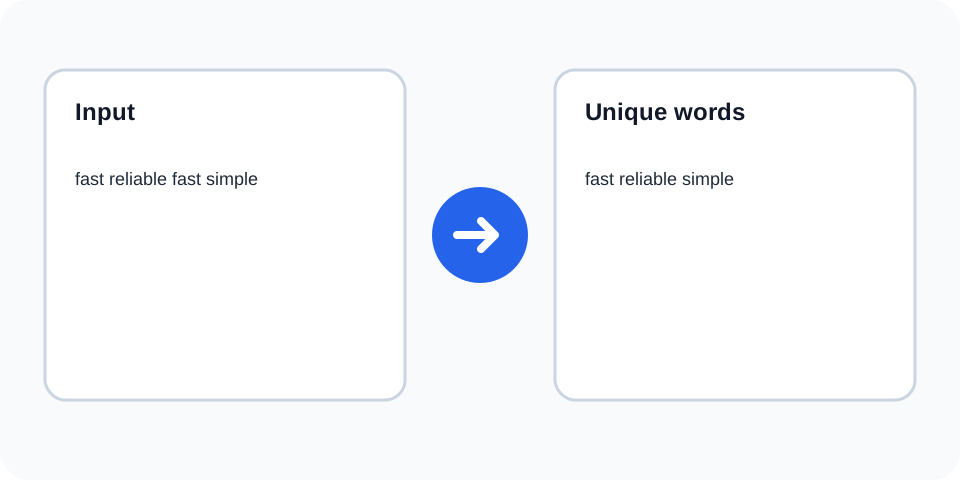
Focused controls, predictable output, and a workflow designed around this exact transformation.
A clearly defined rule produces output that is easy to inspect.
The original text stays available for comparison and recovery.
Processed content is displayed independently from the source.
Review the complete output before copying it elsewhere.
Practical details about input, output, privacy, limits, and the best way to use this tool.
No. Matching ignores case, while the first spelling is kept.
Yes. Words remain in the order of their first occurrence.
No. It only removes repeated tokens and does not repair grammar.
Punctuation can affect token boundaries, so inspect contractions and compound terms.
Yes. Review prose because repetition may be meaningful.
Yes, especially for simple whitespace-separated lists.
No. Use Word Frequency Counter or Word Counter for counts.
Not from the output alone; retain the source copy.
Remove Duplicate Words works best when the source is realistic and the result is reviewed before export. Use remove duplicate words on a small example first, then repeat the same remove duplicate words workflow with a production-like sample that contains no private data.
After running remove duplicate words, compare the source and result, check special characters and empty values, and test the output in the receiving application. A reliable remove duplicate words workflow keeps the original input available until the destination accepts the result.
Typical mistakes include incomplete input, incorrect assumptions about defaults, hidden whitespace, encoding differences, and skipping final validation. When remove duplicate words gives an unexpected result, reduce the example to the smallest failing case and add complexity back one change at a time.
Continue with Unique Word Finder or Word Frequency Counter for a second formatting, validation, or verification step.
The tool tokenizes the source, compares words without regard to letter case, and keeps the first occurrence. Later matches are omitted while the first-seen sequence remains.
Review the source and generated result together, keep an untouched backup, and confirm the output in the destination system before relying on it.
When the same word appears with different capitalization, the first spelling is retained. This supports predictable cleanup but may not match the capitalization required later in a sentence.
Review the source and generated result together, keep an untouched backup, and confirm the output in the destination system before relying on it.
The operation is useful for cleaning repeated keywords, tags, notes, and simple word lists. It is not a substitute for editorial rewriting of complete prose.
Review the source and generated result together, keep an untouched backup, and confirm the output in the destination system before relying on it.
Commas, apostrophes, hyphens, and other punctuation can affect how tokens are recognized. Review compound words, contractions, URLs, and product codes carefully.
Review the source and generated result together, keep an untouched backup, and confirm the output in the destination system before relying on it.
Repeated words can be intentional for emphasis, grammar, quotations, names, or technical terminology. Removing them automatically may change meaning or produce awkward sentences.
Review the source and generated result together, keep an untouched backup, and confirm the output in the destination system before relying on it.
Compare the result with the source and verify that all removed occurrences were truly redundant. Keep an untouched copy for recovery.
Review the source and generated result together, keep an untouched backup, and confirm the output in the destination system before relying on it.
Continue with a related utility, another focused tool, or a complementary workflow. Keeping operations separate makes changes easier to understand and reverse.
For general string-processing concepts, consult the MDN String reference.