HTTP Headers Guide
HTTP Headers Guide covering request and response headers, caching, redirects, authentication, security, CORS, cookies, proxies, SEO, debugging, and best practices.
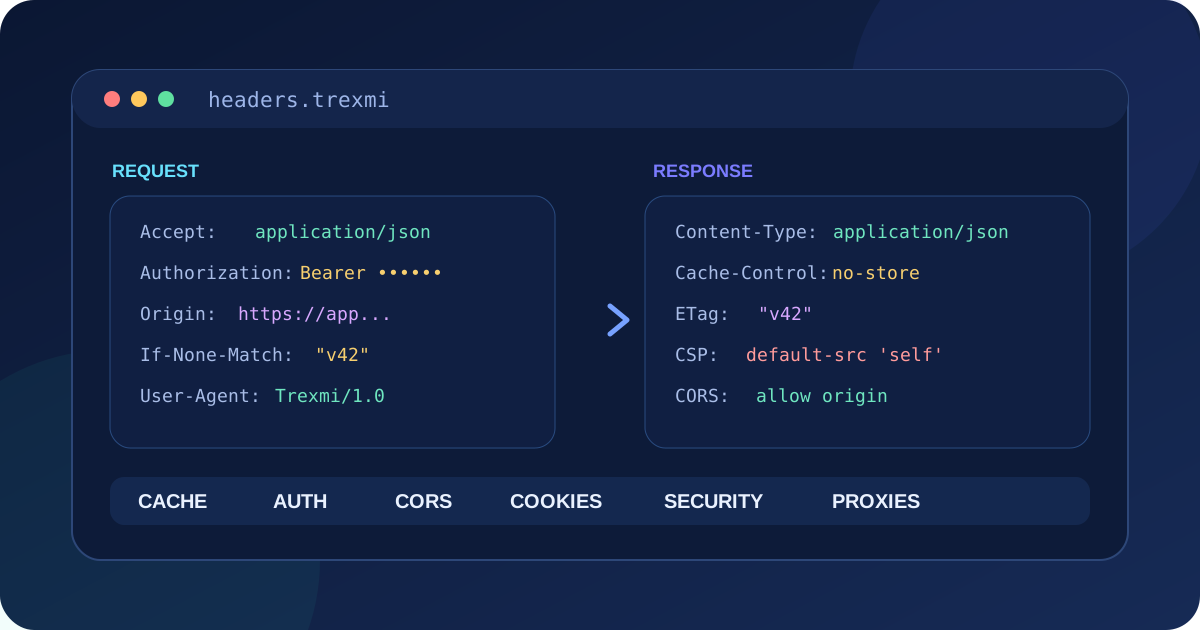
HTTP Headers Guide is a practical reference for developers, API users, SEO specialists, and system administrators who need to understand request and response metadata. This HTTP Headers Guide explains header syntax, content negotiation, caching, redirects, authentication, security headers, CORS, cookies, proxies, debugging, and the most common implementation mistakes.
Tip: Treat headers as part of the HTTP message, not as decoration. A correct status code with incorrect caching, authentication, redirect, or security headers can still produce broken application behavior.
What are HTTP headers?
HTTP headers are name-value fields sent with requests and responses. They describe the message, the client, the server, the representation being transferred, caching rules, authentication state, cookies, redirects, security policies, and other protocol details. Headers are separate from the message body and are interpreted by browsers, APIs, proxies, CDNs, gateways, and application servers.
GET /api/items HTTP/1.1nHost: example.comnAccept: application/jsonnAuthorization: Bearer TOKENnUser-Agent: ExampleClient/1.0A response can contain a different set of headers:
HTTP/1.1 200 OKnContent-Type: application/json; charset=utf-8nCache-Control: no-storenETag: "v42"nContent-Length: 128This HTTP Headers Guide focuses on semantics rather than memorizing every possible field. The key skill is understanding which component sets a header, which component consumes it, and what behavior changes when the value is missing or wrong.
HTTP Headers Guide to syntax and field names
A header field has a name followed by a colon and a value. Field names are case-insensitive, although modern documentation commonly uses forms such as Content-Type and Cache-Control. Applications should not depend on capitalization.
Header-Name: field valueSome headers accept one value, some accept comma-separated lists, and others use structured directives. Do not split or merge fields blindly because different headers have different combination rules. Whitespace around values should be handled according to the HTTP specification and the library being used.
Important HTTP request headers
| Header | Purpose | Example |
|---|---|---|
Host |
Identifies the target host | example.com |
Accept |
Preferred response media types | application/json |
Accept-Language |
Preferred languages | en-US,en;q=0.8 |
Authorization |
Authentication credentials | Bearer ... |
Content-Type |
Format of the request body | application/json |
If-None-Match |
Conditional cache validation | "v42" |
Origin |
Origin for CORS processing | https://app.example.com |
User-Agent |
Identifies client software | ExampleClient/1.0 |
Accept and content negotiation
The Accept header tells the server which response media types a client can process. APIs often use application/json. Browsers may send a longer preference list. Servers can select a representation or return an appropriate error when no acceptable representation exists.
Content-Type on requests
When a request contains a body, Content-Type describes that body. Sending JSON while declaring form data can make a server parse the request incorrectly. For JSON, a common value is application/json; charset=utf-8.
Important HTTP response headers
| Header | Purpose |
|---|---|
Content-Type |
Describes the returned representation |
Content-Length |
Size of the message body when known |
Location |
Redirect or newly created resource location |
Cache-Control |
Cache behavior and freshness rules |
ETag |
Validator for a representation |
Last-Modified |
Timestamp used for conditional requests |
Set-Cookie |
Creates or updates a browser cookie |
WWW-Authenticate |
Describes an authentication challenge |
Use HTTP Header Builder to assemble common request or response headers without manually remembering every field format. Use cURL Builder to turn a request into a reproducible command-line test.
HTTP Headers Guide to caching
Caching headers can reduce latency and server load, but incorrect rules can also expose private data or keep stale content visible. Cache-Control is the primary modern header for cache policy.
max-age=3600allows a response to remain fresh for 3600 seconds.no-cacheallows storage but requires revalidation before reuse.no-storeinstructs caches not to store the response.publicallows shared caches to store a response.privatelimits storage to a private cache such as a browser.immutableindicates that a fresh resource is not expected to change.
ETag and conditional requests
An ETag identifies a version of a representation. A client can send If-None-Match with the previous ETag. If the representation is unchanged, the server may return 304 Not Modified without resending the full body.
Last-Modified and If-Modified-Since
Date-based validators provide another conditional caching mechanism. ETags are often more precise because timestamps can have limited resolution and do not always identify content changes reliably.
Headers used in redirects
A 3xx response normally uses the Location header to specify the next URL. The status code determines whether the move is permanent or temporary and whether clients should preserve the request method. The header alone is not enough; it must be paired with the correct HTTP status.
HTTP/1.1 301 Moved PermanentlynLocation: https://example.com/new-pageTrace real redirect behavior with the Redirect Chain Checker. A header inspection should reveal every Location value rather than showing only the final page.
HTTP Headers Guide to authentication
The Authorization request header carries credentials for schemes such as Basic or Bearer authentication. A typical API token request looks like this:
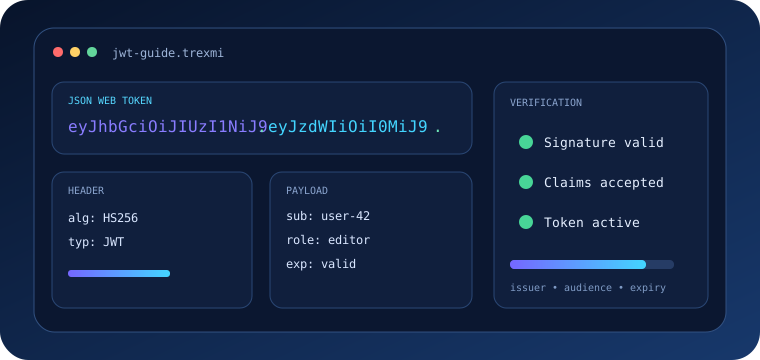
Authorization: Bearer eyJhbGciOi...Bearer tokens must be protected like passwords. Do not put them into public logs, screenshots, analytics URLs, or error reports. For JWT-shaped bearer tokens, use the JWT Decoder to inspect structure, while remembering that decoding does not automatically verify a signature.
A 401 Unauthorized response may include WWW-Authenticate to describe the required scheme. Authentication failures and authorization failures should not be mixed because clients react differently to 401 and 403 responses.
Essential security headers
This HTTP Headers Guide recommends treating security headers as part of a layered browser security policy. They do not replace secure application code, but they can reduce the impact of common web attacks.
| Header | Typical role |
|---|---|
Content-Security-Policy |
Restricts allowed script, style, image, frame, and connection sources |
Strict-Transport-Security |
Forces future HTTPS use for a host after a secure visit |
X-Content-Type-Options: nosniff |
Reduces MIME-type sniffing |
Referrer-Policy |
Controls referrer information sent to other sites |
Permissions-Policy |
Controls access to selected browser features |
Cross-Origin-Opener-Policy |
Controls browsing-context isolation |
Warning: Do not copy a strict Content Security Policy from another website without testing. An incorrect policy can block legitimate scripts, styles, fonts, images, API connections, or embedded content.
HTTP Headers Guide to CORS
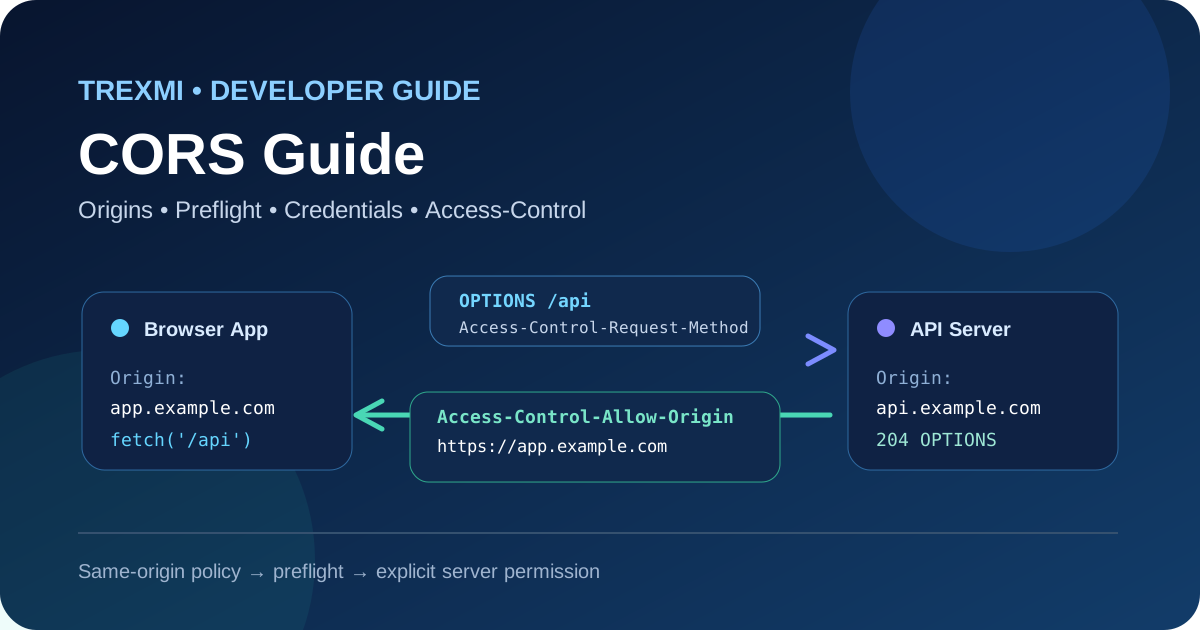
Cross-Origin Resource Sharing lets a server declare which browser origins can read a response. CORS is enforced primarily by browsers; it is not a general server-to-server authentication system.
Access-Control-Allow-Originidentifies an allowed origin or uses*for eligible public responses.Access-Control-Allow-Methodslists methods accepted for cross-origin requests.Access-Control-Allow-Headerslists non-simple request headers allowed by the server.Access-Control-Allow-Credentialscontrols whether credentials can be included.
Complex cross-origin requests may trigger an OPTIONS preflight. Debug the preflight separately from the real request. A successful API endpoint can still fail in a browser when its CORS headers are incomplete.
Cookies and Set-Cookie
Set-Cookie has special parsing rules and should not be treated like a normal comma-separated header. Important cookie attributes include Secure, HttpOnly, SameSite, Path, Domain, Expires, and Max-Age.
Securelimits cookie transmission to HTTPS.HttpOnlyprevents normal JavaScript access throughdocument.cookie.SameSiteaffects cross-site cookie sending and can help reduce CSRF exposure.
Forwarded headers and reverse proxies
Applications behind CDNs, load balancers, or reverse proxies often need the original client IP, host, and scheme. Common fields include standardized Forwarded and deployment-specific headers such as X-Forwarded-For, X-Forwarded-Proto, and X-Forwarded-Host.
Never trust forwarded values from arbitrary internet clients. A trusted proxy should overwrite or sanitize them, and the application should only accept them from known infrastructure. Otherwise, attackers may spoof client IPs, schemes, or hosts.
HTTP headers and SEO
Headers influence crawling, redirects, caching, canonical delivery, and indexing workflows. Search engines rely on actual HTTP responses, not only visible page content. A redirect should expose a correct Location header, a missing resource should return an appropriate status, and caching should not serve obsolete redirect or error responses indefinitely.
Headers such as X-Robots-Tag can also control indexing for non-HTML resources or when page-level meta tags are unavailable. Use indexing directives carefully because a broad header applied at the CDN or server layer can affect many URLs at once.
A reliable HTTP Headers Guide debugging workflow
- Capture the exact URL, HTTP method, and request body.
- Record request headers before any proxy or browser modifies them.
- Inspect the first response without automatically following redirects.
- Compare status, response headers, and body together.
- Check cache headers and validators when content appears stale.
- Inspect CORS preflight traffic separately from the main request.
- Remove secrets before sharing headers in tickets or screenshots.
- Repeat the request with cURL or another reproducible client.
- Compare direct-origin and CDN/proxy responses when infrastructure is involved.
curl -i https://example.com/apincurl -I https://example.com/pagencurl -i -H "Accept: application/json" https://example.com/apiCommon HTTP header mistakes
- Sending JSON with the wrong
Content-Type. - Treating
no-cacheas identical tono-store. - Exposing bearer tokens or cookies in debug logs.
- Returning a redirect without a usable
Location. - Using wildcard CORS settings with credentials incorrectly.
- Trusting
X-Forwarded-Forfrom untrusted clients. - Copying security headers without testing application dependencies.
- Assuming header names are case-sensitive.
- Combining
Set-Cookievalues as if they were an ordinary list header. - Debugging only the response body and ignoring the status and headers.
HTTP Headers Guide best practices
- Use standards-based field names and values.
- Let mature HTTP libraries serialize headers when possible.
- Validate untrusted header input and apply size limits.
- Keep authentication material out of logs and analytics.
- Design caching rules explicitly for public and private data.
- Test redirects without automatic following during debugging.
- Test CORS in a real browser in addition to command-line clients.
- Apply security headers incrementally and monitor breakage.
- Trust proxy forwarding headers only from known infrastructure.
- Document custom headers and remove obsolete ones.
Authoritative HTTP header references
For protocol semantics, review RFC 9110 HTTP Semantics. For practical browser-focused documentation, use the MDN HTTP headers reference. These references complement this HTTP Headers Guide when you need exact rules for a specific field.
HTTP Headers Guide summary
This HTTP Headers Guide shows that reliable HTTP behavior depends on more than the response body. Request and response headers define representation formats, caching, redirects, authentication, cookies, CORS, browser security, and proxy metadata. Inspect headers together with the status code, test them with reproducible requests, protect sensitive values, and use the Trexmi tools to build and troubleshoot HTTP messages before deploying configuration changes.
Practice what you learned
Related Trexmi tools
Open a focused workspace and test the patterns from this guide.Clear answers
Frequently asked questions
What are HTTP headers?+
HTTP headers are name-value fields sent with requests and responses to describe message metadata, representation formats, caching, authentication, cookies, redirects, security policies, and other protocol behavior.
What is the difference between request and response headers?+
Request headers describe the client request and its preferences or credentials. Response headers describe the server response, representation, caching, cookies, redirects, and related behavior.
What does Content-Type do?+
Content-Type identifies the media type of a request or response body, such as application/json or text/html.
What is the difference between no-cache and no-store?+
no-cache allows a response to be stored but requires revalidation before reuse. no-store instructs caches not to store the response.
Which HTTP headers improve browser security?+
Common security headers include Content-Security-Policy, Strict-Transport-Security, X-Content-Type-Options, Referrer-Policy, and Permissions-Policy.
What headers are used for CORS?+
Common CORS response headers include Access-Control-Allow-Origin, Access-Control-Allow-Methods, Access-Control-Allow-Headers, and Access-Control-Allow-Credentials.
Can HTTP headers affect SEO?+
Yes. Redirect Location headers, caching, X-Robots-Tag, and the actual HTTP status can affect crawling, indexing, redirects, and how search engines process resources.
Should X-Forwarded-For be trusted?+
Only when it is supplied or sanitized by trusted proxy infrastructure. Arbitrary clients can spoof forwarding headers.
Continue learning