XML Guide
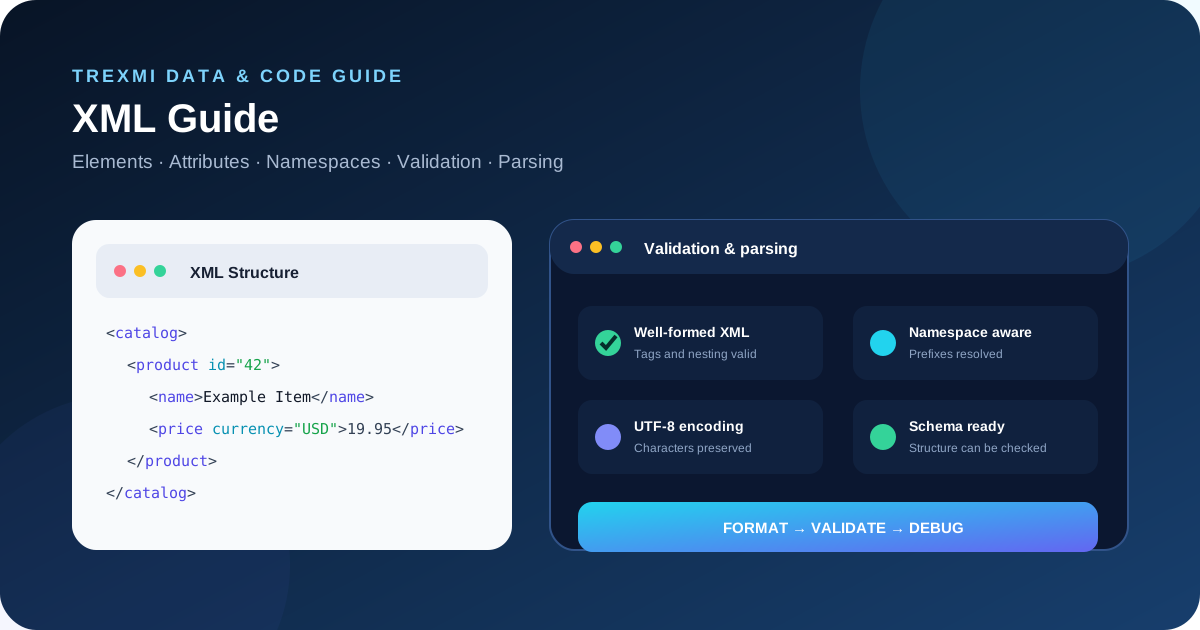
XML Guide covering syntax, elements, attributes, namespaces, validation, formatting, parsing, security, common errors, and a practical debugging workflow.
Quick Tool
Format or validate XML now
Start with XML Formatter or XML Validator, then use the guide to understand elements, attributes, namespaces, validation, parsing, common errors, security, and debugging.
XML Guide to what XML is
XML stands for Extensible Markup Language. It stores structured information in a tree of elements that can contain text, attributes, and child elements. Unlike HTML, XML does not define a fixed set of tags. Applications create their own element names and structures for documents, feeds, configuration files, messages, exports, and data exchange.
For the formal language specification, see the W3C XML specification. For practical web-development examples, the MDN XML documentation is also useful. These external references complement this XML Guide with standards and browser-oriented documentation.
How to use the XML Formatter and Validator
- Paste the exact XML sample into XML Validator first and confirm that the document is well formed before changing the data.
- Use XML Formatter to add indentation and line breaks so the element hierarchy, attributes, namespaces, and the error location are easier to inspect.
- Fix mismatched tags, invalid escaping, undeclared prefixes, encoding issues, or other syntax errors, then validate the corrected document again.
- When a schema or application contract exists, check those rules after basic XML syntax is correct and retest the document in the real consuming application.
Examples
Basic element structure
<product id="42"><name>Trexmi</name></product>XML is case-sensitive, elements must be correctly nested, and an XML document must have one document element.
XPath selection
//product[@id="42"]XPath can select elements and attributes from a parsed document. When a query unexpectedly returns nothing, inspect namespaces before rewriting the expression.
Debugging lab
Broken XML → Fixed XML
Start with well-formedness. Only after a parser can read the document should you move on to XSD rules, namespaces, and application-specific validation.
| Problem | Broken | Fixed | Why |
|---|---|---|---|
| Mismatched closing tag | <item><name>A</item> | <item><name>A</name></item> | XML elements must be properly nested and the closing tag name must match the opening tag exactly. |
| Unescaped ampersand | <name>R&D</name> | <name>R&D</name> | A literal ampersand begins an entity reference and must be escaped in normal text content. |
| Two root elements | <a/><b/> | <root><a/><b/></root> | An XML document has exactly one document element containing all other top-level elements. |
| Broken attribute quotes | <item id="42></item> | <item id="42"></item> | Attribute values must be quoted and the opening quote must have a matching closing quote. |
| Undeclared namespace prefix | <media:title>Demo</media:title> | <root xmlns:media="urn:media"><media:title>Demo</media:title></root> | A prefixed name is not valid unless the prefix is bound to a namespace URI in scope. |
| Encoding declaration mismatch | Declaration says ISO-8859-1; bytes are UTF-8 | Declare UTF-8 or actually send ISO-8859-1 bytes | The declaration must agree with the bytes delivered to the parser or non-ASCII text can be corrupted or rejected. |
| CDATA contains ]]> | <![CDATA[a ]]> b]]> | Split the text before the ]]> sequence | The exact ]]> sequence terminates a CDATA section and cannot appear inside one unchanged. |
| Whitespace must be preserved | <p> A B </p> | <p xml:space="preserve"> A B </p> | Formatting may change meaningful whitespace in mixed-content documents; xml:space can signal preservation intent. |
Three different meanings of “valid XML”
| Check | Question answered | Example failure |
|---|---|---|
| Well-formed | Can an XML parser read the syntax? | Mismatched tag or unescaped & |
| Schema-valid | Does it satisfy the DTD/XSD contract? | Missing required element or wrong datatype |
| Application-valid | Does the data make sense to this system? | Unknown ID or invalid workflow state |
Check: A formatter can make XML easier to read, but it cannot turn structurally invalid XML into valid application data. Validate after every repair.
Common use cases
API and integration payloads
Formatting and validation make SOAP-style payloads, service responses, and other XML exchanges easier to inspect before they are passed to application code.
Configuration and feeds
XML configuration files and feeds often fail because of malformed tags, escaping, encoding, or namespace changes. Validate syntax before investigating application-specific rules.
Schema-based documents
Well-formed XML can still violate a DTD or XML Schema. Treat syntax validation and schema validation as separate stages.
Advanced tips
Check namespaces early
Default namespaces and prefixes can make structurally correct XML look invisible to XPath or application code unless the namespace URI is handled explicitly.
Use secure parser settings
Disable unnecessary external entity processing, apply size and nesting limits, and keep parsing separate from business-rule validation when XML is untrusted.
Preserve meaningful whitespace
Formatting is normally safe for data-oriented XML, but whitespace can matter in mixed-content documents. Confirm the consuming application before changing text boundaries.
XML Guide to basic syntax
A well-formed XML document follows strict syntax rules. Tags are case-sensitive, elements must be properly nested, attribute values must be quoted, and the document must have a single root element.
<?xml version="1.0" encoding="UTF-8"?>
<catalog>
  <product id="42">
    <name>Example Item</name>
    <price currency="USD">19.95</price>
  </product>
</catalog>
The XML Formatter can turn compact or irregular XML into an indented structure that is easier to inspect.
XML Guide to elements and nesting
Elements define the main structure of an XML document. An element normally has an opening tag, content, and a closing tag. Empty elements can use self-closing syntax. Parent-child relationships create the document tree.
<order>
  <customer>
    <name>Alex</name>
  </customer>
  <total>49.00</total>
</order>
Correct nesting matters because XML parsers interpret structure literally. Closing a child after its parent is a syntax error, even if a human reader can guess the intended layout.
XML Guide to attributes
Attributes add metadata to an element and appear inside the opening tag. They are useful for identifiers, flags, codes, and small pieces of metadata. Large or reusable data is often clearer as child elements.
<product id="42" active="true" currency="USD">
  <name>Example Item</name>
</product>
Attribute names must be unique within the same element, and values must be quoted. XML does not automatically assign application-level meaning to values such as true, 42, or dates; the consuming application or schema defines how those strings are interpreted.
XML Guide to namespaces
Namespaces prevent naming collisions when XML combines vocabularies from different systems. A namespace declaration associates a prefix with a URI, and prefixed elements then belong to that namespace.
<feed xmlns:media="https://example.com/media">
  <media:title>Example</media:title>
</feed>
Namespace bugs are common because an element name is not always just the visible prefix and local name. Parsers usually work with the namespace URI plus local name. A default namespace can also change how unprefixed elements are interpreted.
XML Guide to entities and escaping
Reserved characters must be escaped when they would otherwise be interpreted as markup. Common predefined entities include & for an ampersand, < for a less-than sign, > for a greater-than sign, " for a double quote, and ' for an apostrophe.
<message>A & B < C</message>Escaping is different from encoding the entire document. The document encoding, such as UTF-8, determines how characters are represented as bytes, while XML entities protect characters that have special markup meaning.
XML Guide to CDATA sections
CDATA sections allow text containing markup-like characters to appear without escaping every less-than sign or ampersand. They can be useful for embedded snippets, but they do not create a separate data type and should not be used as a substitute for clear document structure.
<script><![CDATA[
if (a < b && c > d) { run(); }
]]></script>
Well-formed XML vs valid XML
Well-formed XML follows the core XML syntax rules. Valid XML is well-formed and also satisfies an external set of structural rules, such as a DTD or XML Schema. A document can therefore be well-formed but still invalid for a particular application.
| Check | Meaning | Typical failure |
|---|---|---|
| Well-formedness | Core XML syntax is correct | Mismatched or unclosed tag |
| Schema validity | Document follows expected structure and types | Missing required element |
| Application validity | Data also satisfies business rules | Unknown product ID or invalid state |
Use the XML Validator first when an XML document fails to parse or behaves unexpectedly.
XML declaration and character encoding
The optional XML declaration can specify the XML version and character encoding. UTF-8 is a common choice. Encoding mismatches between the declared encoding and actual bytes can cause corrupted characters or parser errors.
<?xml version="1.0" encoding="UTF-8"?>When data moves between systems, verify that the HTTP headers, file encoding, XML declaration, database, and application agree on the character encoding.
Comments and processing instructions
XML comments use <!-- ... -->. Processing instructions use syntax such as <?target data?> and can provide application-specific instructions. Neither should be confused with ordinary elements.
XML Guide to XPath basics
XPath is a query language used to select nodes from an XML tree. Even when an application uses a higher-level XML library, XPath concepts help when debugging paths and namespace-aware queries.
/catalog/product/name
//product[@id="42"]
//price[@currency="USD"]
When XPath unexpectedly returns nothing, inspect namespaces first. A default namespace in the source often requires explicit namespace handling in the XPath environment.
XML Guide to formatting and minification
Formatting adds indentation and line breaks for readability. Minification removes unnecessary formatting whitespace. Neither operation should change meaningful text content. Be careful with mixed-content XML, where whitespace between text and child elements may be significant to the application.
A good workflow is to run the document through the XML Formatter, inspect the structure, then validate it with the XML Validator.
XML Guide to common errors
Mismatched closing tags
XML tags are case-sensitive and must close in the correct order. <Item> and <item> are different names.
Multiple root elements
An XML document must have one document element. Two unrelated top-level elements make the document not well formed.
Unescaped ampersands
A raw ampersand can start an entity reference and therefore causes parsing errors when used incorrectly in text or attribute values.
Broken namespaces
Using an undeclared prefix, changing a namespace URI unexpectedly, or ignoring a default namespace can make structurally correct-looking XML fail application queries.
Invalid control characters
Some control characters are not allowed in XML 1.0 documents. Data imported from logs, binary sources, or legacy systems may contain hidden characters that break parsing.
XML vs JSON
XML and JSON both represent structured data, but they have different strengths. XML offers namespaces, mixed content, attributes, document-oriented markup, and mature schema systems. JSON is often simpler for web APIs and maps naturally to common programming-language objects and arrays.
| Feature | XML | JSON |
|---|---|---|
| Elements and attributes | Yes | No direct equivalent to attributes |
| Namespaces | Built in | Convention-based |
| Comments | Supported | Not part of standard JSON |
| Mixed text and child nodes | Supported | Not natural |
| Typical API ergonomics | More verbose | Usually simpler |
When comparing formats, use the JSON Formatter and JSON Validator alongside the XML tools to inspect equivalent structures.
XML Guide to security risks
XML parsers can introduce security risks when unsafe features are enabled. External entity expansion has historically enabled XXE attacks that may read local files, trigger server-side requests, or consume excessive resources. Entity expansion can also create denial-of-service conditions.
- Disable external entity resolution unless explicitly required.
- Use maintained parser libraries with secure defaults.
- Apply input size and nesting limits to untrusted XML.
- Validate expected document structure before using values.
- Do not execute embedded content merely because it came from XML.
- Separate parsing from business-rule validation.
A reliable XML Guide debugging workflow
- Preserve the original failing XML sample.
- Validate basic well-formedness.
- Format the XML for visual inspection.
- Locate the exact parser error line and column when available.
- Check tag names, nesting, attributes, and escaping.
- Inspect namespace declarations and default namespaces.
- Verify the declared and actual character encoding.
- Validate against the required schema when one exists.
- Compare a working document with the failing document.
- Retest in the real consuming application after the syntax issue is fixed.
XML Guide checklist
| Area | What to verify |
|---|---|
| Root | Exactly one document element |
| Tags | Case and closing order are correct |
| Attributes | Quoted and unique per element |
| Entities | Reserved characters are escaped correctly |
| Namespaces | Prefixes and URIs match expectations |
| Encoding | Declared encoding matches actual data |
| Validation | Schema and application rules are satisfied |
| Security | External entities and unsafe parser features are disabled |
XML Guide summary
This XML Guide recommends a simple order of operations: validate syntax, format the document, inspect namespaces and encoding, check schema requirements, then test the exact application workflow. Trexmi provides the XML Formatter and XML Validator for the first stages of that process, while related JSON tools help when you need to compare or migrate structured data formats.
Practice what you learned
Related Trexmi tools
Open a focused workspace and test the patterns from this guide.Clear answers
Frequently asked questions
What is XML?+
XML is Extensible Markup Language, a text-based format for representing structured data as a tree of elements, attributes, and text content.
What does well-formed XML mean?+
Well-formed XML follows the core XML syntax rules, including one root element, correctly nested tags, quoted attributes, and proper escaping.
What is the difference between well-formed and valid XML?+
Well-formed XML follows XML syntax. Valid XML is also checked against additional structural rules such as a DTD or XML Schema.
Why are XML namespaces used?+
Namespaces prevent naming collisions when a document combines elements from different XML vocabularies by associating names with namespace URIs.
What is CDATA in XML?+
A CDATA section lets text contain markup-like characters without escaping each one, although it remains character data rather than a separate data type.
Why does my XML parser report an entity error?+
A common cause is an unescaped ampersand or malformed entity reference. Reserved markup characters must be escaped correctly.
What is XXE in XML?+
XML External Entity attacks abuse unsafe external entity resolution to access files, trigger network requests, or consume resources. Secure parsers should disable unnecessary external entity processing.
How should I debug invalid XML?+
Validate well-formedness first, format the document, inspect the reported error location, then check nesting, escaping, namespaces, encoding, and schema requirements.
Continue learning